

lPlayer - Offline Video Player
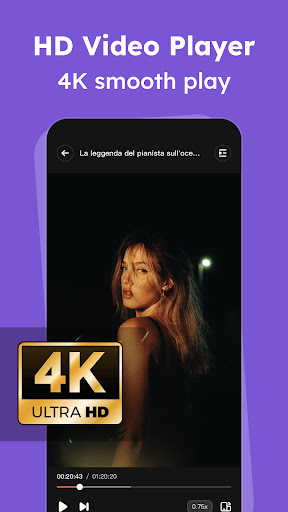
lPlayer is a versatile and powerful offline video player designed to provide a seamless high-definition playback experience. It supports 4K/Ultra HD video files and can handle almost all popular video formats, making it an essential app for anyone who enjoys watching videos offline on their mobile device.
Main Features of lPlayer
Powerful Video Playback Capabilities
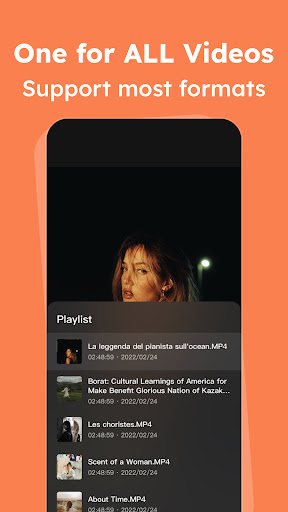
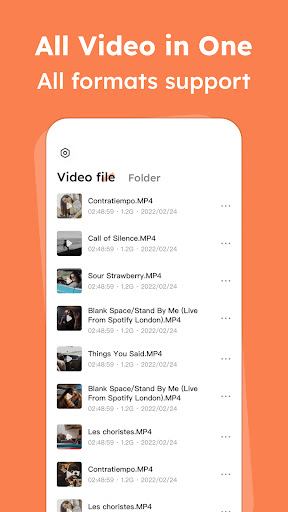
This app stands out with its ability to support nearly all video formats, including mkv, mp4, avi, flv, mpg, wmv, and 4K videos. Whether you have high-definition movies or standard videos, lPlayer ensures smooth and reliable playback without any lag or buffering issues, even with large file sizes.
User-Friendly Controls and Gesture Support
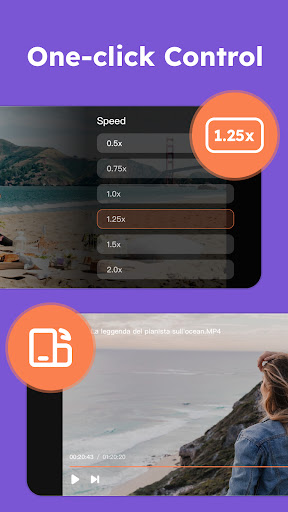
The app features intuitive and easy-to-understand controls that allow users to manage playback effortlessly. Adjust volume, brightness, and playback speed using simple gesture controls such as swiping on the screen—making the viewing experience super convenient whether you're in a hurry or relaxing at home.
Subscription and Premium Features
Upgrade to Premium
You can subscribe to unlock premium features that enhance your viewing experience. The Premium version offers an ad-free environment, ensuring uninterrupted playback of your videos and music. Subscription plans include options like Weekly, Yearly, and "Lifetime" access, with prices varying based on your region. For example, the Yearly Premium is priced at 6.99 USD.
Subscription Management and Policies
Subscriptions automatically renew unless auto-renew is disabled at least 24 hours before the end of the current period. Users can manage or cancel subscriptions via their account settings. When canceled, the subscription remains active until the end of the period already paid for, and no refunds are provided for unused time. Details about renewal costs are provided before purchase, and all transactions are processed through your Google Play Account.
For more information, review the Privacy Policy and Terms of Use.
Enhanced Viewing Experience
Multi-format and Subtitle Support
lPlayer makes it easy to enjoy videos in various formats. It supports multiple audio tracks, which is perfect for watching multilingual content. Additionally, the app allows users to download subtitles directly, eliminating the need to search elsewhere, thus providing a more immersive viewing experience.
Additional Features
The app includes practical features like night mode, which adjusts screen settings to be easier on the eyes during low-light conditions. This feature is especially useful for late-night viewing, making your binge-watching sessions more comfortable. The sleek and minimalist interface ensures that navigation is straightforward, even for users who may not be tech-savvy.
Why Choose lPlayer?
Whether you're traveling with offline content or managing a personal media library, lPlayer offers a reliable and efficient solution for all your video playback needs. It combines powerful functionality with an approachable interface, ensuring that users can enjoy their favorite videos without hassle. The app’s lightweight design means it won’t take up much space on your device, yet it’s packed with essential features that cater to casual viewers and media enthusiasts alike.
Best of all, the free version includes some advertisements, but they are not intrusive, allowing an uninterrupted viewing experience. For those who want an ad-free environment, upgrading to the premium plan is straightforward and offers additional benefits.
If you're in search of a reliable offline video player that supports a broad range of formats and delivers high-quality playback, lPlayer - Offline Video Player is definitely worth a try. It combines user-friendly controls, versatile features, and excellent performance, making it a top choice for video lovers on the go.
Pros
- Supports a wide range of video formats without issues.
- Intuitive interface making navigation straightforward.
- Allows offline playback without needing an internet connection.
- Offers options to customize playback settings.
- Consumes minimal battery power during use.
Cons
- Lacks advanced features for professional users.
- Free version contains ads that can be bothersome.
- Sometimes experiences bugs related to subtitle synchronization.
- Does not support cloud storage integration.
- Limited support for 4K video playback.











