



JBL PartyBox App Overview
The JBL PartyBox app is an essential tool for anyone looking to elevate their party experience. Designed to seamlessly connect with compatible PartyBox speakers, the app acts as your personal DJ and lighting technician, giving you full control over your audio and visual settings. Its intuitive interface and powerful features make it a must-have for creating unforgettable gatherings. Whether you're hosting a lively dance party or a relaxed hangout, the JBL PartyBox app provides the perfect companion to set the mood and amplify the fun.
Compatibility and Features
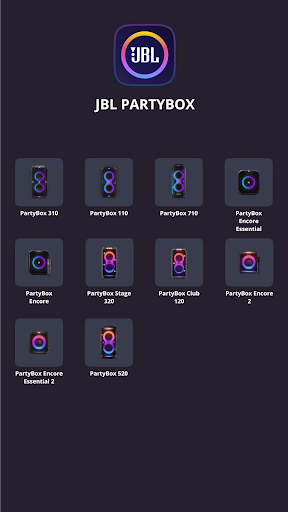
The app is compatible with a wide range of JBL PartyBox models, including PartyBox 310, PartyBox 110, PartyBox 710, PartyBox Encore Essential, PartyBox Encore, PartyBox 520, PartyBox Stage 320, PartyBox Club 120, PartyBox Encore 2, PartyBox Encore Essential 2, Partylight Beam, and Partylight Stick. However, it is not compatible with some models such as PartyBox 100, 200, 300, and 1000. The app brings a multitude of features designed to enhance your listening and party experience:
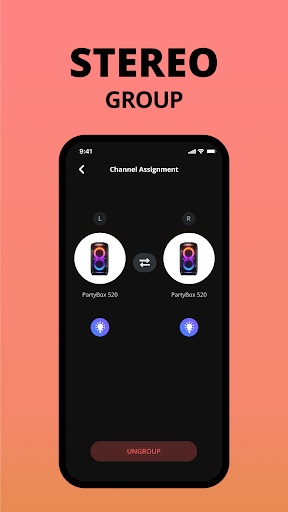
- • Connect compatible speakers wirelessly to create a synchronized audio setup.
- • Personalize and control your speaker settings directly from your smartphone or tablet.
- • Receive software updates and product support to keep your device running smoothly.
Enhancing Your Party Experience
If you're someone who loves to turn up the volume and create a dynamic party atmosphere, the JBL PartyBox app is your best friend. Once your PartyBox speaker is set up, connecting it to the app is a breeze—compatible with both Android and iOS devices. The installation process is straightforward: just download the app, pair it with your speaker, and you're ready to go.
The app offers a range of features designed to give you full control:
Custom Sound and Light Controls
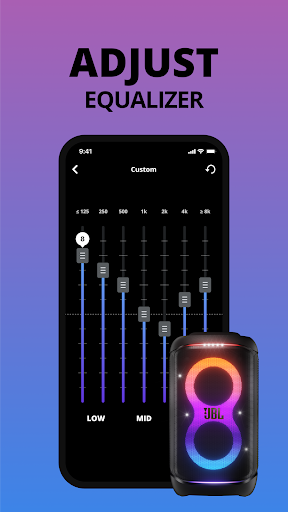
You can adjust bass and treble levels or create a custom sound profile to match your party’s vibe. Additionally, the app enables you to sync multiple speakers for an immersive surround sound experience. Feeling festive? Engage the karaoke mode for hours of singing fun, making every gathering memorable.
Lighting and Visual Effects
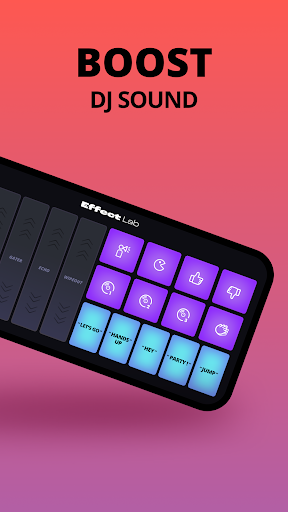
One of the standout features is the ability to control the light show. Choose from a variety of light patterns and colors to match your party theme or mood. Whether it’s a mellow evening or an energetic dance floor, the app's lighting options help set the perfect atmosphere.
User-Friendly Interface
The design of the app is sleek and straightforward, ensuring easy navigation. All controls are responsive, allowing you to switch settings effortlessly without lag or glitches. This smooth user experience ensures you spend less time fiddling and more time enjoying your party.
Final Thoughts
In summary, the JBL PartyBox app is a comprehensive tool that transforms your JBL PartyBox speakers into a mobile DJ and lighting rig, right from your smartphone. Its easy setup, customizable audio, vibrant lighting controls, and reliable performance make it a top choice for party enthusiasts. If you’re serious about hosting memorable events with immersive sound and stunning light displays, this app is a must-have accessory. Get ready to unleash the full potential of your PartyBox and make every celebration a hit!
Pros
- Exceptional sound quality with deep bass
- User-friendly interface and controls
- Durable construction suitable for outdoor use
- Extended battery life for long-lasting parties
- Supports various connectivity options
Cons
- Quite bulky in size
- Not easily portable
- Premium pricing may not fit all budgets
- Limited options for customizing lighting effects
- Lacks a built-in microphone for karaoke
- App may occasionally disconnect from the speaker











