

Discover the Power of DNA Launcher: The Ultimate Personalization App for Your Smartphone
Are you looking to elevate your smartphone experience with a highly customizable and stylish home screen? DNA Launcher is a flexible, multi-style home screen replacement designed to help you personalize your device effortlessly. Whether you prefer minimalistic designs, holographic effects, or classic styles, this launcher adapts to your unique taste, making your device truly reflect your personality. Its rich feature set coupled with intuitive controls makes it an indispensable tool for tech enthusiasts and casual users alike.
Unparalleled Customization for a Unique Look and Feel
Personalize Your Home Screen
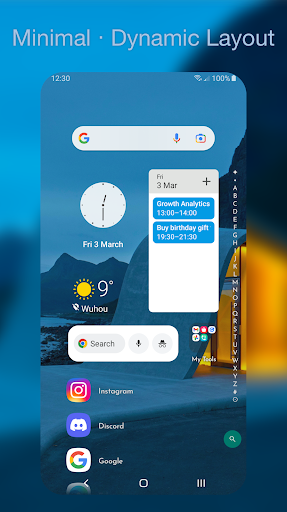
DNA your Launcher Classic style offers a layout with horizontal scrolling pages, allowing smooth navigation across your apps. For minimalist lovers, the Minimalism mode provides a clean, one-handed friendly interface with an alphabetical index based on your native language—making app access faster and easier. The innovative Holographic mode adds a touchable 3D holographic spin effect that beautifully complements watch interfaces or futuristic themes, turning your home screen into a stunning visual experience.
Deep Personalization Options
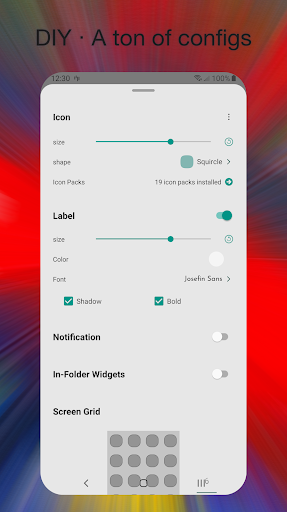
With easy-to-customize layouts, you can change icon packs, adjust icon shape and size, select fonts, and set wallpapers that match your mood or style. Your launcher should be as unique as your DNA—so make it your own with extensive personalization tools that enable you to craft a look that’s truly yours.
Smart Search and Voice Assistance
Intelligent search suggestions, integrated voice assistant, and recent app results keep you productive. You can search for apps or contacts effortlessly and tailor internet search engines like Google, DuckDuckGo, Bing, or Baidu, improving your browsing efficiency directly from your home screen.
Privacy and Security
Keep your secrets safe by hiding or locking apps and folders, all available for free. Lock folders or individual apps to prevent unauthorized access and maintain privacy in your digital life.
Efficient Navigation and Gesture Controls
App Drawer and App Library
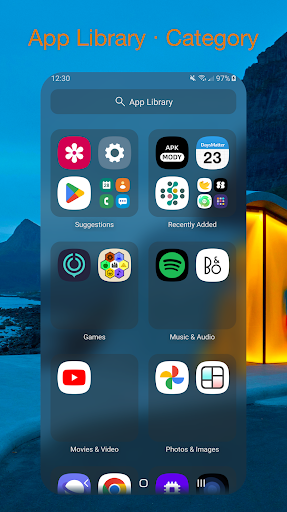
Navigate your apps seamlessly with options like an alphabetically indexed App Drawer or a categorized App Library. The App Drawer can display apps in various configurations—icons only, labels, vertical or horizontal layouts—according to your preference. The App Library automatically sorts apps by category or frequency of use, making access faster and more organized.
Custom Gestures for Quick Actions
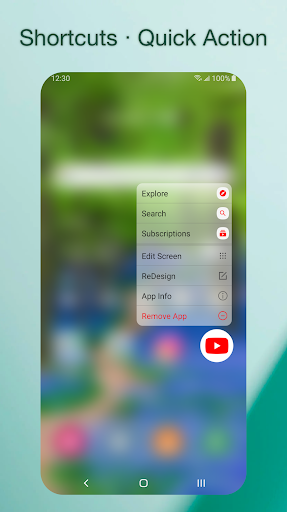
Not a fan of traditional navigation? No problem! DNA Launcher supports customizable gestures such as double-tap, swipe up/down/left/right, etc., allowing you to assign specific actions like opening the App Drawer, launching favorite apps, or activating shortcuts—making your home screen experience even more intuitive.
Visual Effects and Animations
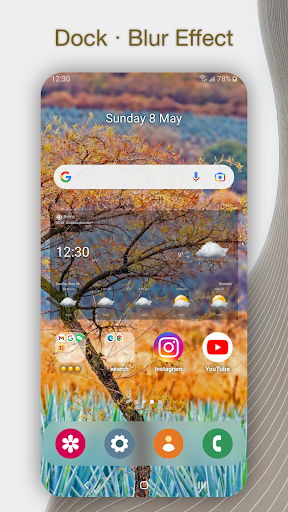
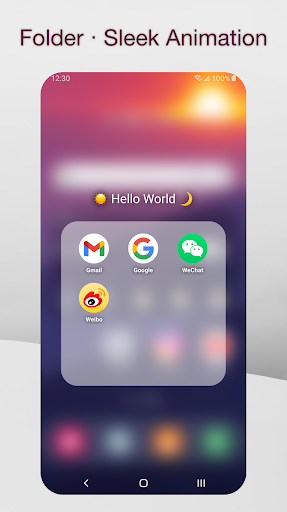
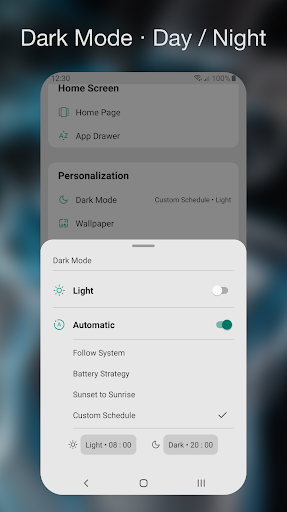
Enjoy a smooth, sleek user interface with real-time effects including blurring docks, engaging folder opening animations, app start/close effects, and a handy day/night mode toggle. These animations enhance the visual aesthetics without compromising your device’s performance.
Helpful Tips to Maximize Your Experience
- Edit your home screen: Long-press icons, drag them around, and tap other icons or widgets to modify multiple elements simultaneously.
- Hide pages: Don’t want certain pages visible? Long-press the scroll bar to hide or unhide pages like Tinder, or anything else, maintaining a clutter-free home screen.
- Switch launcher styles: Choose your preferred style in launcher settings to instantly change your interface’s look.
- Lock your screen : Double-tap or use custom gestures to lock your device instantly—always free and accessible.
- Protect your privacy: Lock sensitive apps or folders within other folders, adding extra layers of security for your personal information.
A Closer Look at Performance and User Feedback
Performance You Can Rely On
Despite its extensive customization options, DNA Launcher is lightweight and optimized for performance. It runs smoothly without slowing down your device or draining resources. Transition animations are quick, and app launches are near-instant, providing a seamless user experience. The integrated smart widgets, like weather, calendar, and recent apps, serve as productivity boosters—making your home screen a hub for essential information.
Why You Should Try It
Whether you're a tech-savvy user eager to craft a unique look or a casual user seeking an easy-to-use launcher, DNA Launcher caters to everyone. Its balance of powerful features, customization options, and user-friendly design makes it stand out. The app reflects your personality, transforming your device into a digital reflection of your DNA. With continual support and updates, this launcher is your gateway to a more personalized, efficient smartphone experience.
Join the DNA Launcher Community
Support us by leaving a 5-star rating if you love the app! Share your feedback and suggestions to help us improve. For updates, tips, and community discussions, follow us on Twitter, watch our videos on YouTube, visit our Reddit, or email us at [email protected].
Permissions Notice
The accessibility service is used solely for supporting gestures such as lock screen access. It’s optional, disabled by default, and does not collect personal or sensitive data. Supporting peace of mind for all users!
Pros
- User-friendly interface with intuitive navigation
- Customizable themes and icon packs
- Fast performance with minimal lag
- Seamless integration with widgets
- Battery-efficient design
Cons
- Limited support for older Android versions
- Occasional crashes on some devices
- Ads in the free version can be intrusive
- Lacks advanced gesture controls
- Limited options for folder customization











