

Introducing Cleaner Toolbox: The Essential Android Cleaning App
Cleaner Toolbox is a powerful Android cleaning tool designed to optimize your device's performance effortlessly. Whether your phone is running sluggish or cluttered with junk files, this app provides an efficient solution to keep your device running smoothly. With its user-friendly interface and comprehensive features, Cleaner Toolbox has become a go-to app for Android users seeking to improve their phone's health and longevity.
Main Features of Cleaner Toolbox
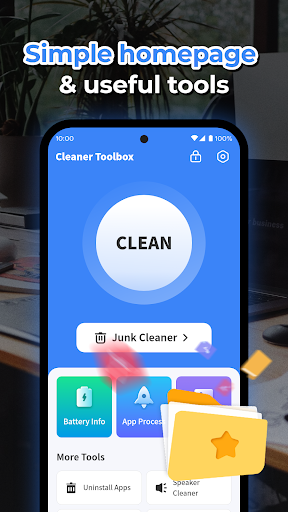
Junk Cleaner
This feature allows you to clean cache files, temporary files, and residual files that accumulate over time. It helps free up valuable storage space, enabling your device to operate more efficiently. By removing unnecessary clutter, your phone can perform faster and respond quicker to commands.
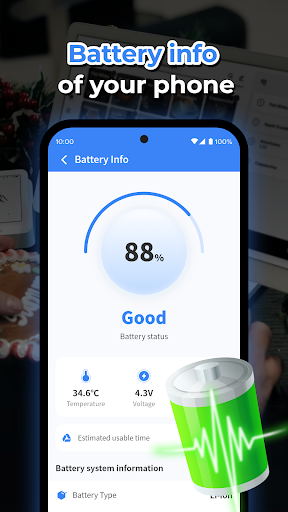
Battery Information
Keep track of your battery health with straightforward battery information displays. It provides essential details about your battery status, helping you understand how your device consumes power and offering tips to extend battery life.
Uninstall Apps
Remove unwanted or unused apps easily with the Uninstall Apps feature. Select multiple apps to uninstall at once, ensuring your device stays clutter-free and responsive without unnecessary apps hogging resources.
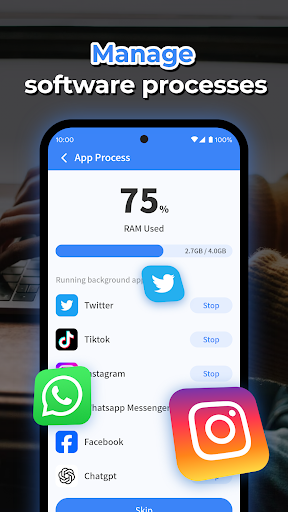
Background Processes Management
Monitor and manage apps running in the background. This helps reduce unnecessary background processes, which can slow down your device and drain battery life, leading to improved overall performance.
The Benefits of Using Cleaner Toolbox
Imagine a phone that runs as smoothly as new. That's what Cleaner Toolbox aims to deliver. The app's deep cleaning capability not only clears obvious junk but also targets hidden cache and residual files, providing a comprehensive cleaning experience. This ensures your device remains clutter-free, which is crucial for optimal performance.
Additionally, Cleaner Toolbox features a powerful battery saver mode. This mode intelligently manages power-consuming apps, helping extend your phone’s battery life—a lifesaver during long trips or when you're away from your charger.
One of the standout features is its CPU cooler. Overheating can affect device performance and longevity. Cleaner Toolbox’s cooling feature intelligently reduces device temperature, making your phone comfortable to hold during intensive activities like gaming or video streaming. Think of it as an air conditioner for your smartphone.
All of these features work seamlessly to help you maintain a healthy, responsive phone without requiring technical expertise. Whether you want to free up space, extend battery life, or keep your device cool, Cleaner Toolbox simplifies the process with a straightforward, intuitive interface.
Performance and User Experience
Performance is at the core of Cleaner Toolbox. It functions swiftly and efficiently, ensuring your device responds quickly and operates smoothly. Users often notice a significant boost in speed soon after using the app, making their smartphones feel rejuvenated.
The user experience is designed to be hassle-free, with no intrusive ads or unnecessary prompts disrupting your workflow. The app's clean layout and easy-to-navigate controls make it accessible to everyone, regardless of technical skill level. Plus, responsive customer support adds to its appeal, providing assistance whenever needed.
Quick Setup and Ease of Use
Getting started with Cleaner Toolbox is simple—just a few taps, and you're ready to scan and clean. The app prompts you to perform a quick scan upon installation, revealing all the junk files and unnecessary data that can be safely removed. Its intuitive interface ensures a smooth setup process, making it a popular choice among users wanting effective device management without complex procedures.
Final Verdict: Is Cleaner Toolbox Worth It?
In short, yes. If you're looking for an Android cleaning app that combines effectiveness with ease of use, Cleaner Toolbox is an excellent choice. It not only helps you keep your phone clean and optimized but also enhances performance through features like battery management and temperature control.
Replacing technical hassle with simple, efficient tools, Cleaner Toolbox allows you to maintain a fast, responsive, and healthy device with minimal effort. Give it a try today, and experience the difference firsthand—your phone will thank you for the care and maintenance!
Pros
- Improves device performance significantly
- Simple and intuitive user interface
- Provides a range of cleaning tools
- Lightweight application
- Uses minimal RAM
- Regularly updated with new features
Cons
- Contains ads that may interrupt user experience
- Free version offers limited functionality
- Sometimes reports false positives during cleaning
- May require manual setup of permissions
- Some tools demand advanced technical understanding











