

Introduction to Voice Recorder: Memos & Audio
Are you looking for a reliable and user-friendly voice recorder app to capture your thoughts, ideas, or important audio moments on the go? Voice Recorder: Memos & Audio is a free, intuitive app designed to meet all your audio recording needs. Whether you're recording voice memos, interviews, lectures, or spontaneous creative ideas, this app provides a seamless experience packed with powerful features that make audio recording effortless and efficient.
Key Features of Voice Recorder
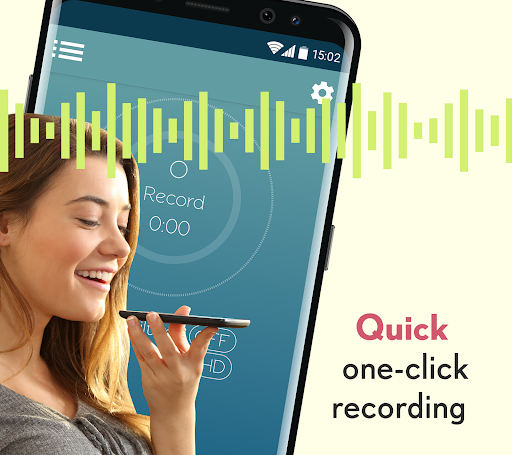
Easy and Quick Recording
Voice Recorder allows you to capture voice memos and other sounds quickly and effortlessly. With a simple interface, starting a recording takes just one tap, making it ideal for capturing fleeting moments without hassle.
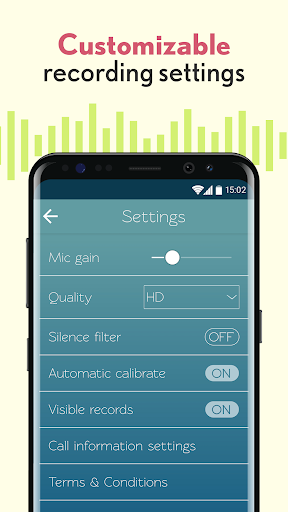
Adjust Audio Settings
The app provides comprehensive audio settings adjustments, including microphone gain, audio quality, and format options. This flexibility ensures that your recordings are clear and tailored to your specific needs.
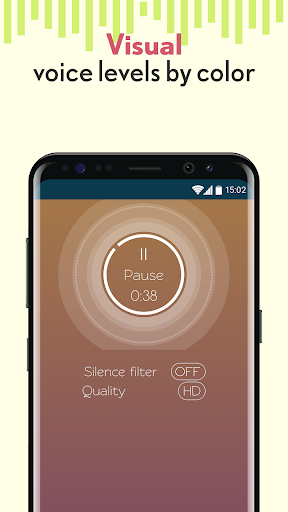
Intelligent Silence Filter
One of the standout features is the silence filter. This function automatically pauses recording when the app detects silence, preventing unnecessary audio gaps and saving storage space. It adapts to your environment, whether you're in a busy café or a quiet office, maintaining a clean and concise recording.
Personalized Ringtones and Notifications
The app allows you to set your saved voice memos as personalized ringtones, default ringtones, notifications, or alarms, turning your recordings into functional and fun system sounds.
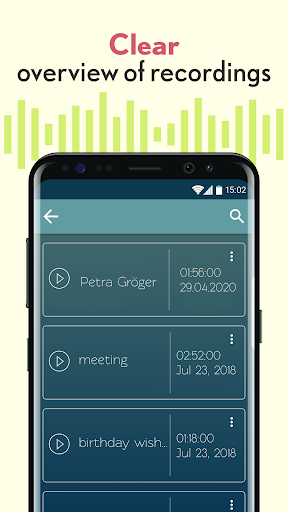
Organize and Share Recordings
Easily save, name, and share your recordings. You can categorize recordings with tags, labels, or timestamps, making it simple to locate and organize your files. Sharing options include multiple platforms, facilitating collaboration or sharing memorable moments.
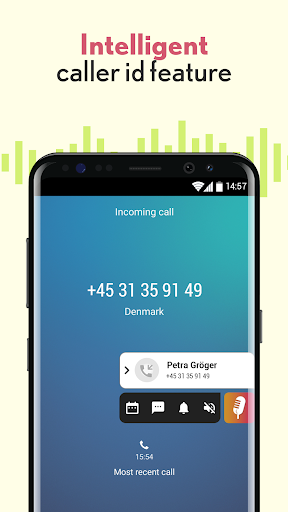
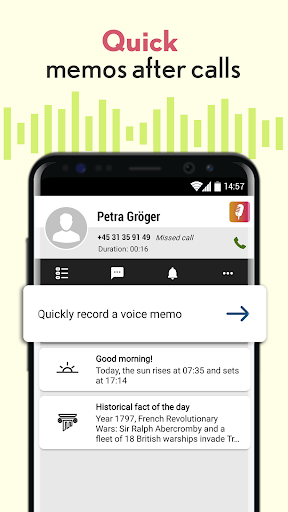
Record Post-Call Memos
Unique to Voice Recorder is its ability to automatically link with phone calls. After a call, the app can quickly create a voice memo with the caller's details, saving you from manual note-taking about important conversations or reminders.
Why Choose Voice Recorder: Memos & Audio?
Versatile and Environment-Adaptive
Whether you're in a conference room, outdoors, or public space, the app's silence filter ensures your recordings are focused and free of unwanted noise. It automatically pauses during silence, producing high-quality, concise audio files.
High-Quality Audio Output
Adjustable audio settings guarantee your recordings are crystal clear, with options for different formats and bitrate. This is especially beneficial for users needing professional-grade recordings or sharing audio files in various formats.
Seamless Sharing and Organization
With built-in sharing features, your recordings can be instantly uploaded to cloud services or sent directly to friends and colleagues. Tagging and labeling further streamline the organisation process, ensuring that your important notes are always at your fingertips.
Ideal for Various Users
Students can record lectures; journalists can capture interviews; professionals can document meetings; and everyday users can record spontaneous ideas. Voice Recorder adapts to all these scenarios, making it your go-to audio recording app.
Final Thoughts
In summary, Voice Recorder: Memos & Audio stands out as a reliable, feature-rich audio recording application suitable for a diverse range of users. Its intuitive design combined with advanced functions like silence filtering, adjustable audio parameters, and post-call recording capabilities makes it a versatile tool for capturing and managing audio content. Whether you need to record quick voice memos, important meetings, or adventurous ideas, this app provides a convenient solution that enhances your productivity and creativity. Try it today and enjoy seamless, high-quality recording anytime, anywhere.
Pros
- User-friendly interface.
- High-quality audio recording capabilities.
- Supports various audio formats.
- Enables background recording.
- Efficient file organization features.
Cons
- Contains advertisements in the free version.
- Limited options for editing.
- Lacks cloud synchronization in the free version.
- Drains battery quickly.
- Occasional app crashes.











