

Discover the Exciting World of Minecraft Education Preview
Are you interested in blending the engaging mechanics of Minecraft with educational creativity? Look no further than Minecraft Education Preview, an innovative app designed to revolutionize the way students and educators experience learning through gaming. This preview version brings a host of upcoming features directly from the talented development team at Mojang Studios, enabling users to explore new possibilities before the official release. Whether you're a teacher aiming to enhance classroom activities or a student eager to learn while playing, Minecraft Education Preview offers a unique platform to boost engagement and foster creativity.
Designed for Classroom and Organizational Use
Minecraft Education Preview is specifically tailored for school and organizational environments. It allows users to experience the latest features that are still in development, providing valuable insights into upcoming updates. However, it’s important to note some limitations—users cannot join multiplayer games with non-preview players, and most game settings and worlds do not transfer to the standard retail version of Minecraft Education. Additionally, while lessons from the built-in Library are accessible within the Preview, the unstable nature of preview builds means the experience may vary, and final version quality is not guaranteed. This early access program is perfect for educators and technologists eager to test new features and provide feedback before they go live.
Unlocking Creativity and Learning Opportunities
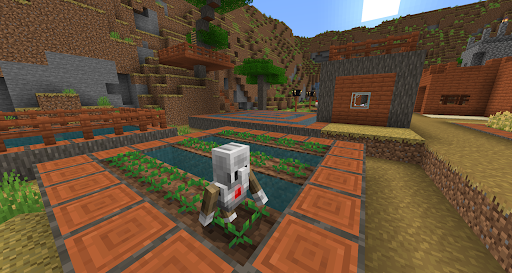
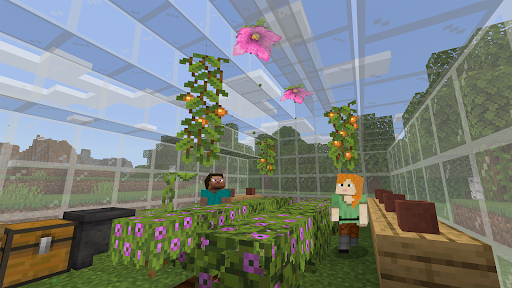
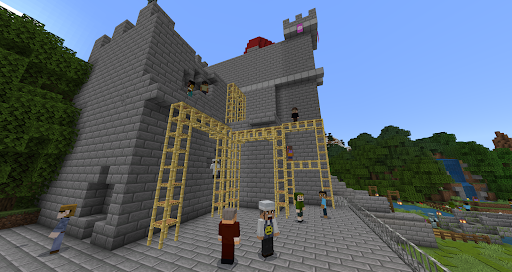
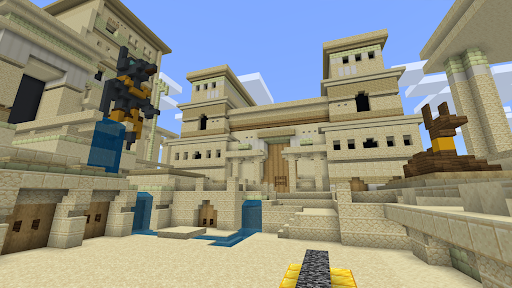
Minecraft Education Preview transforms gaming into an immersive educational platform. It’s not just about building and exploring—it’s about making learning interactive and fun. The app is designed to foster a creative environment where students can discover a wide range of subjects, from mathematics to history, in a way that feels more like play than traditional coursework. Teachers can utilize an extensive collection of lesson plans crafted by educators across the globe, making lesson delivery engaging and hands-on. For example, students might recreate historic civilizations or solve complex puzzles collaboratively, developing vital skills like teamwork and critical thinking along the way.
Interactive Features That Enhance Learning
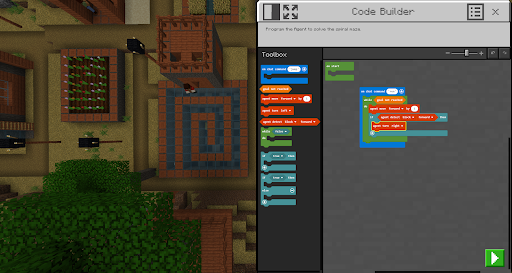
One standout feature of Minecraft Education Preview is the Code Builder tool, which transforms coding into an interactive experience. Students can learn programming fundamentals by writing code that directly influences their virtual worlds, making abstract concepts more tangible. This feature supports a step-by-step learning process that encourages creativity and problem-solving. Additionally, the built-in lesson plans facilitate structured learning experiences, while collaborative projects promote teamwork by allowing students to work on shared goals in real time. These features make the app not only a fun game but also a powerful educational resource.
Seamless Gameplay with Educational Benefits
For fans of the original Minecraft, Minecraft Education Preview offers familiar gameplay enriched with educational tools. The controls are intuitive, the graphics maintain the classic blocky charm, and the overall feel remains engaging. What makes this version stand out is its blend of guidance and freedom—teachers can set challenges or provide structured activities, while students enjoy the flexibility to explore and innovate. This balance helps keep learners motivated and focused, transforming the digital landscape into a learning playground that sparks curiosity and imagination.
Getting Started and Licensing
To access Minecraft Education Preview, licenses can be purchased through an Admin account in the Microsoft 365 Admin Center. For educational institutions, it's recommended to consult your Tech Lead for licensing details and setup support. Keep in mind, the terms of use adhere to the original Minecraft Education subscription agreement, and privacy policies are available for review. This preview is an excellent opportunity to experiment with new features and prepare for the official release, making it a valuable tool for forward-thinking educators and tech-savvy students alike.
Why Choose Minecraft Education Preview?
In summary, Minecraft Education Preview offers an innovative, engaging way to integrate game-based learning into the classroom. Its combination of creative tools, collaborative features, and educational content bridges the gap between play and instruction. Whether exploring coding, building historical sites, or solving complex problems, students develop essential skills in an environment that feels natural and exciting. For teachers, it provides a platform to deliver immersive lessons, stimulate curiosity, and inspire their students to learn through exploration and discovery.
Join the Future of Education with Minecraft
If you're eager to redefine learning experiences and harness the popular appeal of Minecraft, the Education Preview is a perfect starting point. It invites you to see the familiar pixelated worlds through a new educational lens—transforming traditional lessons into dynamic adventures. With its focus on creativity, collaboration, and critical thinking, Minecraft Education Preview is set to become a cornerstone in modern classrooms. Embrace the future of edutainment and make learning an exciting journey with this powerful app.
Pros
- Engaging educational tool for students.
- Enhances creativity and problem-solving skills.
- Wide range of lesson plans available.
- Encourages collaboration among users.
- Accessible to all skill levels.
Cons
- Requires a stable internet connection.
- Limited content compared to full version.
- Can be distracting for younger students.
- Subscription may be costly for some schools.
- Updates may cause compatibility issues.










