
Discover the Features of the iPhone Control Center iOS 16
Are you looking to enhance your smartphone experience with a more intuitive and customizable control interface? The iPhone Control Center iOS 16 app offers a sleek and user-friendly solution, bringing the powerful features of iOS 16 to your Android device. This app effectively mimics the native Apple Control Center, providing quick access to essential functions and aesthetic customizations that elevate your device's usability.
Experience the iOS 16 Style Control Center
The Control Center IOS 16 Style boasts an easy-to-use, speedy, and highly customizable menu system. With this app, you can enjoy the iOS 16 style interface directly on your Android device, complete with stunning iPhone 14 Max style wallpapers. Whether you want to swipe from any edge—top, right, bottom, or left—to access your control menu, this app makes it seamless. Envision the sleek design of iOS 16 combined with the flexibility of Android customization.
Main Features of Control Center IOS 16
This app offers an array of features designed to replicate and enhance your interaction with your device. Major highlights include:
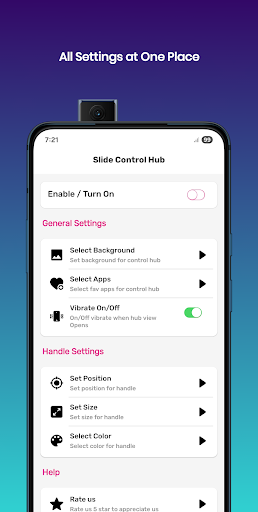
- Personalized Wallpapers: Select from a broad list of iOS 16 Wallpapers, transparent options, or your default home wallpaper to set the perfect background.
- Quick Settings: Modify settings such as toggling Wi-Fi, Bluetooth, Airplane Mode, Screen Rotation, Location services, Flashlight, and Volume controls instantly from the control center.
- Favorite Apps: Add your frequently used apps directly to the control center for fast access.
- Quick Access to Essential Tools: Launch utilities like calculator, camera, alarm, and time with just a tap.
- Brightness and Volume Sliders: Adjust these essential settings swiftly without navigating through menus.
- Battery Optimizations: Access power management features directly from the control center for better device performance.
Customizing Edge Features for a Personalized Experience
The app allows you to further tailor your control center’s appearance and functionality by customizing edge features:
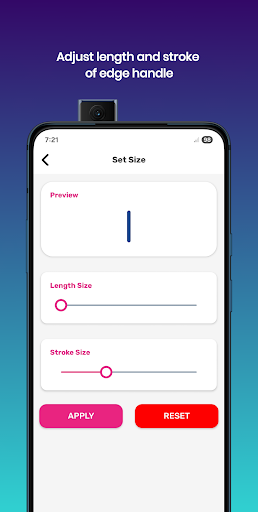
- Modify Edge Size and Stroke for a unique look.
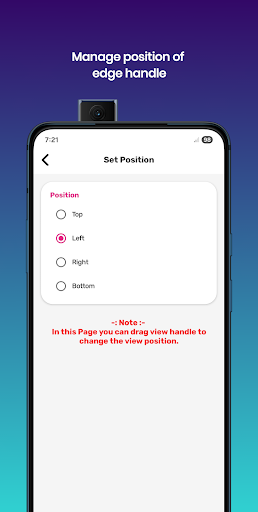
- Choose the Position of the edge—top, right, bottom, or left—according to your preference.
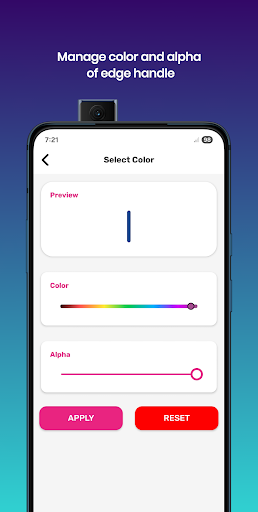
- Change the color and opacity (alpha) of the edge to match your theme.
- Quickly Open Settings or organize your app list within the control center for efficient navigation.
Permissions and Privacy Commitment
The application emphasizes user privacy and does not collect personal data. It requires certain permissions, such as:
- ACCESSIBILITY_SERVICE for performing global actions like screenshots or overlay features, with a strict policy against data collection.
- QUERY_ALL_PACKAGES to enable app selection and customization.
- OVERLAY permission to display the control center over other applications, allowing for drag-and-drop functionality.
Additional Notes and Disclaimers
All trademarks, names, and logos used in this app are for identification purposes only. This Control Center for iOS 16 is independently developed and is not affiliated, endorsed, or sponsored by Apple. The app owner affirms that this is a feature-rich, fast, and easy-to-use interface that brings the familiar iOS experience to your Android device, allowing customization and quick controls that can significantly improve daily mobile interactions.
Conclusion: Elevate Your Android Experience with Control Center IOS 16
If you're seeking to make your smartphone operations more intuitive and stylish, the iPhone Control Center iOS 16 app is an excellent choice. It combines the sleek aesthetics of Apple's latest interface with powerful customization options, allowing you to personalize your control environment effortlessly. Whether you're adjusting quick settings, organizing favorite apps, or selecting stunning wallpapers, this app empowers you to manage your device efficiently. Embrace the convenience of quick toggles, full customization, and seamless controls that enhance your overall mobile experience. Discover how this control center app can transform your Android device into a more elegant and functional tool—without the need for an iPhone!
Pros
- Intuitive interface design
- Customizable quick access
- Seamless device connectivity
- Efficient battery management
- Enhanced privacy features
Cons
- Limited third-party app integration
- Occasional lag on older devices
- Not all features customizable
- Requires constant updates
- Some features hidden in menus











