

Discover the Power of Pixel Studio: The Ultimate Pixel Art Editor
Are you passionate about creating stunning pixel art or developing retro-style game assets? Pixel Studio is a feature-rich, intuitive pixel art editor designed for artists and game developers of all skill levels. With its seamless cross-platform support, extensive tools, and vibrant community integration, Pixel Studio has become a favorite among creators worldwide. Over 5 million downloads and translations into more than 25 languages testify to its popularity—making it one of the best pixel art tools available today.
Intuitive Design and Cross-Platform Creativity
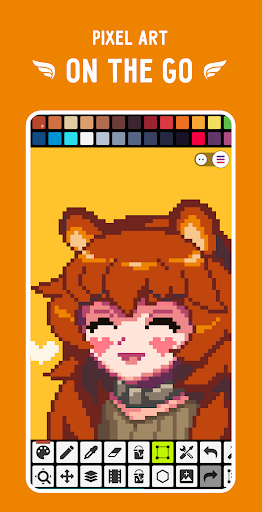
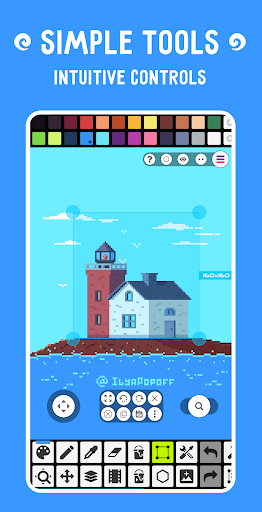
From the moment you open Pixel Studio, you'll notice its clean, user-friendly interface that caters to both beginners and seasoned professionals. Whether you're on a mobile device, tablet, or desktop, Pixel Studio ensures that your creative workflow is uninterrupted. The app's **cross-platform** capability allows you to sync your projects effortlessly via Google Drive, enabling creation anytime and anywhere. This flexibility encourages an organic and spontaneous artistic process, free from device limitations.
Robust Features to Elevate Your Pixel Art
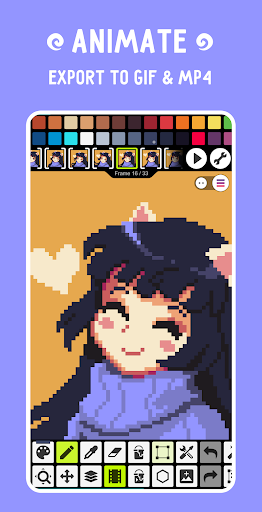
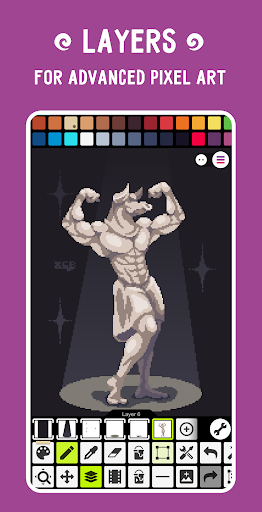
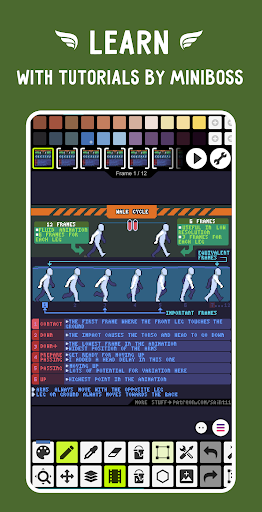
Pixel Studio is packed with a comprehensive set of features aimed at enhancing your pixel art projects. Its **layer system** facilitates complex artwork by allowing separation of elements, while **frame-by-frame animations** enable you to craft lively sprites and sequences. Export your animations as **GIFs or sprite sheets**, or extend them with synchronized **music** before exporting as **MP4 videos**—perfect for sharing or incorporating into your projects.
Color Management and Drawing Tools
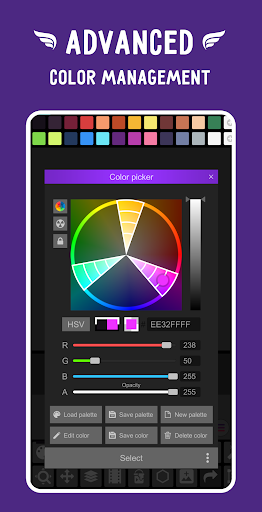
Mastering color is effortless with Pixel Studio's **advanced color picker** supporting RGBA and HSV modes. You can create **custom palettes** or download stunning ones from sources like Lospec. The app supports a wide array of formats—including PNG, JPG, GIF, BMP, and PSD—making it versatile for importing and exporting artwork. Brushes range from simple **built-in tools** to **custom brushes**, along with features like **gradient tools**, **dithering pens**, and **sprite libraries** to diversify your creative options.
Enhanced User Experience with Gestures and Pen Support
Designed with mobility in mind, Pixel Studio supports **gestures and joysticks** for zooming and navigating your canvas. Mobile users can harness **Portrait and Landscape modes**, while support for styluses such as **Samsung S-Pen**, **HUAWEI M-pencil**, and **Xiaomi Smart Pen** elevates precise drawing. The **mini-map**, **pixel-perfect preview**, and customizable grids promote accuracy, whether you're working on small sprites or large scenes.
Powerful Tools for Advanced Artwork and Animation
Pixel Studio doesn’t just cater to simple pixel sketches—its advanced tools support complex animations, including **onion skinning** for smooth frame transitions. Other features like **shape tools**, **gradient tools**, and **symmetry drawing** (X, Y, or both axes) facilitate sophisticated designs. You can rotate artwork using the **Fast RotSprite algorithm** or enlarge images with **Scale2x/3x** and **AdvMAME** scaling methods. With **unlimited canvas size**, **resizable and rotatable canvases**, and **customizable backgrounds**, your creative freedom is virtually limitless.
Seamless Sharing and Community Integration
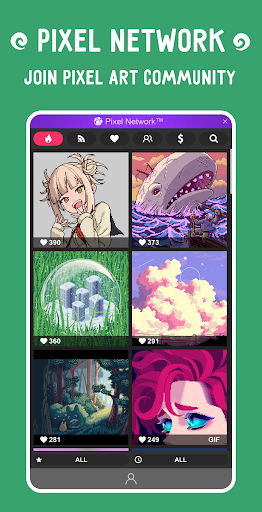
Sharing your pixel art is simple thanks to direct export options and integration with the **Pixel Network™ community**. Connect with other artists, exchange tips, or showcase your work for feedback. The app supports **import** and **export** of popular formats, making collaboration and portfolio building straightforward. Additionally, you can support Pixel Studio by purchasing the **PRO version**, unlocking features like **dark themes**, **extended project sizes**, **additional formats**, and **unlimited color adjustments**—all without ads.
Conclusion: Your Pixel Art Journey Starts Here
Whether you're a hobbyist or a professional, Pixel Studio is your all-in-one solution for pixel art creation. Its extensive toolset, user-friendly interface, and cross-platform capabilities make it an ideal choice for bringing your imagination to life pixel by pixel. Embrace your creative potential and turn your ideas into captivating visuals with Pixel Studio—the best pixel art editor available today. Dive into the world of pixel art and start crafting your masterpiece now!
Pros
- User-friendly interface with intuitive tools
- Supports layers for creating complex artwork
- Compatible across multiple platforms improves accessibility
- Provides a wide range of color palettes
- Regular updates adding new features
Cons
- Free version offers limited features
- Some advanced tools require in-app purchases
- Export process may encounter occasional bugs
- Interface may become cluttered on smaller screens
- Steep learning curve for beginners











