


Introducing the X Video Downloader & Player App
The X Video Downloader & Player app is a versatile and user-friendly solution designed for users who love to have their favorite videos readily accessible on their devices. Whether you're on the go, commuting, or relaxing at home, this app guarantees a seamless experience for both downloading and enjoying videos offline. Want high-speed downloads, high-quality playback, and a simple interface all in one? You’ve found the right app. Let’s explore the features that make this app stand out in the crowded market of video tools.
Effortless Video Downloading
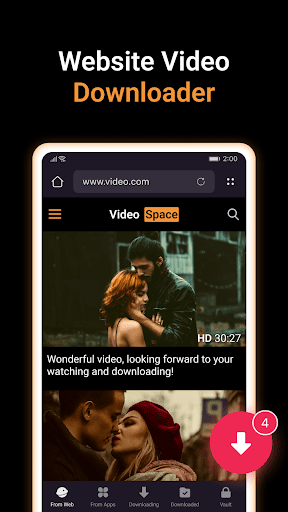
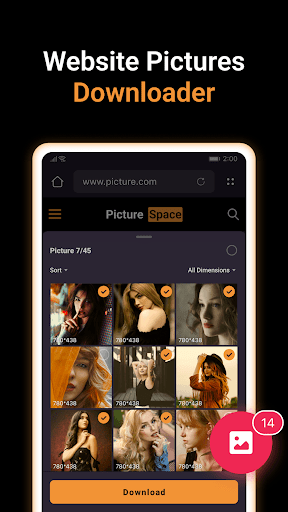
If you’ve ever wished to save videos from the internet for offline viewing, X Video Downloader & Player is your ideal companion. Its intuitive, user-friendly interface makes downloading videos from a variety of platforms straightforward and quick. The app supports a wide range of websites and social media platforms including TikTok, Facebook, Instagram, Twitter, and more. Thanks to its built-in browser, exploring websites and detecting downloadable content becomes effortless—just navigate to your preferred webpage, and the app automatically identifies videos and images available for download. With a single tap, you can save your favorite videos directly onto your device.
Download from Social Platforms Seamlessly
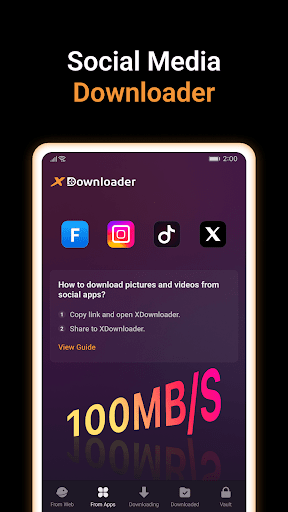
One of the most impressive features is the ability to download videos directly from social media apps. Simply share or copy the link of a video from platforms like TikTok, Instagram, or Facebook, then return to X Video Downloader & Player. The app will auto-detect the content and prompt you to download with just one click. Whether it’s funny clips, tutorials, or music videos, this streamlined process makes saving content easier than ever. Plus, it supports downloading videos in multiple formats and resolutions, from standard 480p to HD quality, so you can choose the best version for your device.
High-Quality Playback & Media Management
Once downloaded, enjoy your videos anytime, anywhere with smooth playback via the built-in player that supports various formats such as MP4, MP3, JPEG, and PNG. Whether it’s a high-definition movie or a quick video snippet, the app ensures your viewing experience remains crisp and enjoyable. You can create playlists, organize your media library, and enjoy offline viewing without worries. The app even supports background playback, allowing you to listen to videos’ audio content while multitasking or with the screen turned off—perfect for podcasts or music videos.
Download Manager & Additional Features
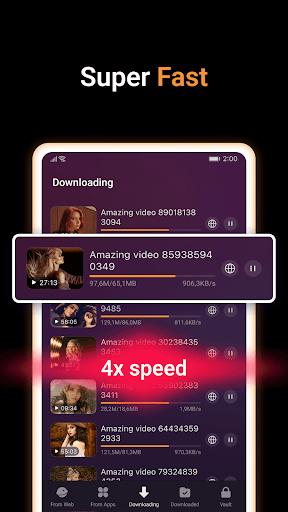
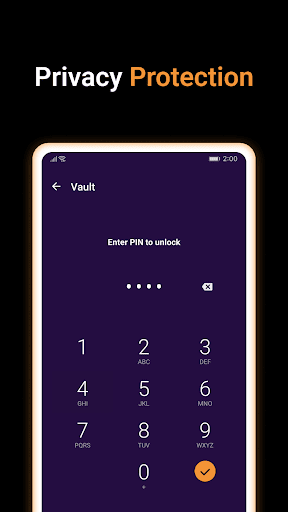
Managing your downloads is simple with X Video Downloader & Player. Its integrated download manager lets you pause, resume, or cancel downloads at any moment, giving you full control over your content. The app also supports simultaneous multiple downloads, speeding up your content acquisition process. For those who prioritize security, downloaded files can be stored in an encrypted vault, keeping your media private and protected. Want to quickly access frequently visited websites? The app’s built-in browser allows you to add bookmarks for easy navigation.
Advanced Download Capabilities
This app isn’t just a downloader—it’s a comprehensive media tool. You can support several download formats such as MP3, MP4, JPEG, and PNG, and choose from various resolutions like 720p or 1080p quality. Plus, the app’s auto-detection feature simplifies the process: just browse your favorite sites or social media, and the app will identify downloadable videos without manual input. Whether you’re downloading a movie or a quick clip, the fast download speeds ensure you waste less time waiting.
How to Use
Downloading from Websites
1. Open the built-in browser within X Video Downloader & Player.
2. Visit the webpage with the video or image you wish to download.
3. The app will automatically detect available media content. Simply tap the download button to save.
4. Select your desired quality and format.
5. Your download begins immediately—easy and hassle-free!
2. Visit the webpage with the video or image you wish to download.
3. The app will automatically detect available media content. Simply tap the download button to save.
4. Select your desired quality and format.
5. Your download begins immediately—easy and hassle-free!
Downloading from Social Media Apps
1. Open the social media app (e.g., TikTok, Instagram).
2. Tap the share icon and choose “Copy Link.”
3. Return to X Video Downloader & Player. The app detects the link and displays available videos.
4. Tap to download, select format/resolution, and your video is saved automatically.
It’s that simple—a quick, efficient way to keep videos offline.
2. Tap the share icon and choose “Copy Link.”
3. Return to X Video Downloader & Player. The app detects the link and displays available videos.
4. Tap to download, select format/resolution, and your video is saved automatically.
It’s that simple—a quick, efficient way to keep videos offline.
Security and Legal Notices
While X Video Downloader & Player offers powerful downloading capabilities, it respects copyright laws and encourages users to obtain permission from content owners before downloading. The app provides a private, encrypted vault to safeguard your files. However, users must be aware of legal responsibilities: downloading copyrighted content without proper authorization can lead to legal consequences. The app is a neutral tool, not affiliated with third-party platforms, and is designed solely for technical support and lawful use.
Final Thoughts
In today’s digital age, having a reliable video downloader and player is invaluable for entertainment, education, and content organization. X Video Downloader & Player offers a comprehensive solution for effortless downloading, seamless offline playback, and media management—all wrapped in an intuitive interface. Whether you're a casual user wanting quick access to videos or a content enthusiast managing a vast collection, this app transforms your device into a portable multimedia hub. Download it today and experience the convenience of having your favorite videos just a tap away!
Pros
- Supports multiple video formats.
- Fast download speed.
- Built-in media player.
- User-friendly interface.
- Ad-free experience.
Cons
- Limited video editing tools.
- Requires premium for HD downloads.
- Occasional crashes reported.
- Limited cloud support.
- No batch download option.











