

Remove Objects - Photo & Video
Are you tired of discovering unwelcome elements in your perfect photos and videos? Whether it’s an annoying photobomber, distracting trash cans, or unwanted text overlays, the Remove Objects app offers a powerful solution to eliminate these distractions effortlessly. Designed for both amateur photographers and seasoned content creators, this versatile app transforms your visual content into flawless masterpieces by removing unwanted objects, people, or symbols with just a few taps.
Key Features of Remove Objects - Photo & Video
Photo Eraser
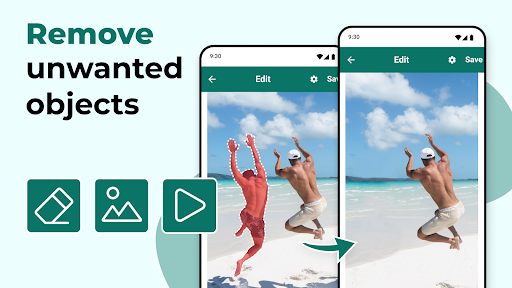
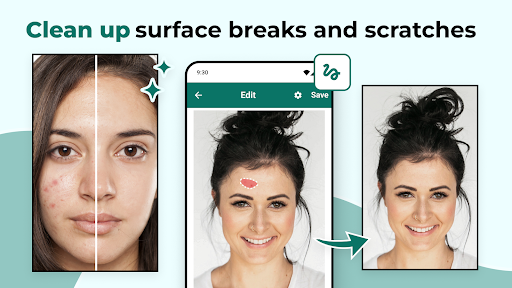
This feature functions as an excellent Photo Editor Eraser and Photo Object Eraser, allowing you to seamlessly remove elements such as signs, streetlights, or even trash cans. The app's intuitive tools enable users to precisely select unwanted objects using rectangle or lasso selection methods, ensuring accurate edits. The Magic Eraser tool enhances this process, making object removal as simple as clicking once. You can also select multiple areas simultaneously for more complex editing tasks, providing a high level of control and flexibility.
Video Object Remover
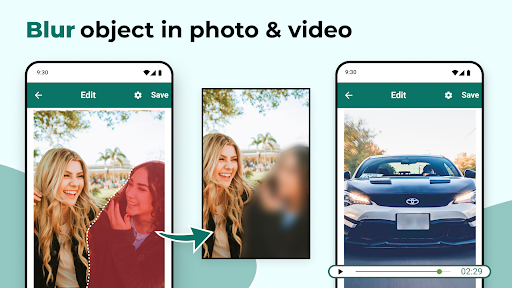
If your videos contain distracting objects or scenes, the Remove Objects from Video feature is your go-to solution. It allows you to define specific time intervals during which unwanted objects can be erased, ensuring your videos are clean and professional-looking. Whether it’s removing a passerby, stray wires, or any other intruding element, this tool makes editing effortless, helping your footage look polished and distraction-free.
User-Friendly Tools and Fine-Tuning
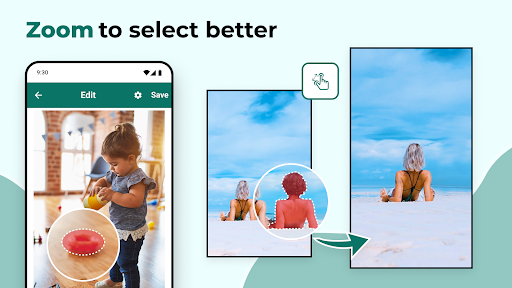
The app offers easy-to-use selection tools—such as rectangles and freehand lasso options—so you can precisely target objects or people for removal. A handy zoom feature helps you fine-tune your selections, ensuring seamless blending with the surrounding pixels. This makes the object removal process both straightforward and highly accurate, producing natural-looking results without any obvious signs of editing.
Removal of Unwanted Distractions
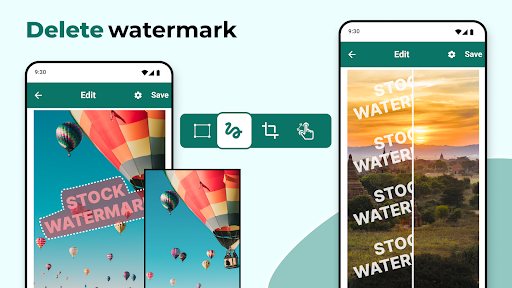
Remove objects like street signs, traffic lights, or other urban clutter to enhance cityscape photos. You can also eliminate unwanted text or watermarks from videos and images, making your content cleaner and more visually appealing. Whether you're editing a scenic shot or a candid snapshot, this app makes it easy to perfect your visuals.
Enhanced Content Creation
From casual photography to professional content creation, the Remove Objects app simplifies the editing process. Its advanced technology ensures that removed objects blend naturally with the background, preventing any awkward artifacts. The app runs reliably and efficiently on both Android and iOS devices, ensuring a smooth editing experience without lag or crashes.
Why Choose Remove Objects - Photo & Video?
Downloading Remove Objects - Photo & Video equips you with a powerful photo editor eraser and video object remover that simplifies complex editing tasks. Whether you want to enhance your cityscape photos by removing distracting elements or clean up your videos for social media sharing, this app offers an all-in-one solution. Its intuitive interface and fast processing make it accessible even for beginners, while advanced features cater to the needs of more experienced users.
Say goodbye to imperfections and hello to perfect images and videos. With just a few taps, you can erase distracting objects, remove people from photos, or clean up your videos—allowing your creative vision to shine. Download Remove Object From Video and Photo today and elevate your multimedia content to new levels of clarity and professionalism. Transform your visuals with the magic eraser that puts you in control of every pixel, making your memories look as stunning as they truly are.
Pros
- User-friendly interface enabling quick edits.
- Supports editing of both photos and videos.
- Delivers high-quality results after editing.
- Processes edits rapidly.
- Provides a wide range of editing tools.
Cons
- Limited features available in the free version.
- Reports of occasional glitches.
- May be demanding on resources on older devices.
- Full features require a subscription.
- Possible slight reduction in original image quality.











