





Introduction to Screen Recorder - AX Recorder
Have you ever wished you could easily capture important moments on your Android device? Whether it's a high score in a game, a funny meme, or a tutorial you'd like to share, Screen Recorder - AX Recorder stands out as one of the most versatile and user-friendly tools available. This powerful yet lightweight application transforms your device into a high-quality recording station, ideal for creating content for social media, educational purposes, or personal archives.
Key Features of AX Recorder
Intuitive and Easy-to-Use Interface
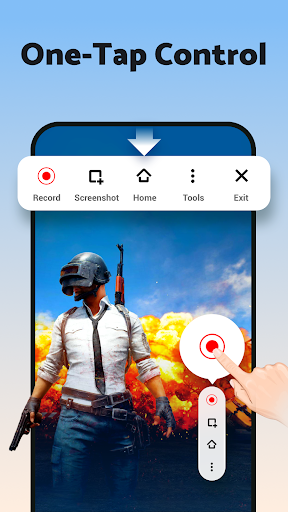
Right from the moment you launch AX Recorder, you'll notice its clean and straightforward design. The main screen features a prominent record button, allowing users to start capturing their screen with just a tap. Whether you're a beginner or an experienced content creator, this simplified interface ensures that everyone can navigate and utilize the app’s features effortlessly. There are no complicated menus or settings to decipher, making the process of recording seamless and hassle-free.
High-Quality Screen Recordings
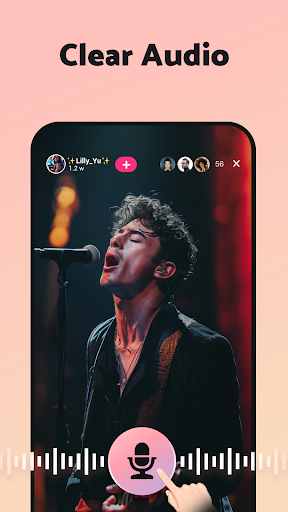
Quality matters, especially when sharing content online. AX Recorder provides options to record videos in 1080p resolution at 16Mbps bit rate and 120FPS. This ensures your videos are crisp, vibrant, and professional-looking. Whether you're recording gameplay, remote meetings, or tutorials, the app maintains excellent clarity and sound fidelity. Additionally, you can optionally include audio during recording — internal, external, or both — to create complete, immersive videos.
Powerful Editing Tools
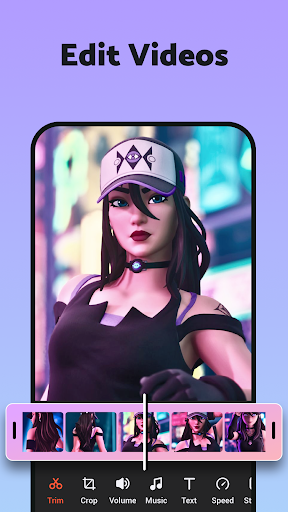
Once you've completed your recording, AX Recorder offers a robust suite of editing options. You can trim, crop, merge clips, and add stickers, filters, or text to enhance your videos. The app also supports adding background music or voiceovers, which is perfect for making engaging tutorials, reaction videos, or marketing content. With these built-in editing tools, you can polish your recordings without needing third-party software.
Advanced Recording Features
This app excels with features like Facecam integration, allowing you to record your face alongside the screen — ideal for reaction videos or personal tutorials. The region recording feature provides flexibility by enabling you to select specific portions of your screen to capture, saving storage and focusing on what matters most. Additional tools such as the brush tool facilitate on-screen doodling, making your presentations more interactive and engaging. The floating ball feature offers quick access to controls, ensuring smooth operation during recordings.
Multiple Sharing and Upload Options
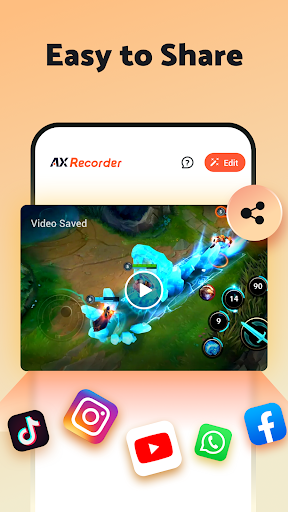
Sharing your content is made simple with AX Recorder. Once your videos are ready, you can directly upload to popular platforms like YouTube and TikTok. The app's Quick Upload feature simplifies this process, allowing you to share your creations instantly without switching apps or services.
Additional Utilities
Beyond recording, the app offers screen capture for taking screenshots, time stamps to mark specific moments in your videos, and multi-purpose tools to annotate your recordings with drawings or text. For content creators, these utilities help produce comprehensive and visually appealing videos effortlessly.
Practical Uses and Applications
AX Recorder is suitable for a wide range of scenarios. Whether you're creating detailed video tutorials, capturing impressive gameplay sequences, recording important live streams, or making reaction videos, this app has you covered. It’s an essential tool for educators developing online courses, marketers promoting products, or casual users simply wanting to save fascinating content for offline viewing.
Its ability to record HD videos with no lag or watermark ensures your content looks professional and clean. Combining the ease of use with advanced features, AX Recorder makes content creation accessible for everyone.
Conclusion
In summary, Screen Recorder - AX Recorder is a comprehensive, user-friendly, and versatile app designed to meet the needs of casual users and professionals alike. Its intuitive interface, high-quality recording capabilities, rich editing tools, and seamless sharing options make it a must-have for anyone looking to produce engaging screens videos on Android devices. Whether you're capturing a quick gameplay moment or creating a polished tutorial, AX Recorder provides all the features you need to turn your ideas into reality. Download AX Recorder today and elevate your content creation experience!
Pros
- User-friendly interface for simple navigation
- High-quality video recording at 1080p resolution
- Supports recording with audio commentary
- Recorded videos are watermark-free
- Includes video editing features
Cons
- Contains advertisements within the app
- Limited functionalities in the free version
- Can drain device battery quickly
- Requires Android version 5.0 or higher
- Reports of occasional app crashes











