

Introduction to Adobe Premiere Rush
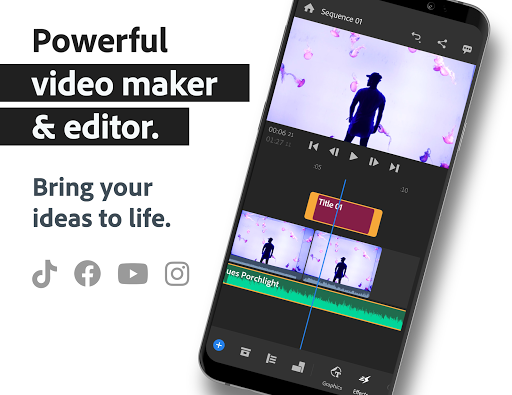
Are you looking for an easy-to-use yet powerful video editing app that allows you to shoot, edit, and share videos effortlessly? Look no further than Adobe Premiere Rush. Designed as an all-in-one, cross-device video editor, Premiere Rush caters to creators of all levels —— from beginners to professionals. Whether you’re a social media influencer, vlogger, or small business owner, this app provides an intuitive platform to produce stunning, professional-quality videos right from your mobile device or desktop.
Key Features of Adobe Premiere Rush
Versatile Video Creation and Editing Tools
Adobe Premiere Rush enables users to shoot, edit, and share online videos anywhere. Its built-in professional camera functionality allows for capturing high-quality footage directly within the app, skipping the need for separate camera equipment. Once your clips are recorded, you can jump straight into editing with powerful yet user-friendly tools.
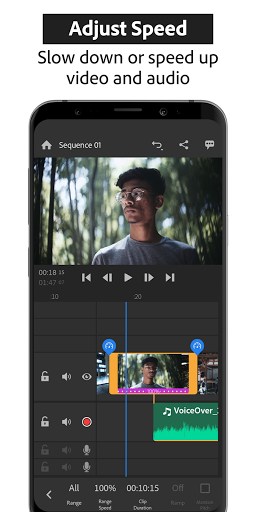
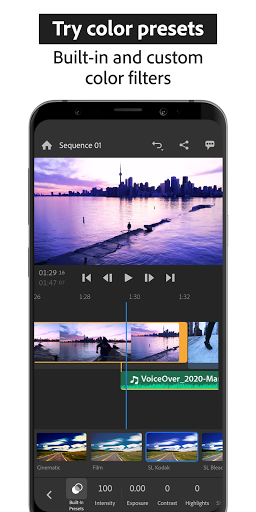
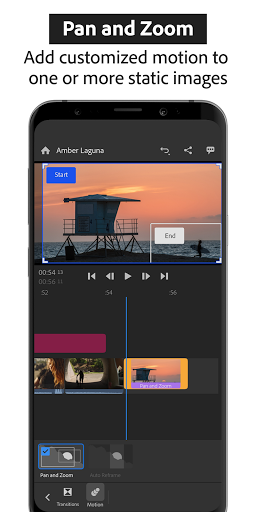
The app uses a drag-and-drop interface to arrange videos, audio, graphics, and photos seamlessly. You can easily trim, crop, or flip video clips, apply video effects, and customize your content with overlays, stickers, and animated titles. Adjusting video speed and enhancing colors using built-in presets are just a few taps away, simplifying complex edits for quick results.
Multitrack Timeline for Creative Flexibility
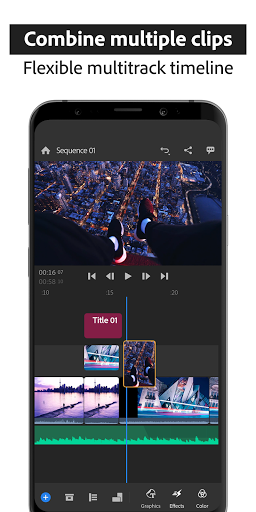
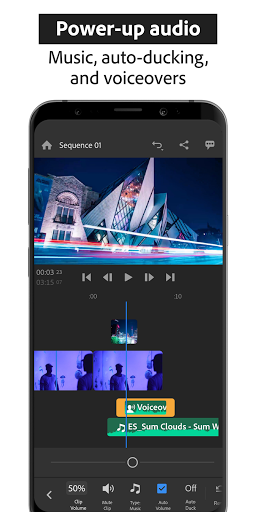
One of the defining features is the multitrack timeline, which allows for layered editing of multiple video tracks. This enables creative effects like picture-in-picture and split-view. With this feature, you can easily add music, sound effects, and voiceovers to your videos, making them more engaging and professional-looking.
Customizable Titles and Overlays
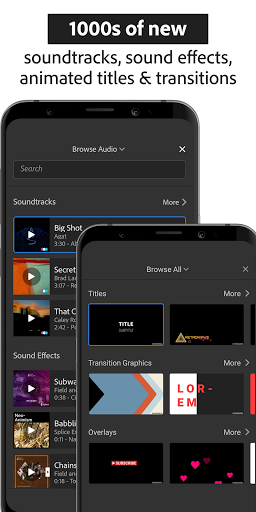
Make your videos stand out with customizable animated titles and overlays. Change their color, font, size, and more to match your branding or style. The app offers a variety of built-in animated graphics to give your videos a polished, cinematic touch.
Rich Audio Options
Add music from thousands of royalty-free soundtracks, sound effects, and loops or import your own audio files. Premiere Rush’s advanced audio tools, powered by Adobe Sensei AI, help you achieve perfect sound balance with features like auto-ducking and sound leveling, ensuring your audio complements your visuals flawlessly.
Optimized for Social Sharing
Sharing your masterpiece is incredibly straightforward. The app allows you to crop videos to different aspect ratios like portrait, square, landscape, and 4:5 — perfect for social media platforms such as Instagram, TikTok, Facebook, and YouTube. When changing aspect ratios, all media automatically resizes for the best fit. With one-click sharing, you can upload your videos directly from Premiere Rush, saving you time and effort.
Premium Features for Advanced Creators
Upgrade for More Power
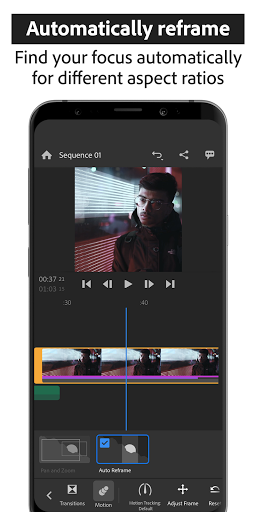
While the free version of Adobe Premiere Rush offers unlimited exports and fundamental editing tools, upgrading to Rush Premium unlocks a wealth of additional features. These include advanced audio tools, access to a premium content library with titles, overlays, and animated graphics, and features like auto reframe that automatically adjusts your videos for different aspect ratios. Export in 4K resolution for the highest quality results and enjoy advanced sharing options that sync edits across all your mobile devices.
Why Choose Adobe Premiere Rush?
Adobe Premiere Rush is perfect for anyone seeking a simple, efficient, yet professional video editing experience. It's especially ideal for beginners and social media enthusiasts who want to produce eye-catching videos without wrestling with complex software. With its intuitive interface, powerful editing capabilities, and seamless sharing options, Rush empowers creators to turn their ideas into captivating videos quickly and easily.
Pros
- Cross-platform compatibility
- User-friendly interface
- Auto-sync across devices
- Built-in camera functionality
- Supports 4K video editing
Cons
- Limited advanced features
- Subscription required for full features
- Occasional performance issues
- Limited export formats
- No multi-camera editing
You May Like

Kwai - Cool Video & Social Fun
Video Players & Editors
4
PLAYit-All in One Video Player
Video Players & Editors
4.3
VivaVideo - Video Cut & Editor
Video Players & Editors
4.3
KineMaster - Video Editor
Video Players & Editors
4.7
Video to MP3 - Video to Audio
Video Players & Editors
4.8
GIPHY: GIFs, Stickers & Clips
Video Players & Editors
3.8
Video Downloader - Story Saver
Video Players & Editors
3.9
Video Player All Format HD
Video Players & Editors
4.5
GIF Keyboard by Tenor
Video Players & Editors
3.7
Kodi
Video Players & Editors
4.3
X Sexy Video Downloader
Video Players & Editors
4.5
EasyCut - Video Editor & Maker
Video Players & Editors
4.5