

Introducing Shortcut Maker: The Ultimate App to Personalized Android Shortcuts
Have you ever struggled to find that one app or feature hidden deep within your device, wasting precious time scrolling through endless menus? Or perhaps you wish there was a faster way to access your favorite websites, settings, or app functions without navigating through multiple screens? If so, Shortcut Maker is the perfect solution designed to enhance your Android experience by providing quick, easy access to everything you need on your device. This innovative app empowers users to create custom shortcuts for apps, activities, system settings, websites, and even specific files or folders, transforming the way you interact with your smartphone.
What is Shortcut Maker?
At its core, Shortcut Maker is a feature-rich application that allows you to craft personalized shortcuts for various functions on your Android device. Whether you want a shortcut that directly opens a specific app, launches a particular activity within an app, or toggles system settings like Wi-Fi or Bluetooth, Shortcut Maker makes it all possible with just a few taps. Its intuitive interface and straightforward workflow eliminate the need for complex configurations, making it accessible for users of all levels.
How Does Shortcut Maker Work?
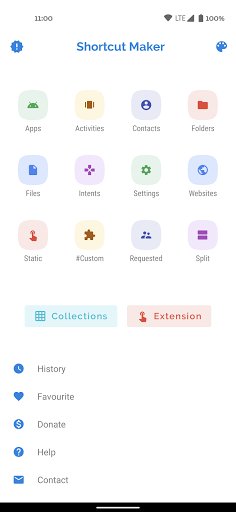
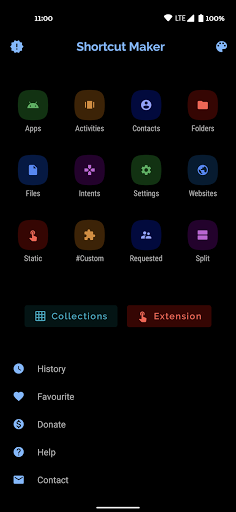
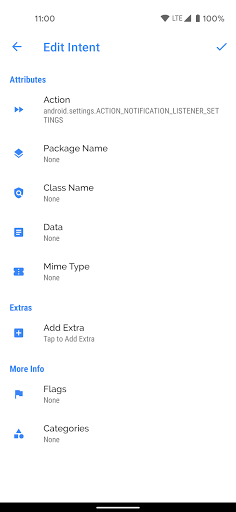
Getting started with Shortcut Maker is simple. Once installed, the app presents you with a clean and user-friendly interface where you can choose from numerous shortcut options. For instance, you can create shortcuts to launch installed apps and specific activities within those apps. Want to open your camera directly in selfie mode? You can set up a shortcut for that activity. Additionally, Shortcut Maker allows you to create shortcuts for system •Intents•, such as toggling Wi-Fi, Bluetooth, or other quick settings, streamlining your device management.
Creating shortcuts for your favorite websites is also effortless. Simply input the URL, customize the icon if you like, and place it on your home screen for instant access. The app supports user-requested features, so you can suggest new shortcuts or functionalities to enhance your experience.
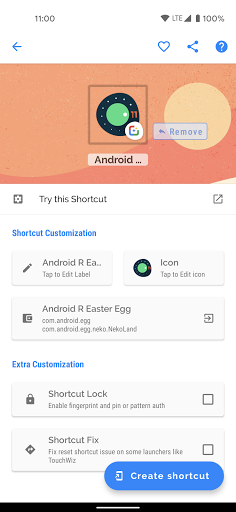
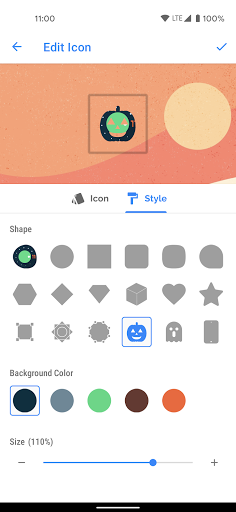
A distinctive feature is the Custom mode, which enables you to select an installed app, modify its shortcut before creation, and even add it to your favorites. Plus, the Shortcut Preview feature allows you to see how the shortcut will look before finalizing it, giving you full control over customization, including renaming shortcuts and choosing icons.
Key Features of Shortcut Maker
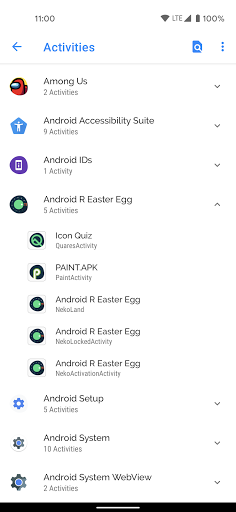
Create Shortcuts for Apps and Activities
Easily generate shortcuts for any installed app or specific activity within that app. Want quick access to the camera in selfie mode or launch a particular playlist? Shortcut Maker makes it simple.
Quick Access to System Settings
Create shortcuts that instantly toggle Wi-Fi, Bluetooth, or other system settings—saving time and effort in managing your device’s features.
Website and File Shortcuts
Save shortcuts to your favorite websites or specific files and folders stored within your internal storage, making them available directly from your home screen.
Favourites and History
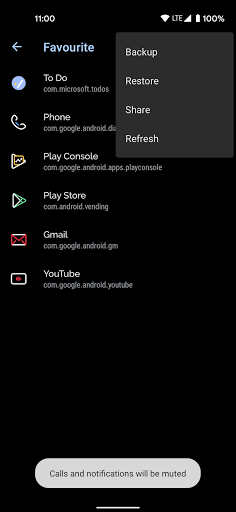
Keep track of your most-used shortcuts with the Favourite section, and review your shortcut creation history for quick access to previous setups.
Shortcut Customization and Preview
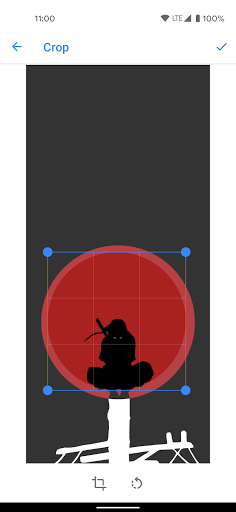
Personalize your shortcuts with custom icons and names. The preview feature shows how the shortcut will appear before creation, allowing you to adjust everything to your liking.
Additional Benefits and Feedback
Shortcut Maker has been developed with user suggestions in mind, constantly evolving to meet your needs. If you have ideas or want new features, you can reach out via email to share your feedback. The app also thanks MiguelCatalan for providing a free and elegant search view library that enhances its visual appeal.
Why Use Shortcut Maker?
If you’re looking to optimize your Android device’s functionality, Shortcut Maker is an essential app. It simplifies access to apps, settings, websites, and internal files—saving you time and reducing frustration. Its extensive customization options mean you can tailor your home screen intelligently, streamline daily tasks, and enhance overall productivity. Whether you’re a power user wanting quick app launchers or someone seeking a more organized app drawer, Shortcut Maker elevates your smartphone experience. Discover how creating custom shortcuts can transform your interaction with your device—making it faster, more personal, and truly yours.
Pros
- Highly customizable shortcuts.
- User-friendly interface.
- Integrates with other apps.
- Lightweight application.
- Saves time for frequent tasks.
Cons
- Limited widget options.
- Some features require a premium plan.
- Occasional bugs have been reported.
- Can be complex for new users to learn.
- Design appears somewhat outdated.











