
Introduction to the Smart Home Manager App
The Smart Home Manager app by AT&T is an innovative solution designed to streamline your home network management and enhance your smart home experience. It offers a seamless, user-friendly interface that allows you to control, monitor, and optimize your Wi-Fi network and connected devices effortlessly. Whether you're a tech novice or an experienced smart home enthusiast, this app provides all the essential tools to simplify your digital life at home.
Main Features and Benefits
Easy Self-Setup and Configuration
Setting up the Smart Home Manager app is straightforward. Once you sign in with your AT&T Internet User ID and password, the app guides you through a simple setup process. No technical expertise is required—just a stable internet connection and a few minutes are enough to get your smart home environment up and running. The app provides clear instructions for connecting your smart devices, making the initial setup accessible for everyone.
Comprehensive Network Management Tools
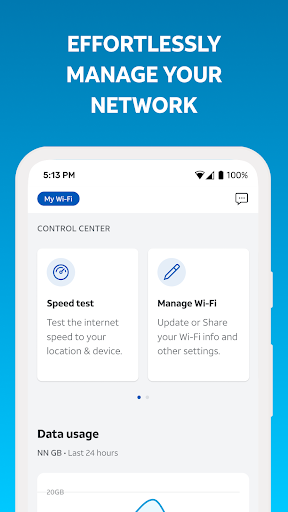
This app consolidates all your network management needs into one intuitive interface. Key features include:
- View and update your Wi-Fi network name and password
- Check which devices are connected to your network
- Personalize device names for easy identification
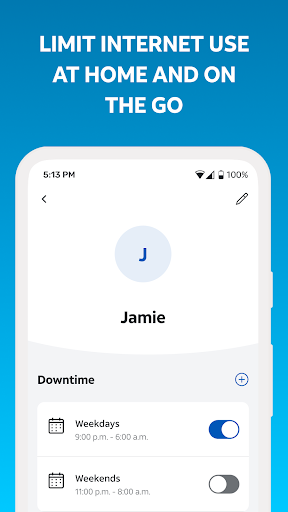
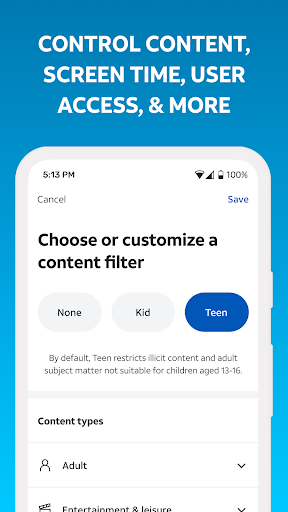
- Create profiles, set parental controls, and establish downtime schedules
- Pause Wi-Fi access for specific devices
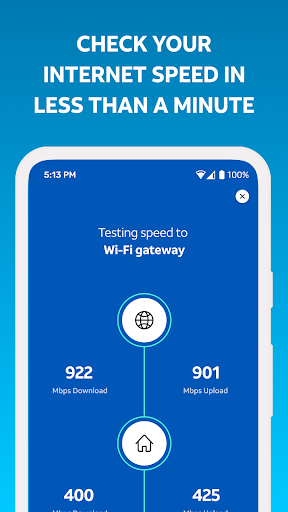
- Test Internet speed to your Wi-Fi gateway
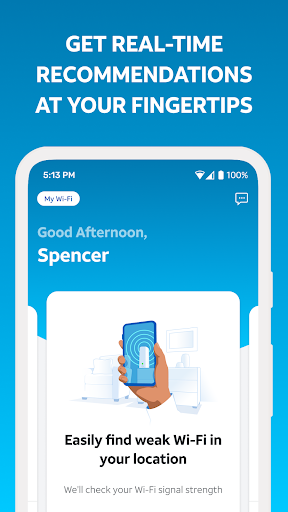
- Identify weak signal spots throughout your home
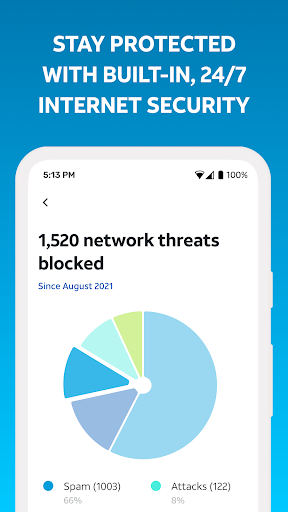
- Monitor network health, receive notifications for issues and outages, and restart your Wi-Fi gateway
Enhanced Home Automation and Security
Beyond network management, the Smart Home Manager app supports home automation. You can set routines, such as scheduling your coffee maker to start automatically in the morning or adjusting lighting and thermostats to match your daily schedule. The app also enables you to create profiles, set parental controls, and manage your family’s screen time, providing a safer and more controlled household environment.
Energy Efficiency and Signal Optimization
The energy usage tracker feature acts as a personal energy consultant, providing insights into how much power your connected devices consume. This information can help reduce your electricity bills and contribute to a more eco-friendly lifestyle. Additionally, the app pinpoints weak signal areas in your home, allowing you to optimize your Wi-Fi coverage for better performance in every room.
User Experience and Support
Intuitive User Interface
The Smart Home Manager app boasts a sleek, modern design that makes navigation simple. The dashboard provides a comprehensive overview of your connected devices and network status. All features are well-organized, enabling you to control your smart home devices—from lighting to security cameras—easily with just a few taps. This streamlined layout makes managing your smart home ecosystem a hassle-free experience.
Reliable Security and Customer Support
Security is a top priority, and the app offers robust measures to protect your data and privacy. Should you encounter any issues or have questions, AT&T’s customer support is responsive and knowledgeable, ensuring you always have assistance when needed.
Conclusion
The Smart Home Manager app by AT&T is an excellent tool for enhancing and simplifying your home network and smart device management. Its user-friendly interface, comprehensive features, and reliable support make it ideal for both new and experienced users. From managing Wi-Fi settings and monitoring device connections to creating automation routines and improving home security, this app empowers you to take control of your smart home environment. If you’re looking to boost your home’s connectivity, enhance safety, and enjoy the convenience of automation, the Smart Home Manager app is a smart choice to consider.
Pros
- User-friendly interface
- Real-time device monitoring
- Energy consumption insights
- Customizable alerts
- Remote device control
Cons
- Requires stable internet connection
- Limited device compatibility
- Subscription required for advanced features
- Occasional app crashes
- Complex setup process











