Introducing AndroPods - Airpods on Android
Are you an Android user who dreams of experiencing the seamless functionality of Apple’s AirPods? Look no further! AndroPods is a powerful app designed to bridge the gap between Android devices and Apple’s beloved wireless earbuds. With features that enhance compatibility and usability, AndroPods transforms your AirPods into an Android-friendly accessory, delivering a truly integrated experience.
Key Device Support and Compatibility
< Therefore,
Supported Devices
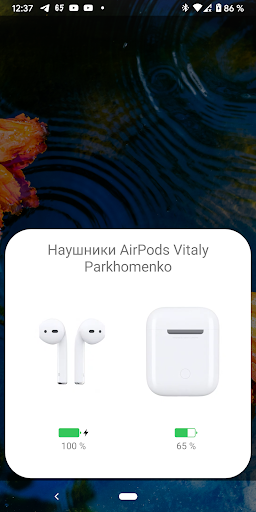
- AirPod 1
- AirPod 2
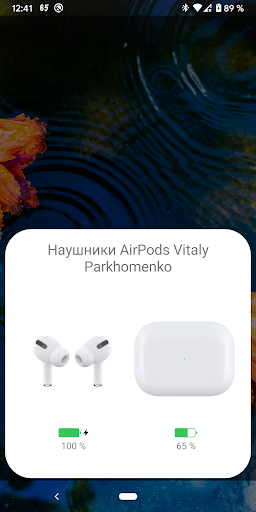
- AirPod Pro (choose between AirPod Pro and 1st, 2nd generation; corresponding animations and images are displayed)
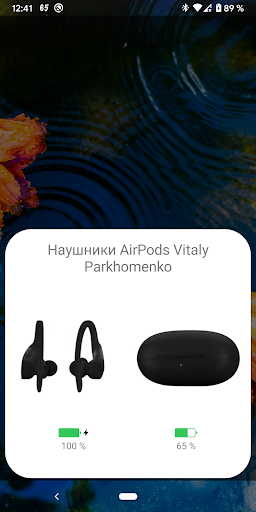
- Powerbeats Pro (with icons and animations)
- AirPod 3
Innovative Features Bringing Apple-like Experience to Android
< p>Once installed,
AndroPods introduces next-generation features that enhance your AirPods on Android devices:
Battery Level Indicator
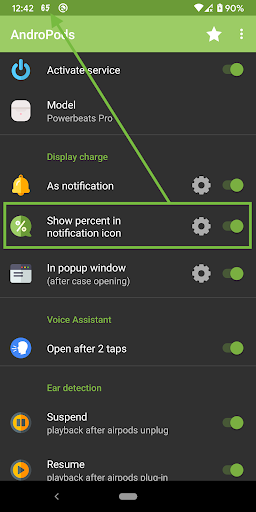
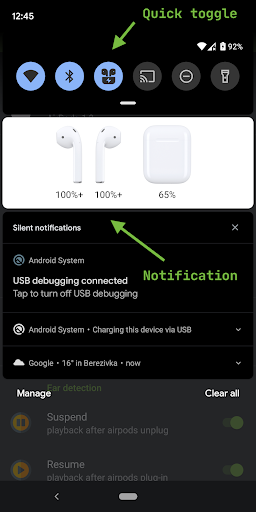
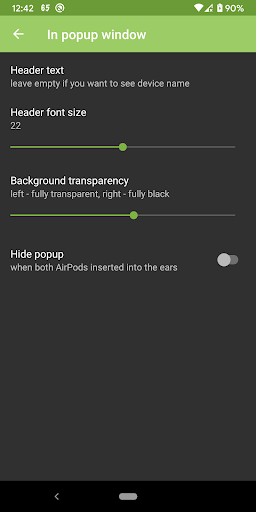
Enjoy real-time battery status with a popup window featuring animations reminiscent of the original Apple interface. You can also view the battery percentage directly within notification icons, with options to customize this display.
In-Ear Detection
Automatically pause and resume playback when you plug or unplug your AirPods—mimicking the functionality on iOS. This vital feature ensures your music or calls are managed smoothly without manual intervention.
Voice Assistant Activation
The app enables easy invocation of your preferred Voice Assistant by tapping your AirPods four times. This feature adds an extra layer of hands-free convenience for Android users.
How to Set Up
Getting started is simple. Upon first launch, grant the app permissions for location detection (necessary for Bluetooth LE discovery) and overlay displays (for popup notifications). Once permissions are granted, select your desired options and enable the service. That’s it! The app takes care of the rest.
Important Notes
- Voice Assistant activation works only when no media is playing in the background—an Android limitation.
- If you experience battery refresh issues, you can add AndroPods to your phone’s battery optimization whitelist.
For feedback or bugs, reach out to [email protected].
Why Choose AndroPods for Your Android Lifestyle?
< p>Many Android users wonder about the experience of using AirPods on their devices. AndroPods effectively fills this gap, delivering a sleek, user-friendly interface that makes managing Apple earphones on Android straightforward and intuitive. From quick setup to a suite of useful features, AndroPods makes your wireless experience more enjoyable.< p>The app’s ease of installation allows users to start enjoying the features almost immediately. It supports a range of functionality like battery level monitoring, smart pause with in-ear detection, and custom tap controls for actions like play, pause, or track skipping. These enhancements mimic the native experience users cherish on iOS, but tailored to Android’s ecosystem.< p>Admittedly, there are occasional connectivity hiccups and latency issues, typical of such cross-platform integrations. However, the developer’s proactive approach to updates and responsiveness to user feedback ensures continuous improvement. This commitment makes AndroPods a reliable companion for any Android user eager to enjoy the convenience of AirPods.
Final Verdict: Embrace Wireless Freedom with AndroPods
< p>If you're an Android enthusiast longing to enjoy the AirPods experience without switching to Apple devices, AndroPods is undoubtedly worth exploring. Though not flawless, the app’s rich feature set—combining battery indicators, voice assistant support, and seamless pairing—offers a compelling reason to give it a try.< p>Ultimately, AndroPods exemplifies how innovative apps can bring two distinct ecosystems closer together, providing a taste of Apple's wireless magic on Android. So why not take the plunge? Discover how your AirPods can transform your Android device into a truly integrated wireless audio experience and enjoy the freedom of wireless listening tailored just for you.
Pros
- Seamless connection with AirPods
- Notifications for battery status
- Customizable touch controls
- Auto-reconnection support
- Compatible with all AirPods models
Cons
- Limited features in the free version
- Occasional disconnections
- In-app advertisements may be disruptive
- Needs access to location services
- Device compatibility may differ