

Overview of the eero WiFi System App
Key Features and Benefits
Simple Setup in Minutes
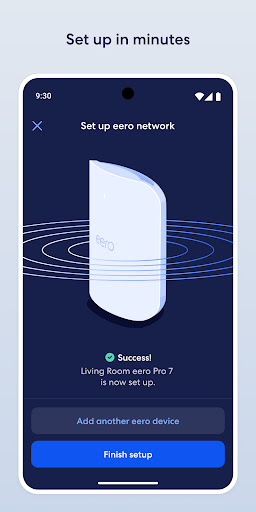
Getting started with the eero WiFi system is quick and easy. The eero app provides clear instructions and visual guides that help even those without technical expertise to set up their network efficiently. In just a few steps, your home will be covered with strong, reliable WiFi.
Automatic Software Updates
The app ensures your eero system stays current by delivering automatic updates that add new features, enhance performance, and reinforce security standards. This continuous improvement keeps your network fast, secure, and up-to-date with the latest advancements.
Remote Network Management
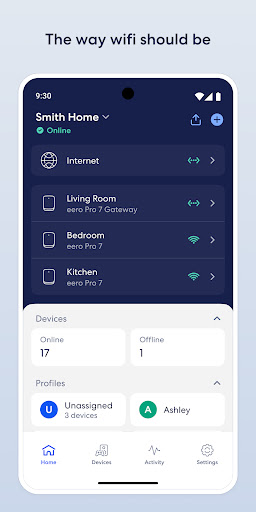
With the eero app, you can view and manage your network from anywhere. Whether you’re at work, on vacation, or relaxing in the backyard, monitor device connections, run speed tests, and control your WiFi settings remotely for maximum convenience.
Secure Guest Network Sharing
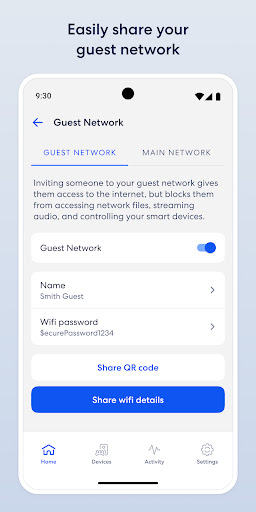
The app makes it easy and secure to share your network with guests. Create separate guest access, set passwords, and control what visitors can see and access, all within a few taps.
Parental Controls and Access Scheduling
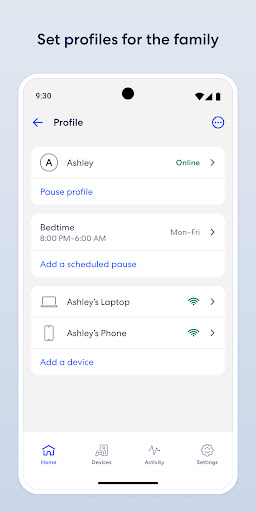
Manage your family's internet usage by scheduling or pausing internet access. Block specific devices or websites to promote healthier screen time habits and ensure online safety for children.
Enhanced Security with eero Plus
When combined with the eero Plus subscription (sold separately), you gain access to advanced security features, parental controls, and VIP support from Wi-Fi experts. Additional benefits include a password manager, antivirus software, and a VPN powered by Guardian, all working together to keep your digital life secure.
Privacy and VPN Features
If you enable the VPN by Guardian, the eero app utilizes Android's VpnService to establish a secure virtual private network, helping safeguard your online activities and keep your devices private.
Transform Your Home Wi-Fi Experience
Ease of Use and Compatibility
Final Thoughts
Pros
- Simple to set up and manage through the app
- Smooth connectivity across multiple devices
- Significantly enhances Wi-Fi coverage
- Receives regular software updates
- Works with Alexa voice control
Cons
- Requires a stable internet connection during setup
- Limited options for advanced network configurations
- Higher cost compared to competitors
- Extra features require a subscription
- Full functionality depends on the app











