
Discover Shield: Antivirus Home Screen – The Ultimate Android Security Solution
Are you searching for a comprehensive and user-friendly security app to protect your Android device? Look no further than Shield: Antivirus Home Screen. This innovative app combines powerful virus protection with a sleek, customizable home screen experience, making security feel less like a chore and more like an integrated part of your mobile lifestyle.
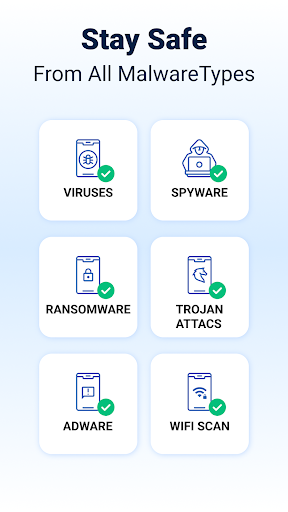
Designed to safeguard your device from viruses, malware, and cyber threats, Shield also elevates your privacy with features like secure WiFi scanning. Its high-accuracy AI-driven antivirus engine boasts a 99% detection rate, actively identifying and blocking malicious apps, spyware, and other risks—all without slowing down your device or creating false alarms.
Whether you're concerned about data protection on public networks or want to add a touch of style to your home screen, Shield offers a seamless experience that blends security and personalization. Its extensive customization options, privacy controls, and real-time alerts make it a must-have app for modern Android users.
Upgrade to Shield Pro for an ad-free experience and additional security features such as enhanced device protection, making your mobile experience safer and more enjoyable.
Key Features of Shield: Antivirus Home Screen
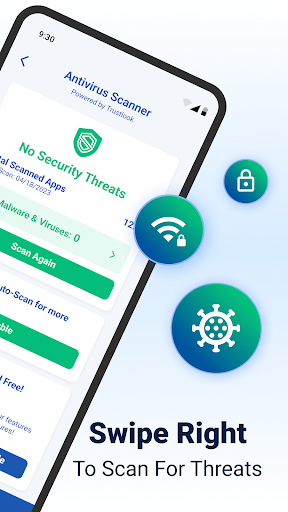
Advanced Antivirus Scanner: Utilizing sophisticated AI technology, Shield’s antivirus scanner detects threats with near-perfect accuracy and a detection rate of 99%. It swiftly scans apps and files, providing peace of mind without compromising device performance.
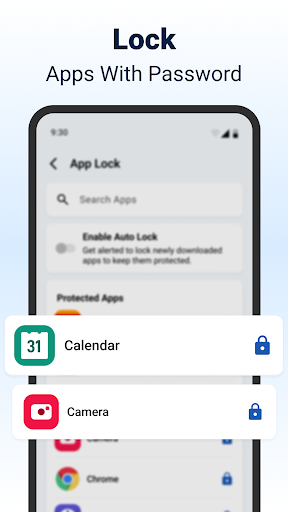
AppLock and Privacy Tools: Lock down sensitive applications with passwords or fingerprint authentication. The app also includes features like hiding apps and secure WiFi scanning, ensuring your private information remains protected, especially on insecure networks.
Customizable Experience: Personalize your home screen and lock screen with various themes and settings. Shield’s flexible customization options enable you to create an Android environment that balances security and style.
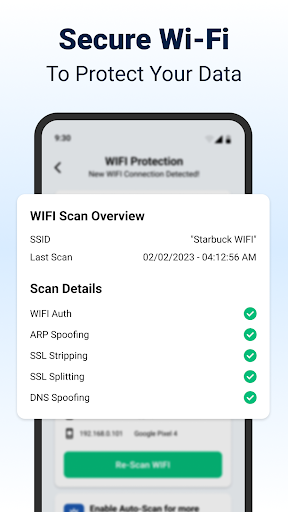
Comprehensive WiFi Security: Protect your data with an advanced WiFi scanner that detects network vulnerabilities like ARP spoofing, DNS spoofing, and SSL stripping. The app also scans connected devices, allowing you to monitor your network’s activity and prevent unauthorized access.
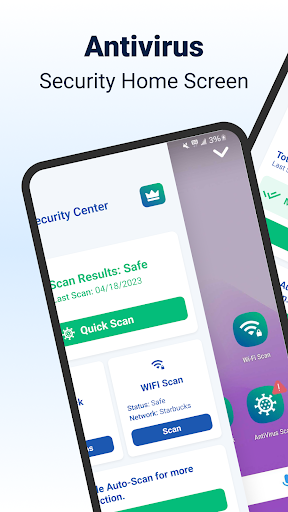
Home Screen Transformation: The app enhances your Android's home screen with intuitive controls for privacy and security settings, creating a visually appealing, safe, and user-friendly interface tailored to your needs.
Upgrade to Shield Pro: For an ad-free experience and complete device security, upgrading to Shield Pro unlocks additional features, ensuring seamless protection while browsing and using your device without interruptions.
Easy Security with Shield: Antivirus Home Screen
- 99% detection rate with intelligent antivirus scanning
- App Lock with fingerprint and PIN protection
- WiFi scanner plus advanced network security
- Customizable home screen with privacy features
Four Simple Steps to Secure Your Android Device
- Download Shield Antivirus Home Screen from your app store
- Set up AppLock for your apps and privacy
- Choose critical apps to protect
- Run an antivirus scan and secure your device
Experience the Perfect Blend of Security and Style with Shield Antivirus Home Screen
In today's digital landscape, keeping your smartphone safe from malicious threats is more crucial than ever. Shield: Antivirus Home Screen offers an innovative approach by embedding real-time security directly into your device’s home screen interface, making protection seamless, intuitive, and visually appealing. Unlike traditional antivirus apps that run quietly in the background, Shield actively informs and empowers you through customizable widgets, alerts, and privacy controls.
This app not only detects and blocks viruses effectively but also helps extend your device’s battery life by monitoring resource-hungry apps. Its user-friendly design ensures that both tech-savvy users and beginners can easily navigate security settings and enjoy a sleek, modern look tailored to personal preferences.
Whether you're concerned about malware, privacy breaches, or network security, Shield provides potent tools like advanced WiFi scanning to shield your data on public networks. Its ability to identify connected devices and prevent network attacks such as ARP spoofing makes it invaluable for protecting your digital life.
Further, with features like app locking, hiding sensitive info, and customizable themes, Shield transforms your phone’s home screen into an all-in-one security hub. Upgrading to Shield Pro unlocks additional benefits, including an ad-free experience and enhanced protection, ensuring your device remains secure without interruptions.
Overall, Shield: Antivirus Home Screen is a comprehensive security app designed to meet the needs of the modern smartphone user—balancing powerful protection with personalized aesthetics. Protect your Android device today and enjoy peace of mind with a smarter, safer, and more stylish security solution.
Pros
- User-friendly interface simplifies usage.
- Provides real-time protection to ensure safety.
- Consumes low resources, conserving battery life.
- Regular updates improve security features.
- Offers customizable settings for greater flexibility.
Cons
- Sometimes generates false positive alerts.
- Premium features require payment access.
- Free version may display disruptive ads.
- Limited support for older device models.
- Initial setup process may be somewhat complex.











