

PRISM Live Studio: Games & IRL
Embarking on the journey of live streaming can feel overwhelming at first, but with the right tool, it transforms into an exciting and accessible experience. PRISM Live Studio: Games & IRL stands out as a versatile live streaming app designed for content creators who want to share their gaming sessions, everyday moments, or creative broadcasts seamlessly. Whether you're a beginner or a seasoned streamer, this app offers a comprehensive suite of features that make live broadcasting engaging, easy, and professional.
Feature-Rich Live Streaming Made Easy
Multiple Live Modes for Flexibility
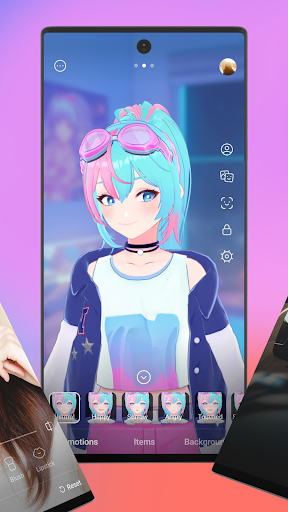
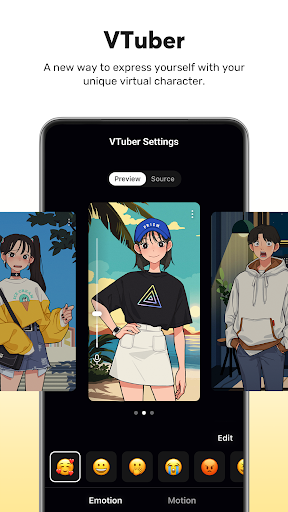
Start your live streams effortlessly with several modes: •Choose Your Live Mode includes Camera, Screen, and VTuber broadcasting options. Capture high-quality footage directly from your smartphone camera, share your gameplay with real-time screencasts, or dive into the exciting world of VTubing using custom avatars or pre-made 2D and 3D VRM avatars. The flexibility allows content creators to tailor their streams to their unique style and audience.
Screencast and Gameplay Sharing
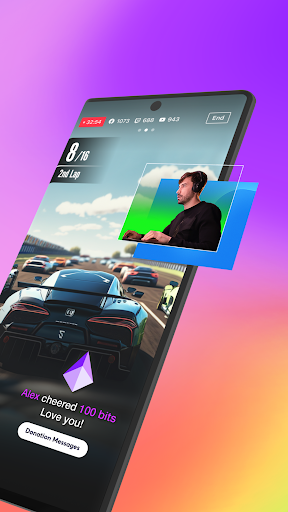
With •Screencast Broadcasts, you can share your device screen or gameplay in real-time, making it perfect for gaming streams, tutorials, or app demonstrations. The app offers various options to customize your screen sharing experience, ensuring your viewers get the best quality.
Seamless VTuber Integration
Want to venture into VTubing? •VTuber Broadcasts requires just your smartphone! Use personalized avatars or select from the app’s library of 2D and 3D VRM avatars to create lively virtual personas that interact with your audience, all without the need for expensive hardware or complex setups.
Account Integration and Real-Time Interaction
Effortlessly connect your streaming accounts to platforms like YouTube, Facebook, Twitch, and BAND with a simple login. Engage with your viewers in real-time using the integrated chat widget—highlight and pin important messages to keep the audience engaged throughout the broadcast.
Enhance Your Broadcasts with Creative Tools
Media Overlays and Web Widgets
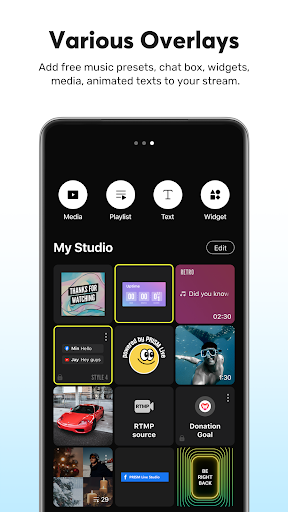
Make your streams visually appealing with Media Overlay: add photos, videos, music, and playlists from your personal My Studio. You can also overlay web pages onto your stream by entering a URL, perfect for supporting web links or widgets during your broadcast.
Beauty and Camera Effects
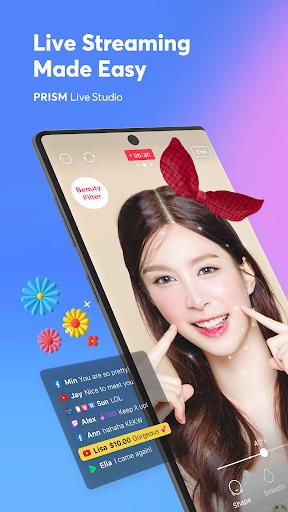
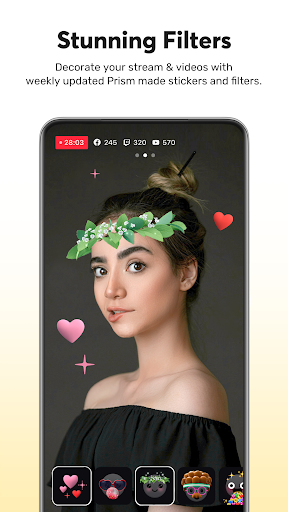
Bring out your best look with Beauty Effects that automatically enhance your appearance, creating a polished, natural look. For more fun and interaction, apply camera effects like masks, background filters, touch reactions, and emotion filters, adding personality and engagement to your streams.
Animated Text and Background Music
Use vibrant Animated Text Effects for titles, captions, or social media tags to make your streams more dynamic. Complement your broadcast with background music from five themes—Playful, Sentimental, Action, Beatdrop, and Retro—creating the perfect mood.
High-Quality Streaming and Multi-Platform Distribution
1080p60fps Live Streaming
Enjoy high-resolution broadcasts with 1080p 60fps, delivering smooth, crystal-clear videos. Availability varies depending on your device and connection stability, but overall, the streaming quality impresses users who value professionalism in their live content.
Multi-Channel Simulcasting
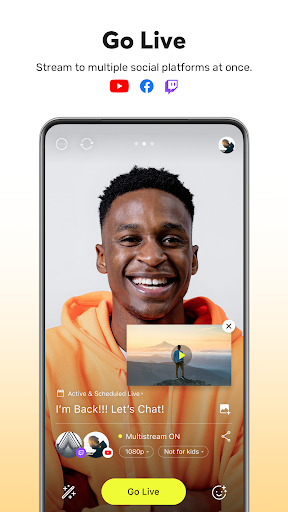
Stream your live broadcast simultaneously across multiple platforms, maximizing your reach without consuming additional network resources. This feature is ideal for content creators looking to grow their audience across different streaming services at once.
CONNECT Mode & PC App Integration
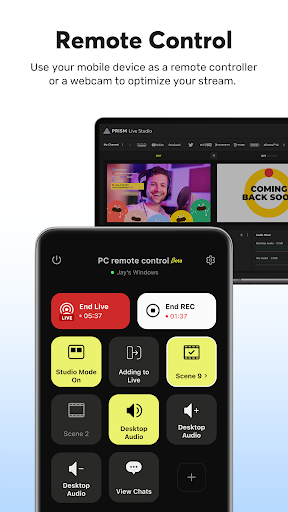
Seamlessly connect your smartphone to the PRISM PC app using the CONNECT Mode and QR code scanning. This allows you to use your mobile device as a high-quality video and audio source for more advanced streaming setups, enhancing production quality.
Advanced Streaming Tools and Stability Features
Camera Pro and Chroma Key
Fine-tune your live streams with Camera Pro features including focus, exposure, ISO, white balance, and shutter speed. Utilize the exclusive Chroma Key feature to incorporate custom backgrounds, unleashing your creativity and making your streams more engaging.
AI Scripts and Background Streaming
Use on-device AI scripts to automatically generate stream scripts in various formats, making your content more professional. The app also supports Background Streaming, ensuring your broadcast stays live even during calls or notifications.
Real-Time Editing and Sharing
Easily update your live stream info such as titles and links without interruption, and review your past broadcasts through My Page. This feature helps you manage and share your streaming history efficiently.
Permissions and Support
The app requests necessary permissions like Camera, Mic, Storage, and Notifications to operate smoothly. For support, visit the PRISM Live Studio website or contact their team through the provided channels.
Why Choose PRISM Live Studio?
If you’re aiming to elevate your live streaming experience—whether for gaming, IRL sharing, or creating unique VTuber content—PRISM Live Studio: Games & IRL is an all-in-one solution. Its intuitive interface, rich feature set, and stability make it the perfect companion for both beginners and professional streamers. Amplify your broadcast quality, engage your audience with creative overlays, and expand your reach effortlessly. Ready to take your live content to the next level? PRISM Live Studio might just be the partner you’ve been looking for.
Pros
- User-friendly interface for easy navigation
- High-quality live streaming with minimal lag
- Supports multi-platform broadcasting
- Comprehensive editing tools available
- Customizable overlays and widgets
Cons
- Requires stable internet connection for smooth streaming
- Limited features in the free version
- Occasional app crashes during streaming
- High battery consumption on mobile devices
- Complex setup process for beginners











