


Video Lite: Your Ultimate Smooth Video Streaming Experience on Mobile!
Discover the power of seamless video browsing with Video Lite – an all-in-one video website browser designed specifically for your smartphone. This lightweight yet high-performance app is the perfect companion for video enthusiasts who demand smooth streaming and convenient features. Whether you're on the move or relaxing at home, Video Lite ensures an optimized and enjoyable viewing experience.
Key Features of Video Lite
• All-in-One Video Browser
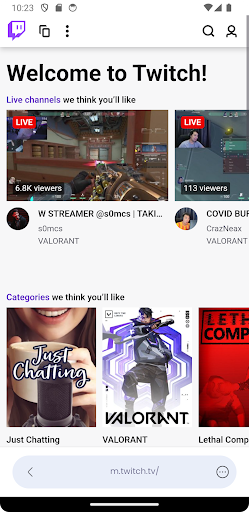
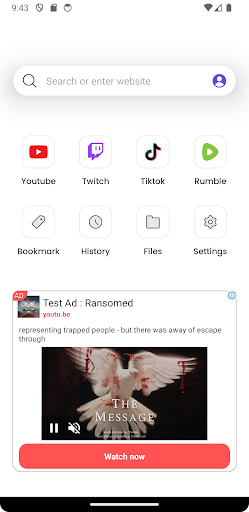
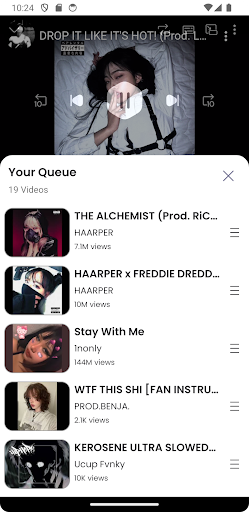
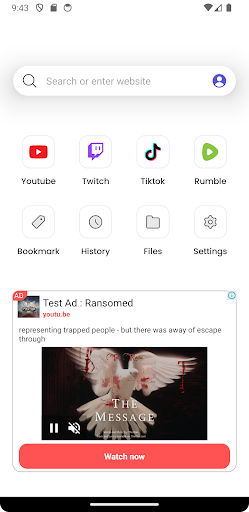
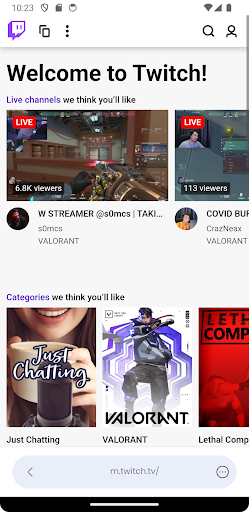
Access a wide range of popular video websites effortlessly. The integrated browser allows you to navigate through various platforms without switching apps, streamlining your online video consumption.
• Smooth User Experience
Enjoy an ultra-friendly interface designed for ease of use. The app’s stable performance and intuitive controls make browsing and watching videos straightforward, even for those who aren’t tech-savvy.
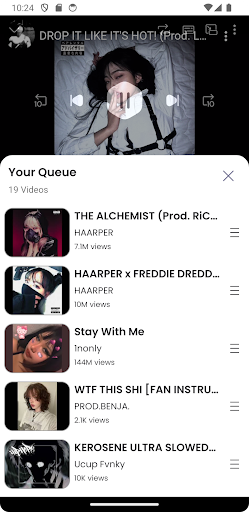
• Picture in Picture (PiP) Mode
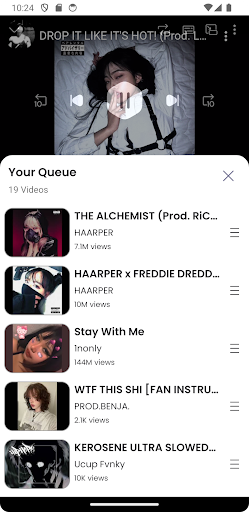
Multitask while watching videos by enabling Picture in Picture (PiP) mode. Continue viewing your favorite content in a small overlay window, freeing you to browse or work on other tasks simultaneously.
• Sleep Timer
Set a sleep timer to automatically close the app after a specified period, helping conserve your device’s battery and prevent unnecessary data usage during late-night viewing sessions.
• Fast Loading and High Efficiency
Experience quick video loading times with high efficiency streaming, reducing mobile data consumption while maintaining good video quality. This makes Video Lite ideal for users with limited data plans.
• Personalized Settings
Customize your video viewing preferences, including quality settings, playback speed, and more, to create a tailored streaming experience suitable for your needs.
Enhanced User Experience for Mobile Video Streaming
Video Lite isn’t just another video viewer—it’s a thoughtfully designed app that prioritizes ease of use and data conservation. When I took this app for a test drive, I found its layout to be clean and intuitive, making navigation effortless. From adjusting playback speeds to selecting video qualities, everything is just a tap away.
One of the standout features I appreciated is the Data Saver Mode. In today’s world of costly data plans, this feature optimizes video quality based on your network strength, reducing data usage without significantly impacting video clarity. It’s perfect for watching videos on the go, especially when Wi-Fi isn’t available.
Additionally, the offline viewing option allows you to download videos for later playback. Whether you're traveling or in an area with unstable internet, this feature ensures you stay entertained without interruptions, making long commutes or flights a breeze.
Another major advantage is the ad-free experience. Ads can often ruin the viewing flow, but with Video Lite, you enjoy uninterrupted content—enhancing your overall experience and making the app even more appealing for daily use.
Why Choose Video Lite?
In summary, Video Lite is more than just a simple video player; it’s a comprehensive tool built for mobile users who value seamless streaming, data efficiency, and flexibility. Whether you're a casual viewer or a dedicated video enthusiast, its features like fast loading, PiP mode, and offline playback enhance your entertainment experience.
Its user-friendly design makes it accessible for anyone, and its focus on conserving data and bandwidth ensures you can enjoy videos wherever you are without worries. If you are seeking a lightweight, high-performance app that elevates your mobile video watching, Video Lite is undoubtedly worth exploring. Download it now and start your endless video adventure.
Pros
- Fast and lightweight video player.
- Supports multiple video formats.
- Ad-free user experience.
- Offline video playback available.
- Customizable playback settings.
Cons
- Limited advanced features.
- No subtitle support.
- Requires frequent updates.
- No cloud sync option.
- Basic user interface design.











