




Introduction to xBrowser - Video Downloader
Are you tired of losing your favorite online videos or struggling to save them for offline viewing? xBrowser - Video Downloader is the ultimate tool designed to help you seamlessly search, browse, and download videos from a variety of websites. With its all-in-one features, this app transforms your browsing experience into a powerful media management platform. Whether you're looking to save high-definition videos or organize your media library efficiently, xBrowser offers an intuitive solution tailored for all your video download needs.
Key Features of xBrowser Video Downloader
Effortless Video Search and Detection
The app automatically detects videos as you browse, making it incredibly simple to download content with just a single click. No need to copy and paste URLs—its smart detection feature streamlines your workflow, saving you time and effort.
Built-in Browser and Management Tools
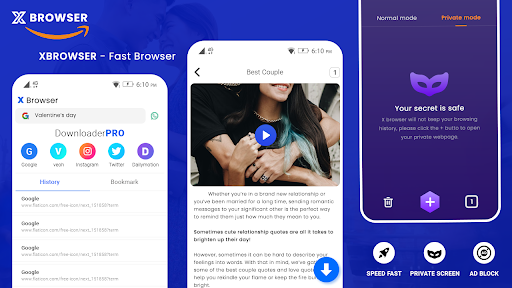
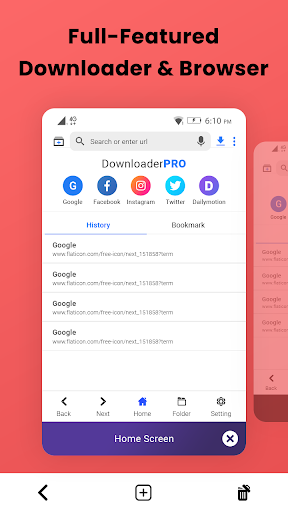
Enjoy browsing videos directly within xBrowser. The integrated browser supports multiple tabs, allowing you to manage several websites simultaneously. You can easily add your favorite pages to bookmarks for quick access, creating a personalized and organized browsing environment.
One-Click Downloads and Compatibility
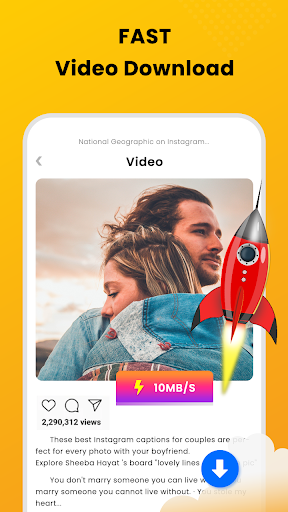
Download• HD videos in a flash, supported by xBrowser's streamlined download process. The app supports videos in various formats like MP4, FLV, AVI, ensuring compatibility across multiple platforms. Plus, it supports downloading by video extension links, making your media gathering experience flexible and hassle-free.
Robust Download Manager
Manage your downloads efficiently with features like pause, resume, and remove. The download progress is visible in an easy-to-read bar, and you can download multiple files simultaneously without performance drops. Downloads can run in the background, allowing you to continue browsing or other activities without interruption.
Fast and Secure Downloads
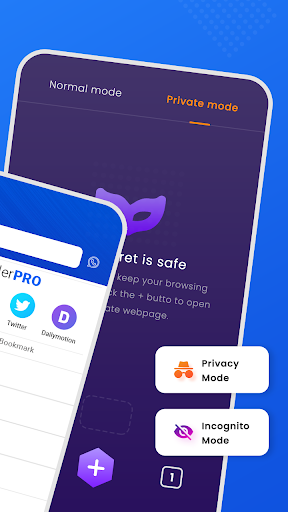
Experience impressive download speeds courtesy of smart bandwidth optimization, even over Wi-Fi, 2G, 3G, or 4G networks. Rest assured, your privacy is protected; the app does not store your personal data and requires minimal permissions, ensuring a secure environment for your media activities.
Offline Playback and Media Access
Once videos are downloaded, you can enjoy them offline using the built-in media player—no internet buffering required. The app also makes it easy to access your downloaded media with an intuitive UI, allowing for effortless media management and playback.
Customization and User Preferences
Customize your browsing experience by changing and personalizing your preferred search engine within the app. xBrowser is designed to adapt to your preferences, providing a tailored user experience.
Additional Benefits
This versatile application allows you to download not only videos but also music and pictures. It supports large file downloads and can handle multiple concurrent transfers, making it perfect for users with high-volume media needs.
Important Notes and Usage Guidelines
Please note, due to policy restrictions, xBrowser does not support downloading videos from YouTube. The app is not affiliated with or authorized by any social media platforms. Users are responsible for respecting intellectual property rights and copyright laws when downloading content.
Summary
Overall, xBrowser - Video Downloader is a comprehensive solution for anyone looking to easily find, download, and enjoy videos offline. Its user-friendly interface, fast download speeds, and secure protocols make it a standout choice in the crowded landscape of media downloader apps. Whether you're saving videos for offline viewing, creating a personal media library, or managing downloads across multiple websites, this app offers the functionality and reliability you need for a smooth experience. Try xBrowser today and unlock the full potential of your browsing and media collection on your device.
Pros
- Fast video downloads
- Supports multiple formats
- User-friendly interface
- Background downloading
- No intrusive ads
Cons
- Limited free features
- Occasional crashes
- No built-in video player
- Requires stable internet connection
- Limited language support











