
Discover the Exciting World of Aerial Photography with Go Fly Drone Camera Controller
Ever dreamed of exploring the skies and capturing breathtaking aerial footage? Go Fly is the ultimate app designed to transform your drone flying experience. Whether you're a beginner or an experienced pilot, this top-rated drone control app offers an array of features to unlock new possibilities in aerial photography. With support for a wide range of drone models, including popular ones like Mavic, Go Fly ensures you can elevate your adventures with ease and confidence. The app is continually updated and improved based on user feedback, making it a reliable partner in your drone endeavors.
Key Features of Go Fly Drone Camera Controller
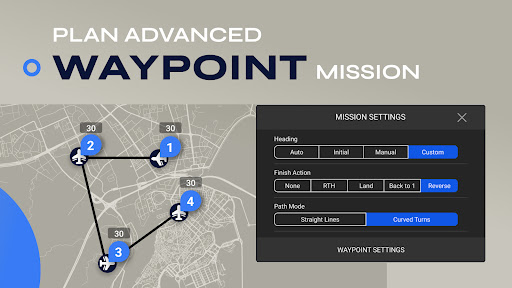
Waypoint Missions
Plan your flight path seamlessly with the waypoint mission feature. Designed for both novices and seasoned pilots, this intuitive tool allows you to set precise points of interest and create automated routes, making complex shots achievable with minimal effort.
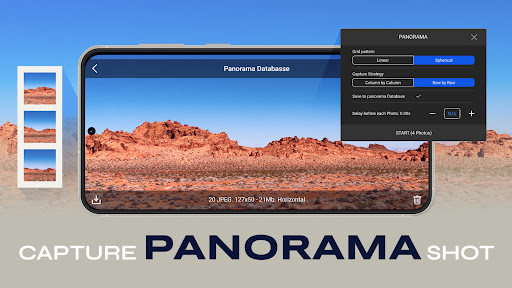
Panorama Capture
Easily take stunning 360-degree panoramas, horizontally and vertically. This feature enables you to craft immersive images that showcase expansive landscapes or cityscapes in a single shot.
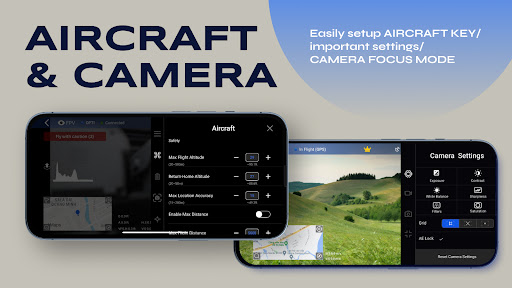
Focus Mode
Take precise control over your drone's yaw axis and gimbal with Focus Mode. Perfect for capturing the ideal shot, it allows you to focus solely on framing your scene while the app manages the camera's stability and direction.
Additional Capabilities
- Smart Flight Modes
- Intuitive User Interface and expansive camera view
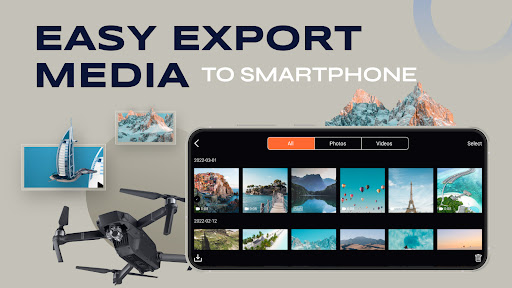
- Effortless Image and Video Export to iPhone
- On-Screen Exposure Graph
- Gimbal Direction Adjustment
- Comprehensive Flight Tutorials for beginners
Note that some features are specific to certain drone models like Mavic, and may not be supported on all drones. These include Low Battery Warning, Critical Low Battery Warning, Time to Discharge, Lock Gimbal When Shooting, Sync Gimbal with Aircraft Heading, and Gimbal Mode.
The app also supports media preview, media playback, and control of head LEDs and camera directions (e.g., forward/down) for specific models such as Mavic Air 2S.
Experience and Performance Insights
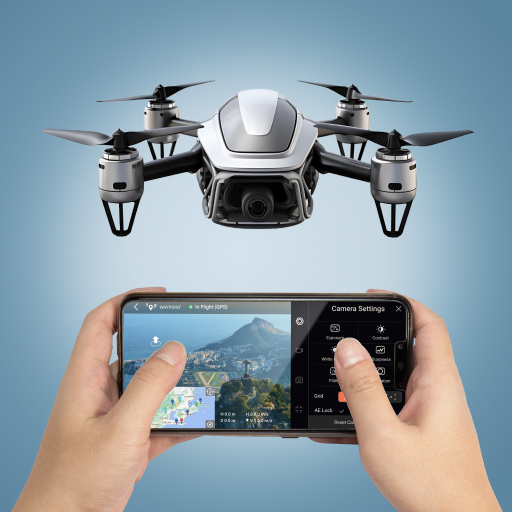
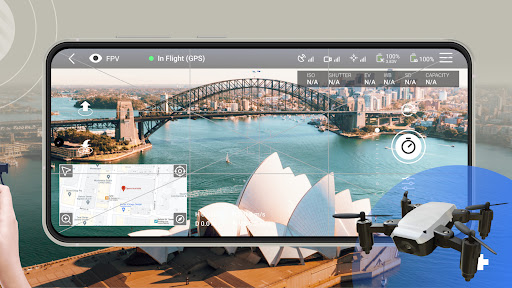
When I first launched Go Fly, I was immediately impressed by its sleek and user-friendly interface. Designed to guide both beginners and expert pilots, it feels like having a dedicated instructor by your side. The real-time video feed feature is a highlight, allowing you to see exactly what your drone is capturing—perfect for framing shots and ensuring you get the shot you want.
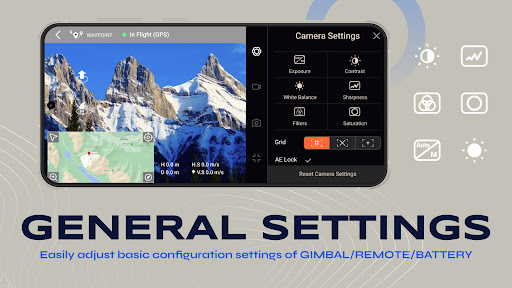
The app enables on-the-fly adjustments to camera settings, including resolution and exposure. You can even draw a flight path directly on your screen, and your drone will automatically fly along that route—a feature that simplifies complex cinematography and adds a creative touch to your flights.
Performance-wise, the app maintains a stable connection with the drone, even over considerable distances. The live video remains smooth and responsive, ensuring a reliable flying experience. Battery monitoring is accurate and helpful, making it easier to recall your drone to safety before running out of power.
Why Go Fly Is a Must-Have for Drone Enthusiasts
In conclusion, Go Fly offers a comprehensive suite of tools that elevate your drone flying adventures to new heights. Its user-friendly interface combined with advanced features like waypoint missions, panorama photography, and focus control make it ideal for hobbyists and professionals alike. The app truly simplifies complex tasks and helps you capture stunning aerial videos and images with ease.
Whether you’re aiming to capture scenic landscapes, cinematic shots, or aerial surveys, Go Fly provides an intuitive and reliable platform to bring your creative visions to life. Just remember to keep an eye on the weather and practice safe flying. So, gear up, connect your drone, and let your imagination take flight with Go Fly.
Pros
- Intuitive user interface
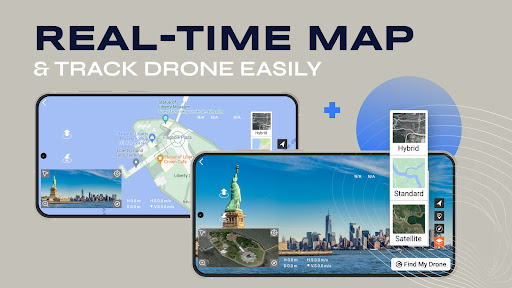
- Real-time video streaming
- Customizable flight controls
- Offline maps available
- Compatible with many drones
Cons
- Limited battery monitoring
- Occasional connectivity issues
- Requires frequent updates
- Not beginner-friendly
- In-app purchases necessary











