
Introducing Icon Pack Studio: Your Ultimate Custom Icon Creator
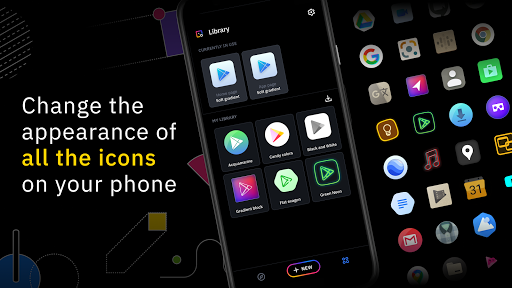
Are you tired of the default look of your smartphone's home screen? Do you crave a more personalized and unique style that truly reflects your personality? Look no further than Icon Pack Studio, a powerful app designed to revolutionize the way you customize your device. Whether you're a seasoned designer or just love tinkering with your phone's appearance, this app offers unparalleled flexibility and creative potential to craft the perfect icon pack for your device.
Create Custom Icons from Scratch or Download Community Designs
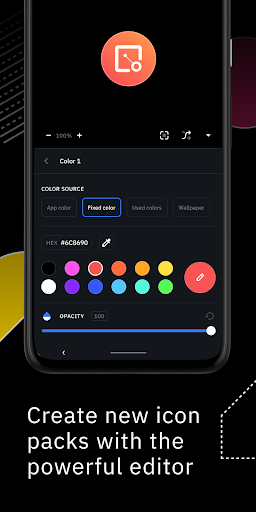
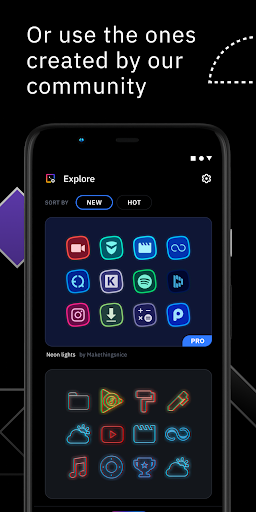
Icon Pack Studio was built on the idea that no pre-made icon pack can match the personalized touch you can add when creating your own. With this innovative app, you can start from scratch and design your icons exactly how you envision, or you can browse and download thousands of icon packs uploaded daily by a vibrant user community. The extensive collection ensures you always have fresh options to enhance your home screen aesthetics. The advanced editor provides you with precise control, allowing you to resize, move, and customize every element of your icons with ease.
Powerful Editing Features for Truly Unique Icons
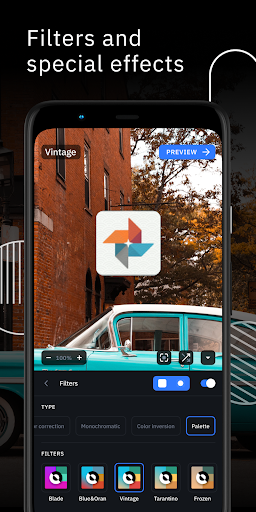
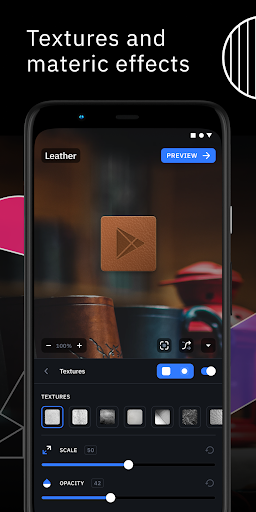
What sets Icon Pack Studio apart is its comprehensive editing suite. Use special filters like lights, shadows, textures, and bezels to add depth and dimension to your creations. The intuitive interface makes it easy for anyone, regardless of design experience, to produce professional-looking icons. Once satisfied, you can effortlessly apply your custom icon pack to popular launchers in just a few taps, transforming your device’s appearance instantly and effortlessly.
Import and Tweak Existing Icon Packs
Starting from version 2, Icon Pack Studio extends its functionality beyond creating icons from scratch. You can import and tweak any icon pack installed on your device, giving you complete control over the visual style. This feature allows you to modify existing designs, ensuring your icons match your unique theme or aesthetic preferences. No other icon pack creator offers this level of customization and flexibility, making Icon Pack Studio a standout tool in the Android customization ecosystem.
Compatibility with Most Popular Launchers
Icon Pack Studio is designed primarily for Smart Launcher, but it works seamlessly with nearly any launcher available on the market. Supported launchers include Nova Launcher, Action Launcher, Lawnchair Launcher, Hyperion Launcher, Poco Launcher, Miui Launcher, and many more. While some launchers like Xperia Home, Pixel Launcher, and Samsung One UI Home are unsupported, most other popular launchers are compatible, making this app a versatile choice for Android users seeking highly customized home screens.
Unleash Your Creativity and Personalize Your Device
If you ever felt your phone’s interface was just a little too vanilla, Icon Pack Studio is here to inject new life into your device. This app is not just a tool for creating icons; it’s a creative canvas that empowers you to design and personalize every aspect of your app icons. From selecting perfect colors, applying shadows, to adjusting textures, the options are vast and user-friendly. Even if you're not a professional designer, the app's intuitive interface and pre-made templates help you kickstart your design process easily.
Getting Started and Making Your Own Icon Masterpieces
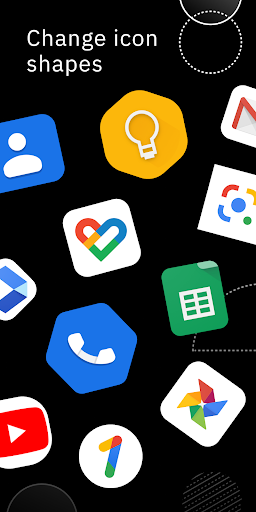
Getting started with Icon Pack Studio is a straightforward experience. After downloading and installing, a simple tutorial guides you through the core features. The home gallery showcases a variety of templates to inspire your creations or serve as starting points. The app’s color picker is satisfying to use and allows layering colors with transparency, resulting in stunning effects. Choose from a variety of shapes or draw your own to match your preferred style. The inclusion of shadows and gradients gives your icons a professional, polished appearance.
Effortless Application and Customization
Once your icons are ready, applying them is quick and simple. Icon Pack Studio integrates smoothly with most launchers, enabling you to change your home screen icons with just a few taps. You can tweak your designs anytime, revisit your creations, or craft new icon sets to keep your device looking fresh and personalized. It’s like having your own mini design studio right in your pocket.
Final Thoughts: The Perfect Tool for Personalization
If personalizing your Android device is a priority, Icon Pack Studio offers an incredible suite of tools that make creating stunning, personalized icons easy and fun. Its user-friendly interface, extensive customization options, and flexibility in designing from scratch or tweaking existing packs make it an essential app for Android customization enthusiasts. Elevate your mobile experience, reflect your unique style, and bring your home screen to life with Icon Pack Studio.
Pros
- Highly customizable icon packs
- Supports various launcher apps
- User-friendly interface
- Regular updates and improvements
- Does not require root access
Cons
- Limited free features
- Potential battery drain
- Occasional crashes
- Advertisements in the free version
- Initial setup may be time-consuming











