

Overview of the Dunkin’ App
The Dunkin’ app has revolutionized the way coffee lovers and donut enthusiasts enjoy their favorite treats. Known for its iconic coffee and delicious donuts, Dunkin’ has taken a step further by offering a feature-rich mobile application designed for convenience, speed, and personalization. Whether you're on the go or planning ahead, the Dunkin’ app allows users to order ahead, earn rewards, customize their orders, and even send digital gift cards — all in a seamless, contactless experience.
Main Features of the Dunkin’ App
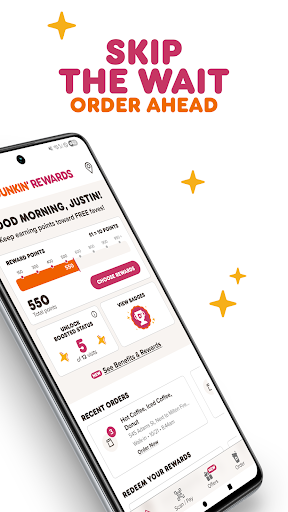
Order Ahead & Skip the Wait
One of the standout features of the Dunkin’ app is the ability to order ahead & skip the wait. This feature makes your coffee run more efficient by allowing you to place your order quickly through the app and pick it up via contactless pickup options. You can choose from walk-in pickup, drive-thru, or curbside pickup — options that vary depending on the store location. This means you no longer have to spend time waiting in line, especially during busy mornings or lunch rushes. Simply check the app for the available pickup methods at your preferred Dunkin’ store and enjoy your favorite coffee or snack without delays.
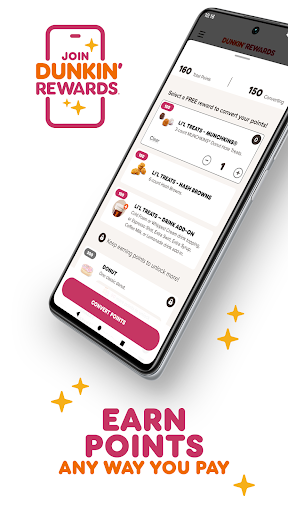
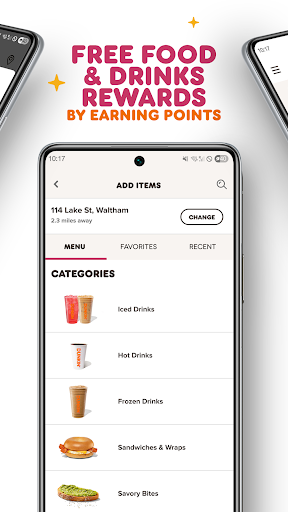
Join Dunkin’ Rewards & Earn Free Food & Drinks
The Dunkin’ app features an engaging Rewards program — DUNKIN’ REWARDS — designed to give back to loyal customers. Members earn 10 points per $1 spent on qualifying purchases, whether in-store or when ordering ahead. Rewards members can unlock Boosted Status to accumulate points even faster and access exclusive, members-only offers. The program is flexible, allowing you to pay any way — including cash, credit/debit cards, Dunkin’ Cards, or Google Pay — and still earn points. Additionally, members can set up auto-reload on their Dunkin’ Card, ensuring they’re always ready for their next coffee run. The rewards system makes it easy to earn FREE food and drinks, turning your daily coffee habit into rewarding experiences.
Customize & Save Your Orders
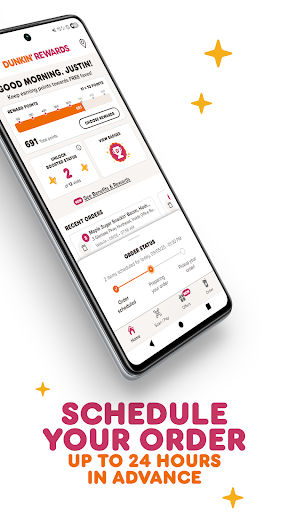
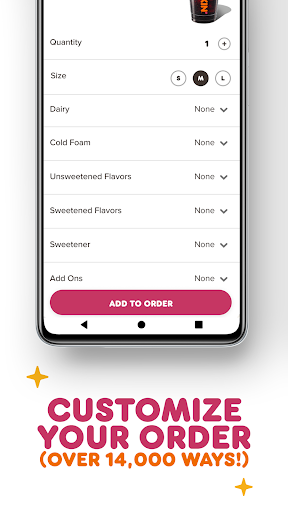
Personalization is at the heart of the Dunkin’ app. It offers over 14,000 ways to customize your order, so you can make your favorite beverage just the way you like it. Whether it’s adding extra shots, choosing alternative milk options, or sprinkling cinnamon on top, customization is simple and intuitive. Rewards members can also save their favorite orders and select Dunkin’ locations for quick access in the future. Plus, you can schedule your mobile orders up to 24 hours in advance, giving you the flexibility to plan your coffee and snack breaks at your convenience.
Send Digital Gift Cards
Looking for a last-minute gift or a little pick-me-up? The Dunkin’ app allows Rewards members to send Dunkin’ Gift Cards via text or email directly through the app. It’s a quick and thoughtful way to share the joy of Dunkin’ with friends and family anytime, anywhere.
Why the Dunkin’ App is a Must-Have for Coffee Lovers
The Dunkin’ app is more than just a digital menu; it's a complete solution for modern coffee and donut aficionados. Its user-friendly design makes navigating through menu options, finding nearby stores, customizing orders, and accessing rewards effortless. The app’s responsive interface ensures smooth operation, avoiding frustrating lags or crashes. Whether you're a loyal Dunkin’ customer or someone seeking convenience, the app enhances your daily routine by allowing you to order quickly, customize flawlessly, and earn rewards effortlessly. It’s perfect for busy mornings, lunch breaks, or anytime you crave a quick caffeine fix.
In addition to boosting convenience, the ability to personalize your order and earn exclusive offers makes the Dunkin’ app a valuable tool for all coffee enthusiasts. If you value speed, customization, and rewards, downloading the Dunkin’ app is a must. It’s designed to elevate your coffee experience and help you get your favorite treats faster, easier, and more rewarding than ever before.
Pros
- Easy mobile ordering and payment
- Loyalty rewards and discounts
- User-friendly interface
- Quick access to menu and offers
- Location-based store finder
Cons
- Limited customization options
- Occasional app crashes
- Requires stable internet connection
- No dark mode option
- Limited regional availability











