
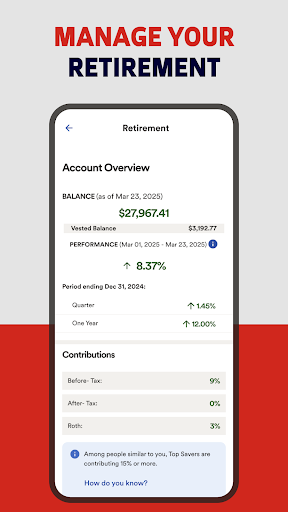
Overview of ADP Mobile Solutions
ADP Mobile Solutions is a versatile and user-friendly mobile application designed to provide employees and managers with quick access to essential HR, payroll, and benefits information. Whether you're on the move or at your desk, this app allows users to effortlessly manage payroll, view pay statements, request time off, and oversee team schedules all from their smartphones.
This innovative app supports companies that utilize various ADP products such as Workforce Now, Vantage, Portal Self Service, Run, TotalSource, and more, including select international solutions. It’s crafted to streamline HR functionalities, making it easier for employees and managers to stay connected and in control of their work-related information.
While not all features may be available to every user, the app's design ensures that core functions like viewing pay & W2 statements, managing time & attendance, and handling benefits are just a few taps away. Built with security and reliability at its core, ADP Mobile Solutions employs encryption, secure servers, and biometric authentication to keep sensitive data protected.
Key Features for Employees
Access to Personal Payroll & Benefits
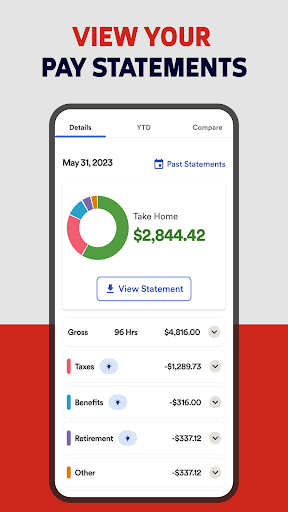
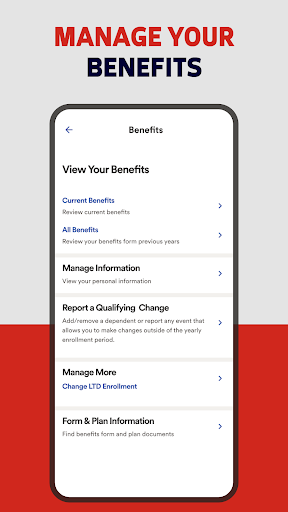
Employees can easily view pay and W2 statements, providing instant access to important tax documents and earnings details. Monitoring your benefit plan information and checking your pay card accounts are also made simple within the app, ensuring you stay informed about your compensation and benefits at all times.
Time & Attendance Management
The app offers robust time tracking capabilities, enabling employees to track time & attendance by punching in/out, creating timesheets, and updating or approving their time cards. Users can also request time off directly via the app, making leave management more efficient and transparent.
Connectivity & Team Collaboration
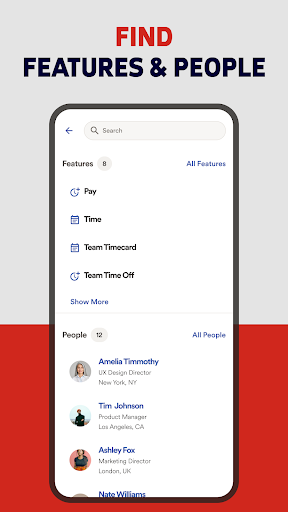
Stay connected with colleagues through the app’s feature to contact colleagues, fostering better communication. This is particularly useful for quick questions or collaborative work management without needing to switch between multiple platforms.
Features Tailored for Managers
Team Oversight & Approvals
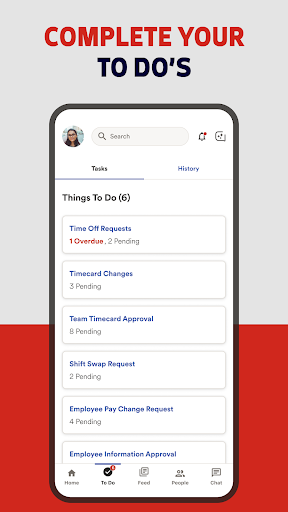
Managers benefit from administrative functionalities such as approving time cards and approving time off, ensuring smooth payroll processing and scheduling. They can also view team calendars and access executive dashboards to gain insights into workforce performance and labor costs.
Security Measures Ensuring Data Protection
Security is a top priority for ADP Mobile Solutions. All requests and transactions are routed through ADP's secure servers with encrypted network traffic. Employee information stored on the device is also encrypted, and users can enable biometric authentication for quick and secure login. The app features session timeouts, account lockouts after multiple failed login attempts, and secure password recovery options, providing peace of mind for users handling sensitive personal and payroll data.
Supported Operating Systems & Additional Features
The app is compatible with Android 6.0 or higher and iOS devices, ensuring broad accessibility. It offers a seamless login process with options like fingerprint or facial recognition for quick access.
Furthermore, for employees utilizing retirement products or investment services, ADP Direct Products and related investment options are available through regulated entities such as ADP Broker-Dealer, Inc., and Financial Engines™ Professional Management. These services are provided in accordance with applicable regulations, offering users a comprehensive financial management experience alongside their HR needs.
Getting Started with ADP Mobile Solutions
Getting started is straightforward. Simply download the app from the Google Play Store or Apple App Store, and log in with your existing ADP account. If you’re new, setting up an account requires your company's specific registration code, making onboarding easy for both employees and managers.
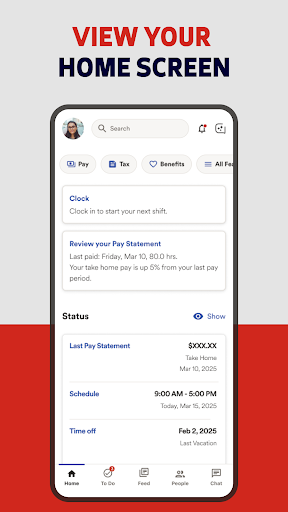
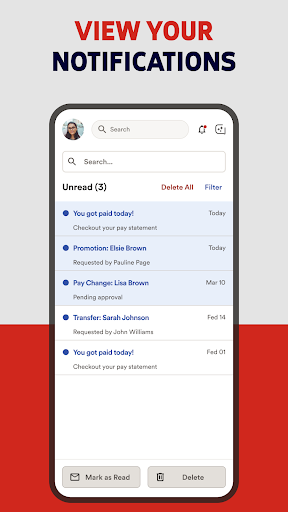
Once installed, the app's intuitive interface allows for quick navigation through pay statements, scheduling, and benefits management. Notifications keep users informed about upcoming paydays and important deadlines, ensuring nothing falls through the cracks. The secure design and features like biometric login make ADP Mobile Solutions a reliable digital HR partner in today’s fast-paced work environment.
Conclusion
In summary, ADP Mobile Solutions offers a comprehensive, secure, and easy-to-use platform for managing core HR and payroll functions directly from your smartphone. Whether you're checking your paycheck, submitting a time off request, or overseeing team schedules, this app simplifies work-life management for busy professionals. Despite minor hiccups like occasional lag during peak hours, the app’s convenience and robust security measures make it an essential tool for employees and managers alike. Embrace the future of HR with ADP Mobile Solutions and experience the ultimate in workforce management efficiency.
Pros
- User-friendly interface for quick navigation.
- Secure login with fingerprint authentication.
- Real-time access to payroll and tax information.
- Easy management of leave requests.
- Efficient tracking of work hours and schedules.
Cons
- Limited features compared to the desktop version.
- Some functions require a stable internet connection.
- Occasional issues with data updates.
- In-app support can be slow to respond.
- Customization options are limited.











