



Introduction to Zoom Workplace for Intune
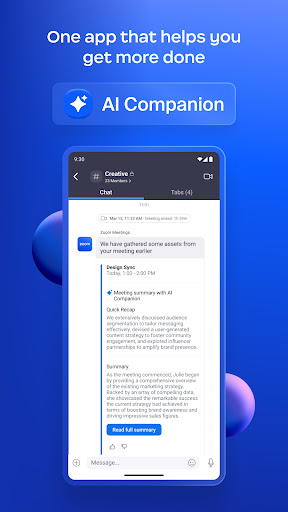
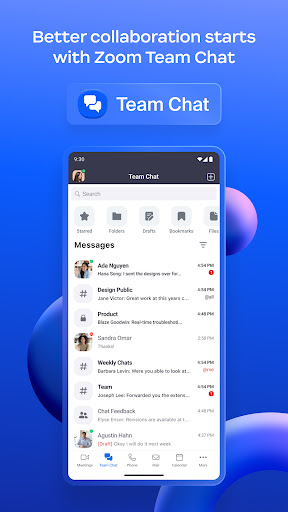
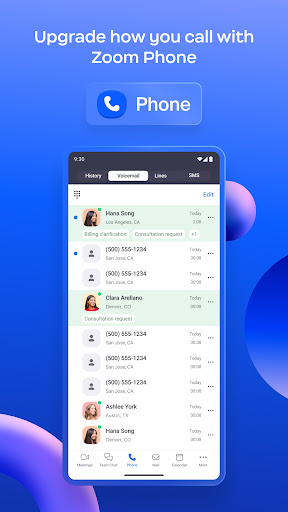
Zoom Workplace for Intune is a powerful mobile application management (MAM) tool designed specifically for IT administrators to efficiently organize and safeguard Bring Your Own Device (BYOD) environments. This app empowers organizations to protect sensitive corporate data while enabling employees to stay connected and productive. It offers a comprehensive, AI-powered collaboration platform that combines essential work tools such as team chat, meetings, phone, whiteboard, calendar, mail, and notes—all within a single interface.
Key Features of Zoom Workplace for Intune
Enhanced Security and Data Protection
The primary focus of Zoom Workplace for Intune is ensuring the security of enterprise data. With advanced security functionalities like multi-factor authentication and data encryption, the app helps prevent data leaks and unauthorized access. Additionally, in case of device loss or theft, IT administrators can remotely remove Zoom Workplace from the device, along with any associated sensitive information, safeguarding company assets and maintaining compliance.
Integration with Microsoft Intune
Seamlessly integrating with Microsoft Intune, Zoom Workplace for Intune aligns with existing enterprise security policies and device management standards. This integration guarantees that corporate rules are enforced while providing users with a smooth experience. It essentially acts as a bridge between secure device management and the rich features of Zoom, ensuring that organizational data remains protected across all devices.
User-Friendly Interface and Ease of Use
The app boasts an intuitive and clean interface that simplifies daily workflows. Whether you're a tech novice or expert, navigating Zoom Workplace for Intune is straightforward. Its design minimizes frustration, making it easy to access the features you need, thereby boosting productivity without the hassle often associated with complex enterprise applications.
Comprehensive Collaboration Tools
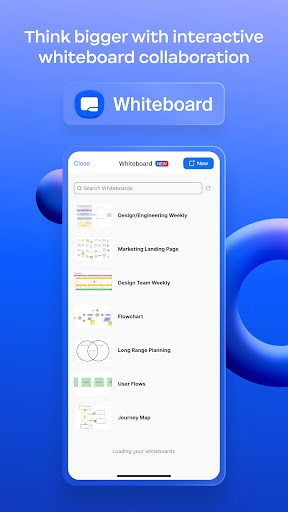
Zoom Workplace integrates essential communication and collaboration tools into a unified platform. Users can jump into high-quality video meetings, quick chat messages, and share ideas using the built-in whiteboard. The app also supports calling, scheduling, and note-taking functionalities, ensuring that teams stay connected and aligned no matter where they are. This consolidation streamlines workflows and reduces the need for multiple disparate apps.
Compatibility and Requirements
It is important to note that Zoom Workplace for Intune requires your organization's work account and a Microsoft managed environment. Please be aware that some features may vary based on your geographical location. For technical support or questions related to privacy policies, organizations should contact their IT administrators.
Why Choose Zoom Workplace for Intune?
If you’re seeking a robust, secure, and user-friendly collaboration solution tailored for enterprise environments, Zoom Workplace for Intune stands out as an excellent choice. It combines the familiar and reliable features of Zoom with enhanced device management and security controls afforded by Microsoft Intune. Whether you're working remotely or in-office, this app ensures that communication remains seamless and data stays protected.
Conclusion
Overall, Zoom Workplace for Intune transforms the way businesses manage mobile collaboration. It balances ease of use with enterprise-grade security, making it an indispensable tool for modern organizations adopting BYOD policies. By integrating comprehensive communication features and robust security measures, it empowers teams to collaborate effectively while keeping corporate information safe. Embrace this innovative solution and streamline your organization’s mobile collaboration today.
Pros
- Seamless integration with Intune enhances security.
- User-friendly interface for easy navigation.
- High-quality video and audio calling capabilities.
- Efficient team collaboration features.
- Cross-platform support for Android and iOS.
Cons
- Requires an Intune account for full functionality.
- Some features need a stable internet connection.
- Limited customization options available.
- Occasional bugs in app updates.
- May consume significant battery life.











