

Discover Infinite Painter: The Ultimate Digital Drawing and Painting App
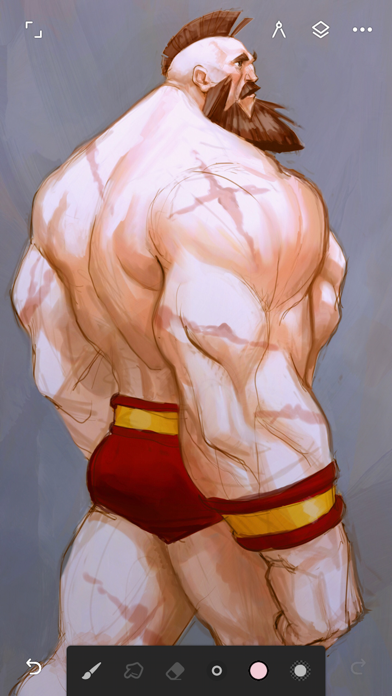
Infinite Painter is a highly regarded digital painting, sketching, and drawing application designed for tablets, phones, and Chromebooks. Widely used by millions of artists worldwide, this award-winning app offers a comprehensive suite of features that caters to both hobbyists and professional artists. Whether you're passionate about art or pursuing a career in digital illustration, Infinite Painter provides an intuitive and rich artistic environment to bring your creative visions to life.
Key Features of Infinite Painter
Stunning User Experience and Design
Infinite Painter boasts a minimal and intuitive interface that maximizes your workspace, allowing for more canvas and less clutter. The interface can be customized to suit your workflow, with handy features like assigning finger functions separate from your stylus, docking essential tools for quick access, and gestures for rotating, flipping, or grouping layers seamlessly.
Powerful and Innovative Brush Engine
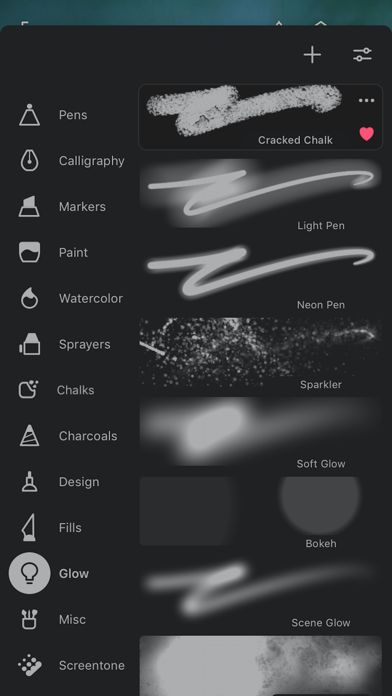
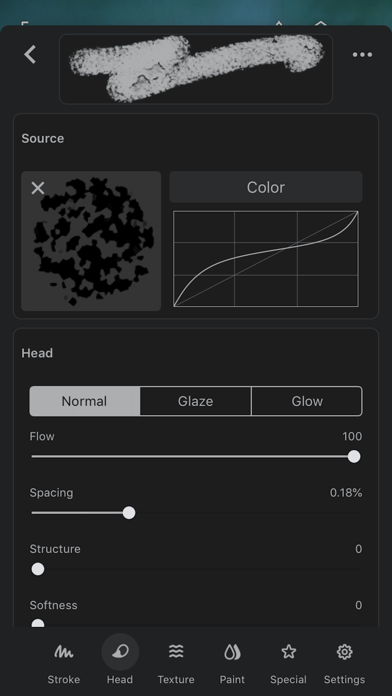
The app offers hundreds of built-in brushes that emulate realistic interactions with canvas, providing an expansive palette for any style. You can customize over 100 brush settings, organize your favorite brushes, and import or export custom sets. Designed with stylus devices in mind, Infinite Painter fully supports pressure and tilt sensitivity, enabling artists to achieve natural, expressive strokes. Realtime color adjustments and live effects further enhance the painting experience.
Advanced Layer and Editing Tools
Infinite Painter's robust layer system supports up to 30 blend modes, masks, clipping masks, and layer groups, akin to desktop software. The app includes industry-leading tools such as seamless transformations, selection & masking, gradient and pattern fills, and smart layers that support multiple transformations without quality loss. These features empower artists to create complex compositions with ease.
Versatile Drawing and Design Capabilities
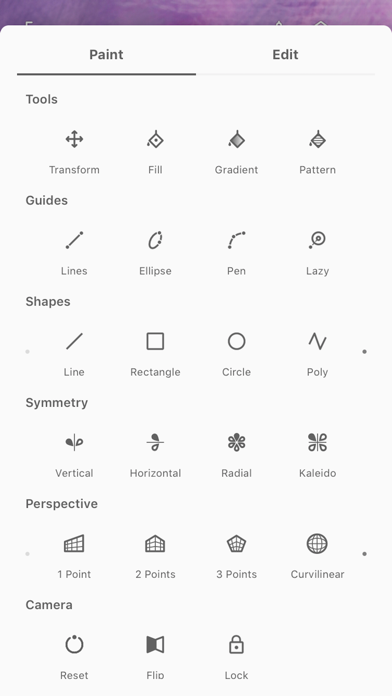
Enjoy drawing with precision guides or shapes, using Smart Shape Detection to make clean geometric forms, or explore radial or kaleidoscope symmetry for intricate patterns. Create 3D cityscapes with multiple Perspective Guides or develop game art with Isometric perspective. The app also supports pixel-perfect editing with tools for pattern creation, seamless pattern projects, and advanced selection techniques like Magic Wand or Custom Shapes.
Comprehensive Editing and Effects
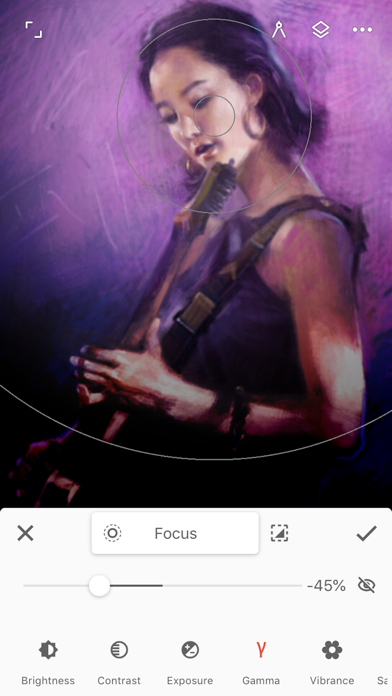
For finishing touches, Infinite Painter offers over 40 live filter effects, color correction, and tools like Liquify, crop, and resize. The app supports importing images from various sources and exporting projects as JPG, PNG, WEBP, ZIP, layered PSD files, or Painter projects, making it easy to integrate your work into different workflows or print high-quality art pieces.
Workflow Acceleration
Infinite Painter significantly enhances your productivity with features like fast save/load, quick access to reference images, search over 1 million free images, and the ability to share creations within an active community. Its seamless integration with device photos, clipboard, and image search tools accelerates your creative process.
Flexible and Affordable Plans
The app offers a free version with essential tools, including 3 layers at device resolution, basic features, and a selection of brushes. The Pro version unlocks HD canvas sizes, unlimited layers, adjustment layers, masks, and over 40 professional tools—making it suitable for serious artists seeking maximum flexibility.
Portability and Accessibility
Designed for mobility, Infinite Painter can be effortlessly taken anywhere on supported devices, allowing artists to capture ideas and work on projects on the go. Its responsive interface, combined with comprehensive features, makes it an all-in-one solution for digital art enthusiasts of any level.
Why Choose Infinite Painter?
Infinite Painter stands out as a comprehensive and user-friendly digital art app that combines professional-grade features with an accessible design. Its extensive brush library, advanced editing tools, and customizable workflow make it an ideal choice for artists looking to create stunning digital artwork on mobile devices.
Whether you're working on detailed illustrations, conceptual sketches, or experimenting with new styles, Infinite Painter provides everything you need. Its support for pressure-sensitive styluses, real-time effects, and robust layer management ensures your artistic potential knows no bounds.
If you're seeking a powerful yet easy-to-use digital painting app with a wide range of tools and a friendly interface, Infinite Painter might just become your go-to solution for all your creative projects. Dive in today and discover what you can create with this versatile art app.
Pros
- Comprehensive set of professional drawing features.
- Highly customizable brushes for various styles.
- User-friendly and smooth interface.
- Supports high-resolution canvases for detailed work.
- Regular updates introducing new functionalities.
Cons
- May experience occasional lag on older devices.
- Text tool functionality is limited.
- Can be overwhelming for new users.
- Full feature access often requires in-app purchases.
- Some features have a learning curve.











