

Introduction to Stickman: draw animation maker
Are you eager to create your own animations but find traditional animation software too overwhelming? Look no further than Stickman: draw animation maker. This delightful story creator app transforms your doodles into lively animations with ease and fun. Whether you're an aspiring animator or just someone who loves drawing stick figures, this app offers a user-friendly platform to bring your animated stories to life. Let's explore the key features and why this animation app is perfect for unleashing your creativity.
Getting Started with Stickman
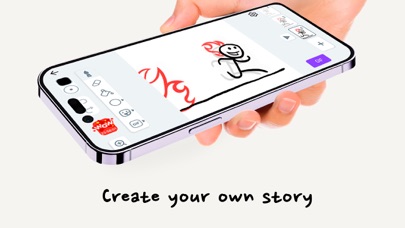
Upon opening Stickman: draw animation maker, users are greeted with an intuitive interface that requires no manual to navigate. Designed with simplicity in mind, the app makes animation accessible for all ages—be it kids or adults. The tools are straightforward, allowing you to start doodling and animating immediately. From creating quick funny clips to epic animated stories, the app’s setup encourages experimentation and spontaneous creativity.
Standout Features of the Animation Maker
Frame-by-Frame Animation
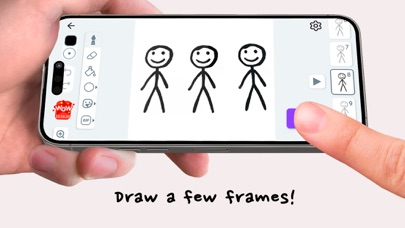
The core feature of this app is its frame-by-frame animation capability. You can draw each individual frame, giving you total control over how your stickman moves. This is especially useful for making smooth, detailed animations comparable to anime films and popular cartoons. With this feature, your characters can perform complex actions, dance, or tell a story frame by frame.
Onion Skinning
To assist in creating consistent animations, Stickman offers an onion skinning feature. This allows you to see the previous frame while drawing the next one, ensuring fluid motion and seamless transitions. It’s a vital tool for both beginners learning the ropes and experienced animators refining their work.
Audio Integration
Bring your animations to life with sound! The app supports easy addition of audio clips, voiceovers, or background music. This feature elevates your simple stick figure animations into mini-movies filled with humor, drama, or action—making storytelling more engaging and dynamic.
Create with Doodles and Drawings
The app encourages playful doodling and drawing, enabling users to craft epic or funny plots around their stickman heroes. You can brainstorm story ideas, sketch characters, and animate scenes step by step. The fun lies in seeing your simple sketches turn into lively animations, reminiscent of popular anime or animated films.
Flipbook Animation Experience
Select the flipbook style to create your own animation movies right on your phone. Doodle frames easily, add your plot, and watch your stickman hero come alive. This feature allows you to make quick, fun animations with minimal setup, perfect for casual creators or those new to animation.
Sharing and Community
Once your cartoon or story is finished, you can share your creations with friends or other users. The community aspect inspires you to improve, learn new techniques, and stay motivated—making Stickman not just an app but a creative hub for animation enthusiasts.
Why Stickman: draw animation maker Is Fun and Engaging
Creating animations with this app is more than just making movies; it’s about enjoying the creative process. Feel like a real animator as you design characters, imagine storylines, and bring them to life frame by frame. Whether crafting funny doodles or epic action scenes, the app fosters an environment where experimentation is encouraged, and every animation step feels rewarding. Plus, with features like an undo button, you can easily correct mistakes and refine your animation skills.
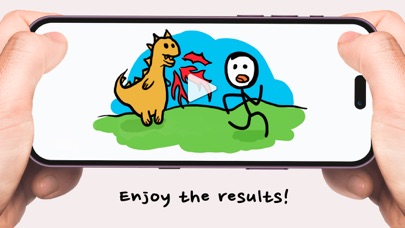
The thrill of seeing your stick figures dance, fight, or perform dramatic scenes on your device makes Stickman an incredibly enjoyable experience. It’s perfect for anyone wanting to learn animation basics or for seasoned creators looking for quick, fun projects. The app’s playful approach makes it accessible and addictive, inspiring countless stories and animated fun.
Conclusion: Your Creative Platform for Cartoon & Animation Fun
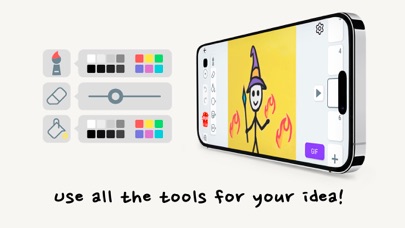
Overall, Stickman: draw animation maker is a fantastic tool for anyone interested in cartoon drawing, animation, or story creation. Its intuitive interface and rich features allow users to craft animations ranging from simple doodles to detailed animated stories. Whether you want to make funny cartoons, epic anime scenes, or short animated movies, this app provides the perfect platform to unleash your imagination. Dive into a world of endless creative possibilities and start animating your own stories today!
Pros
- User-friendly interface suitable for beginners
- Extensive selection of drawing tools
- Supports animation on a frame-by-frame basis
- Various export options available
- Strong community support
Cons
- Lacks some advanced features
- Occasional crashes of the application
- Advertisements may be disruptive
- Some tools are difficult to locate
- Absence of online collaboration capabilities











