

Introduction to Google Voice: Streamlining Your Communication
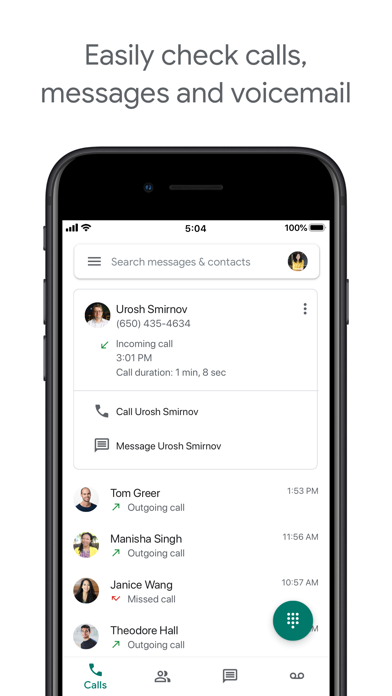
Are you tired of juggling multiple phone numbers and struggling to manage your calls and messages effectively? Google Voice offers a smart solution designed to simplify your communication experience. This versatile app provides you with a dedicated phone number for calling, text messaging, and voicemail, accessible across smartphones and computers. With seamless synchronization across devices, Google Voice ensures you stay connected whether you're in the office, at home, or on the go.
Key Features of Google Voice
• Phone Number: Google Voice assigns you a unique phone number, allowing you to make calls, send texts, and manage voicemails without sharing your personal number. This feature is especially handy for maintaining privacy or managing different aspects of your life separately.
• Cross-Device Compatibility: The app works smoothly on smartphones and desktop computers, syncing your messages, calls, and voicemails across all devices. You can start a conversation on your mobile and continue it on your laptop without interruption.
• Spam Filtering & Call Blocking: Google Voice automatically filters out spam, reducing unwanted interruptions. You also have the ability to block specific numbers, giving you full control over your incoming calls.
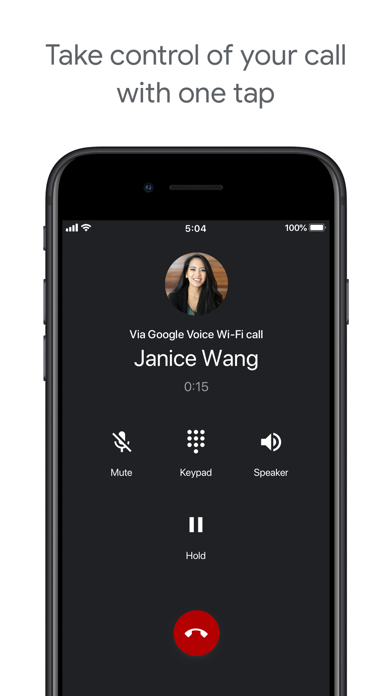
• Personalized Call & Message Management: Manage how your calls, texts, and voicemails are forwarded with customizable settings. This flexibility allows you to filter and direct communications based on your preferences.
Voicemail and Communication Management
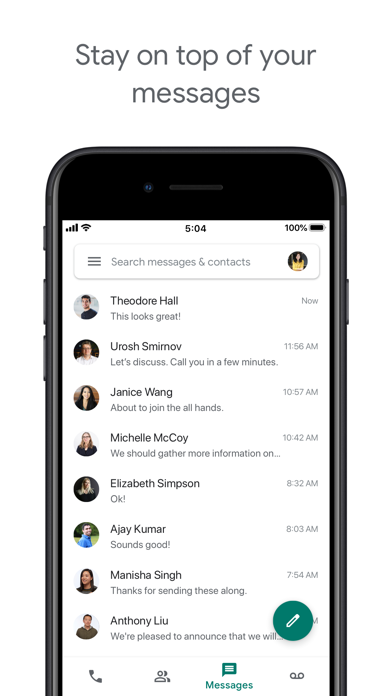
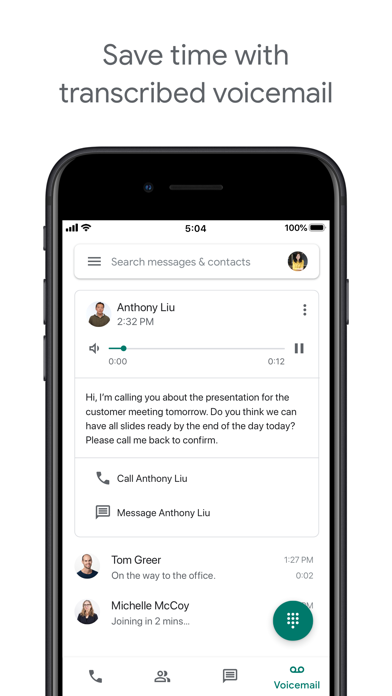
Google Voice offers an advanced voicemail feature that transcribes voicemails into readable text. This transcription can be accessed directly within the app or sent to your email, making it easier to review messages when you can't listen. Additionally, the platform supports both individual and group SMS messaging, enabling you to send and receive texts across all your devices effortlessly.
Backup and Search Functionality
All your calls, texts, and voicemails are securely backed up and stored, allowing you to search your communication history quickly. This feature ensures you can retrieve important messages anytime, enhancing your productivity and organization.
International Calling at Competitive Rates
Save on international calls with Google Voice's competitive rates. You can make international calls without incurring extra charges for international minutes from your mobile plan, making it an economical choice for staying connected worldwide.
Getting Started with Google Voice
Setting up Google Voice is straightforward. After signing in with your Google account, you can select a unique phone number that suits your needs. The intuitive interface makes it easy for both tech-savvy users and beginners to navigate the app without complications. Whether you need a secondary number for work, personal use, or managing multiple accounts, Google Voice provides a flexible and user-friendly platform.
Considerations and Limitations
Please note that Google Voice is currently available only in the US for personal Google Accounts, with Google Workspace users having access in select markets. Text messaging features may not be supported in all regions. Calls made through Google Voice on Android devices use a Google Voice access number; while most calls are free, international travel may incur costs depending on your mobile plan.
Conclusion: Is Google Voice Right for You?
In conclusion, Google Voice is an excellent tool for consolidating your communication channels into a single, easy-to-manage platform. Its robust features — including spam filtering, call blocking, voicemail transcription, and cross-device synchronization — make it a valuable addition for anyone seeking a more organized communication setup. Whether for personal privacy, professional use, or international connectivity, Google Voice offers an affordable and efficient way to stay connected.
Pros
- Free US number for calls and texts
- Integration with Google services
- Voicemail transcription service
- Customizable call forwarding
- Multi-device support
Cons
- Limited international call support
- Requires internet for full functionality
- Complex initial setup
- No emergency call support
- Occasional call quality issues











