


Introduction to Tor Browser
Ever felt like you’re being watched while surfing the web? Well, you’re not alone! That’s why the Tor Browser is a game-changer for online privacy enthusiasts. Designed to shield your digital footprints, the Tor Browser offers a secure and anonymous browsing experience, empowering users to access information freely without fear of surveillance or censorship.
Tor Browser for Android is the official mobile browser supported by the Tor Project, the creators of the world’s most robust tool for online privacy and freedom. This open-source browser ensures that your internet activity remains private by routing your traffic through a network of volunteer-operated relays, making it extremely difficult for anyone to track your online movements.
With the Tor Browser, you can block trackers, defend against surveillance, and access blocked sites, turning your smartphone into a powerful tool for digital anonymity. Whether you’re in a country with heavy censorship or simply value your right to privacy, the Tor Browser offers a reliable and easy-to-use solution for secure web browsing on the go.
Key Features of Tor Browser
• Block Trackers
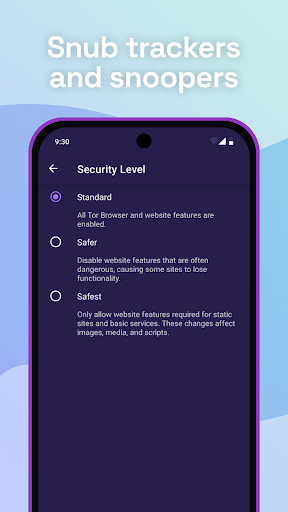
The Tor Browser isolates each website you visit so third-party trackers and ads can't follow you. Cookies are automatically cleared once you finish browsing, minimizing your digital footprint.
• Defend Against Surveillance
It prevents anyone monitoring your connection from knowing what websites you visit, allowing you to browse anonymously and protect your privacy online.
• Resist Fingerprinting
Tor aims to make all users appear the same, making it harder for websites to identify and fingerprint individual users based on browser and device information.
• Multi-layered Encryption
Traffic in the Tor network is relayed and encrypted three times as it passes through thousands of volunteer-run servers, known as Tor relays, ensuring maximum security and anonymity.
• Browse Freely
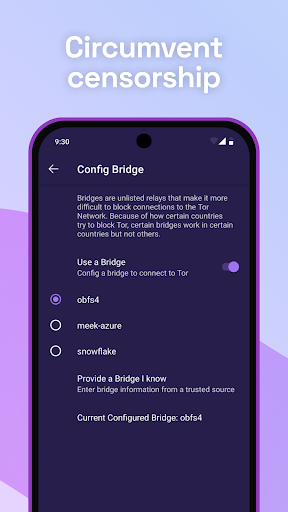
The browser allows access to websites that may be blocked by your local internet service provider (ISP), giving you freedom to explore the open web without restrictions.
Getting Started with Tor Browser
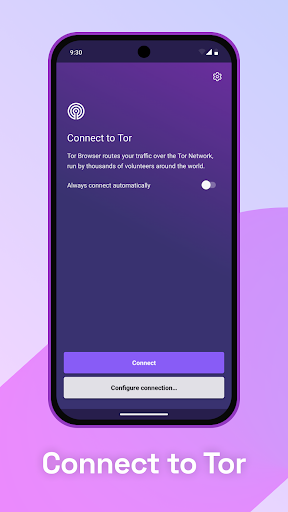
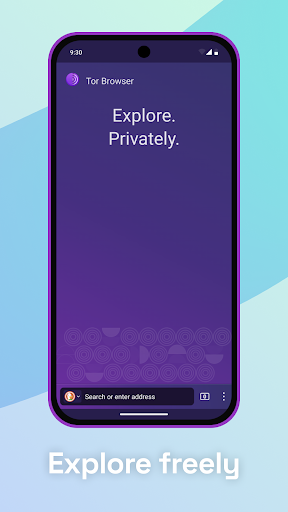
Setting up the Tor Browser is straightforward. You can download it from the official website, and the installation process guides you through connecting to the Tor network. The interface resembles a typical web browser, making it familiar to users and easy to navigate.
Once launched, just click on the Connect button to begin browsing securely. Since traffic routing involves multiple relays, you might notice slightly slower load times — a small trade-off for enhanced privacy.
Remember, the Tor Browser does not support plugins like Flash, which helps in maintaining a higher security level but may impact media-heavy website experiences.
Why Choose Tor Browser
The Tor Browser is your digital bodyguard, warding off tracking and surveillance while providing access to the uncensored web. It’s an essential tool for journalists, activists, and anyone concerned about online privacy.
While it might not replace traditional browsers for everyday use due to speed considerations, it shines when privacy and anonymity are paramount. Its open-source nature means you can trust that its code is transparent and subject to community review.
Additionally, supporting the Tor Project through donations helps keep the software free, secure, and independent. Every contribution contributes to defending digital rights and promoting free access to information.
Additional Resources and Support
To learn more, visit the official Tor Browser manual, read the Tor Blog for updates, or follow the Tor Project on Twitter.
For privacy policies and legal information, review the full privacy policy on the official website.
About the Tor Project
The Tor Project, Inc. is a 501(c)(3) nonprofit organization dedicated to developing free and open-source software that safeguards online privacy and promotes digital freedom. Its mission focuses on protecting users from tracking, surveillance, and censorship, thereby supporting human rights and fostering open access to information worldwide.
By creating and deploying anonymity and privacy technologies, the Tor Project aims to empower individuals to browse the internet securely, anonymously, and without restrictions.
Pros
- Exceptional privacy features
- Automatically blocks trackers
- Provides access to .onion sites
- User-friendly interface
- Regular updates
Cons
- Slower browsing speed
- Some sites may be inaccessible
- Limited plugin support
- Requires technical knowledge
- Possible legal concerns











