
Discover the Amazing Features of Moon+ Reader
Are you passionate about reading digital books? If so, Moon+ Reader is the perfect app for all book lovers, offering an exceptional reading experience packed with powerful controls and extensive customization options. Celebrating its 15th anniversary, Moon+ Reader is currently offering a special 50% discount on the Pro version from August 1 to August 8, making this an ideal time to upgrade and unlock even more features.
Why Moon+ Reader Stands Out
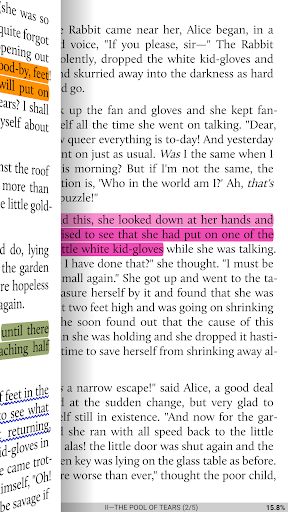
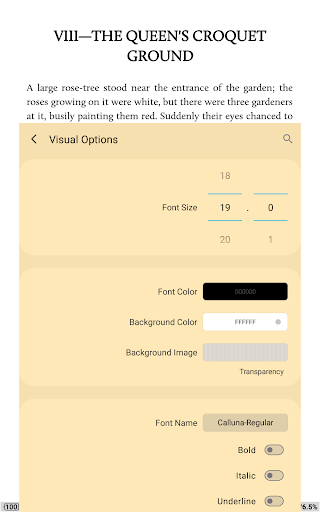
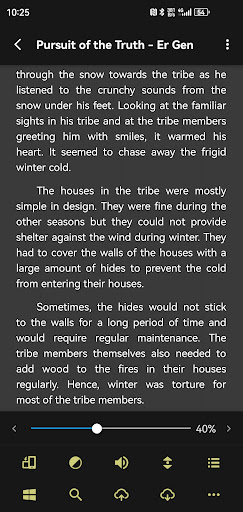
As an avid reader, I’ve explored various eBook apps, but Moon+ Reader truly sets itself apart. Its customization options are unparalleled, allowing you to personalize your reading experience down to the finest details. Whether it’s adjusting the font style, background color, or line spacing, Moon+ Reader makes you feel like you have a personal librarian at your fingertips. Its sleek and intuitive interface is designed for effortless navigation, ensuring even newcomers can start reading immediately without a steep learning curve.
Supported Formats and Compatibility
Moon+ Reader supports a wide array of formats including EPUB, PDF, MOBI, AZW3, DJVU, FB2, PRC, CHM, CBZ, CBR, UMD, DOCX, ODT, RTF, TXT, HTML, MHT/MHTML, MD (Markdown), WEBP, RAR, ZIP and more. This extensive format support guarantees that no matter where your eBooks originate, you can seamlessly read them within this versatile application, making it an all-in-one reading solution.
Key Features for a Premium Reading Experience
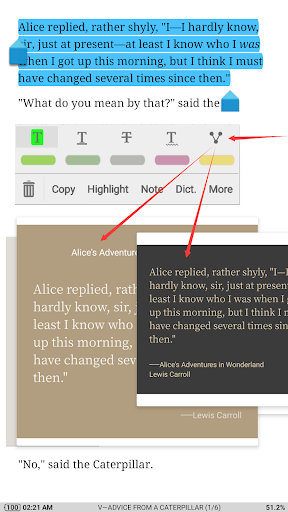
One of the standout features in Moon+ Reader is its sophisticated auto-scroll function. Imagine comfortably reading in bed—simply set the auto-scroll, and the app gently turns pages for you, mimicking the natural motion of turning physical pages. The app also offers night mode, which reduces eye strain during late-night reading sessions, along with a built-in dictionary for quick look-up of unfamiliar words, streamlining your comprehension without leaving the app.
Personalization and Visual Enhancement
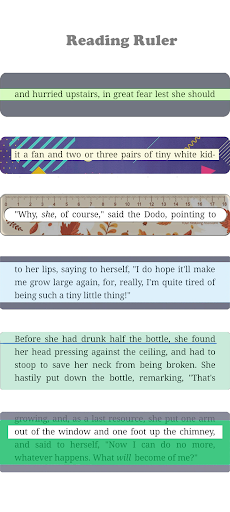
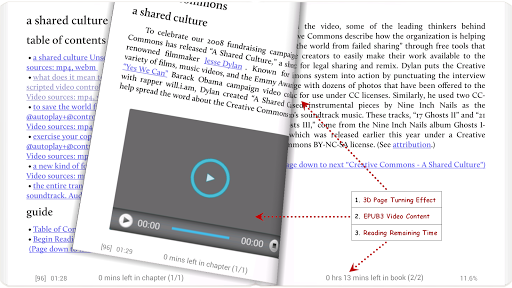
Moon+ Reader offers more than 10 embedded themes, including day and night modes, to match your mood or environment. You can customize font sizes, styles, and even add shadow effects or justify text alignment for an ideal reading layout. Additionally, the app provides several page-turning effects and dual-page mode for landscape orientation, making each reading session visually appealing and comfortable.
Organization and Syncing
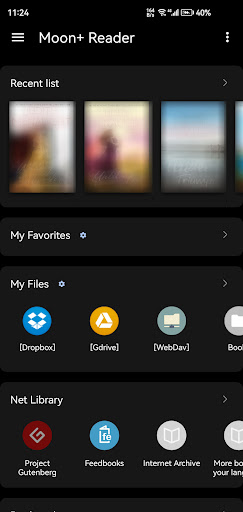
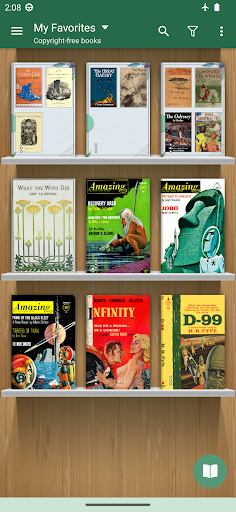
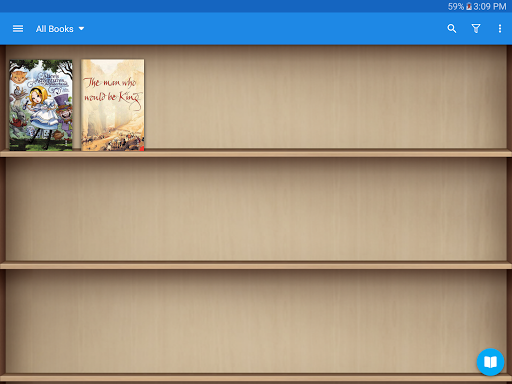
Your digital library stays organized with features like favorites, downloads, authors, and tags. The My Bookshelf view allows you to categorize books, set reading progress, and quickly access your favorites. For users with multiple devices, the app supports cloud backup and synchronization via DropBox or WebDav, ensuring your bookmarks, highlights, and reading positions are consistent across all your devices.
Additional Benefits with the Pro Version
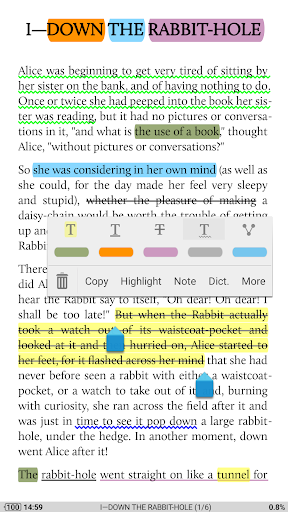
Upgrading to the Pro version unlocks a range of exclusive features: an ad-free interface for uninterrupted reading, shake-to-speak (text-to-speech capabilities), more beautiful themes, and advanced reading statistics. You also gain control with headset and Bluetooth keys, personalized reader bars, and password protection for your privacy. The ability to share highlights, annotations, and bookmarks enhances your note-taking and knowledge sharing within the reading community.
Outstanding User Experience and Multilingual Support
Moon+ Reader is designed with user experience in mind. Its smooth scrolling, gesture controls, and customizable operations make reading a pleasure. Plus, with support for over 40 languages—including English, العربية, 日本語, 한국어, 简体中文, and more—the app caters to a global audience, making it accessible and user-friendly worldwide.
In Summary
Whether you're a casual reader or a dedicated bibliophile, Moon+ Reader offers a robust platform filled with features to enhance your digital reading journey. With extensive format support, high levels of customization, cloud synchronization, and a user-friendly interface, it stands out as one of the top eBook readers available today. Don't miss the current anniversary sale to get the Pro version at half price and take your e-reading experience to the next level.
Pros
- Highly customizable reading options.
- Supports various eBook formats.
- Syncs books across devices.
- Offline reading available.
- Integrated dictionary and translator.
Cons
- Occasional ads in free version.
- Some features require premium upgrade.
- Complex interface for new users.
- Limited cloud storage options.
- Syncing can be slow at times.











