

Introduction to Music Audio Editor, MP3 Cutter
Are you looking for a versatile and powerful audio editing application that allows you to customize your sound files effortlessly? Look no further than Music Audio Editor, MP3 Cutter. This innovative app is designed to cater to both amateur and professional users, providing a comprehensive suite of features to edit, cut, merge, and enhance your music and audio files directly on your Android device. Whether you're creating personalized ringtones, crafting remixes, or simply experimenting with sound, this app makes audio editing accessible, fast, and enjoyable. Its user-friendly interface ensures that even beginners can get started quickly, while its advanced capabilities offer plenty of room for creative expression.
Core Features of Music Audio Editor, MP3 Cutter
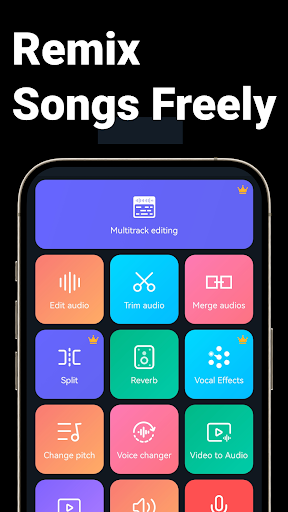
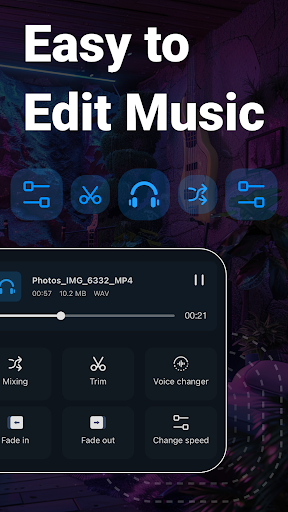
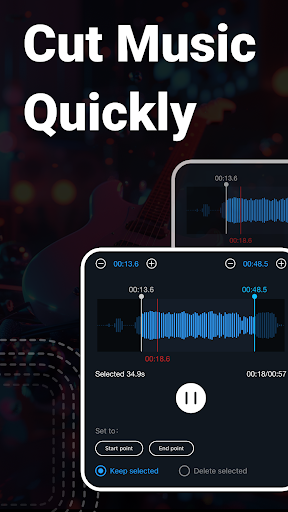
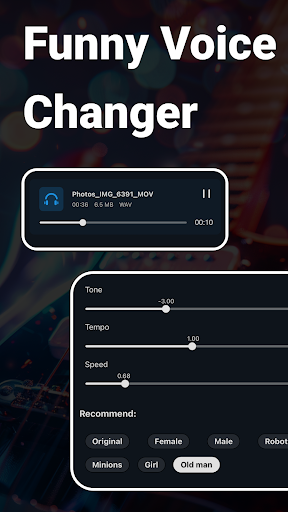
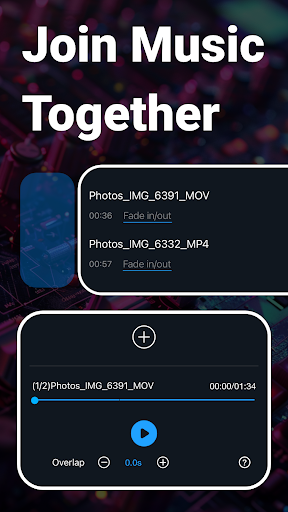
This app stands out due to its extensive set of audio editing functionalities. It supports a wide range of audio formats including MP3, WAV, AAC, FLAC, M4A, and AMR, giving you the freedom to work with virtually any audio file. One of the key highlights is its ability to accurately cut audio in milliseconds, ensuring your files are split with precision. You can effortlessly cut, merge, or splice multiple tracks, perfect for creating custom ringtones or mashups. With just a few taps, you can extract specific sections or combine various sounds seamlessly.Beyond basic editing, the app offers features like audio mixing, fading effects (fade in and fade out), and adjustments to sound volume and tempo. You can also alter the music tone and change the playback speed to achieve the desired effect. For creative experimentation, use the built-in voice changer to transform your voice into male, female, robot, or old man voices, adding fun and uniqueness to your audio projects.The app's equalizer provides customizable audio adjustments, allowing you to amplify bass, tweak treble, and fine-tune your sound to perfection. Additionally, the audio compressor helps reduce file size for easier sharing and uploading, with options to select channels, sample rate, and bitrate. Another notable feature is vocal removal, which isolates background music by removing vocals, making it perfect for karaoke tracks or remixing. The support for video-to-audio conversion lets users turn video files into audio, a handy tool for extracting music from videos or movies.For creating personalized ringtones, alarms, and notification sounds, the app provides straightforward options to set your edited audio, enhancing your device customization. Batch processing capabilities further streamline your workflow when handling multiple files simultaneously.
Creative and Fun Audio Editing Capabilities
One of the app’s most engaging features is the voice changer, allowing you to modify your voice in real-time or on existing recordings. Whether you're aiming for a comical robot voice or an aged sound, these transformations can add a playful or professional touch to your audio projects. The music equalizer offers a variety of presets and manual adjustments, giving you control over your sound’s frequency spectrum. Whether you're boosting bass for a nightclub feel or softening treble for clarity, the equalizer is a powerful tool for audio refinement.The app’s audio insertion feature enables you to layer multiple audio tracks, creating complex sound arrangements or enhance voice recordings with background music. If you need to convert mono audio to stereo, this app supports that as well, ensuring your recordings match your desired output quality.Additionally, users can create blank sounds with customizable sample rates and durations for purposes like testing audio setups or for creative projects. The audio editing process is made simple with one-click functions, allowing rapid creation of ringtones, notifications, or custom sound packs.
Support for Advanced Audio Customization
For users seeking detailed control over their sound files, the app provides multiple options such as adjusting sound volume, changing pitch, or raising/lowering the music's octave or semitone. These modifications enable a high level of customization and artistic expression. The audio compression feature allows sharing and uploading files more efficiently by reducing their size without compromising too much on quality.The built-in recording feature makes capturing new audio directly within the app simple, with a clean interface that starts recording instantly. Users can also create blank sound files in different formats, setting specific sample rates and durations for various creative or technical needs.For convenience, the app supports batch editing, enabling users to process multiple files at once — such as converting an entire batch of videos to audio or cutting multiple MP3 files simultaneously. The inclusion of over 2000 royalty-free music tracks provides a vast library of resources for personal use, remixing, or background music.
Conclusion: The Ultimate Audio Editing Companion
If you are passionate about music editing, podcast creation, or simply love customizing your device’s sounds, Music Audio Editor, MP3 Cutter is an indispensable tool. Its combination of ease of use, rich feature set, and performance stability makes it a top choice for Android users. Whether you want to cut a perfect ringtone, produce a remix, or experiment with voice effects, this app covers all your needs. Best of all, it is free to download and continuously evolving with new features under development, ensuring you stay ahead in the world of audio editing.So don’t wait any longer—download this powerful audio editor now and unleash your creativity. With a comprehensive set of tools like audio splicing, format conversion, voice changing, and more, it’s like having a professional studio right in your pocket. Elevate your sound projects today with Music Audio Editor, MP3 Cutter!
Pros
- User-friendly interface for simple editing
- Compatible with various audio formats
- Quick processing and rendering speeds
- Accurate cutting with waveform previews
- Paid version is free of ads
Cons
- Limited features in the free version
- Occasional crashes on older devices
- No integration with cloud storage services
- Premium tools require purchase of the paid version
- Interface offers limited customization options











