
Voice Recorder & Voice Memos: The Ultimate Guide to High-Quality Audio Recording
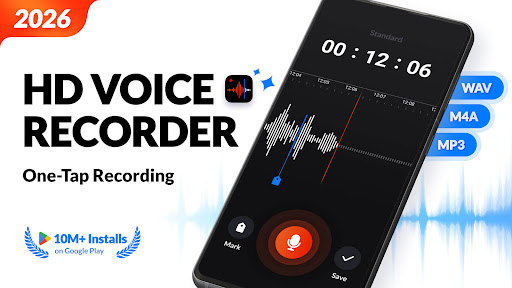
Are you searching for a free, high-quality, and easy-to-use voice recording app? Look no further than Voice Recorder & Voice Memos! Developed by a top-notch team of experts, this application transforms your Android device into a powerful digital tape recorder, capable of capturing sound effortlessly with a single tap. Whether you're recording meetings, jotting down voice memos, or capturing musical inspiration, this versatile app has everything you need for clear and reliable audio recording.
Key Features of Voice Recorder & Voice Memos
This app offers an impressive array of features designed to enhance your recording experience:
High-Quality Recording
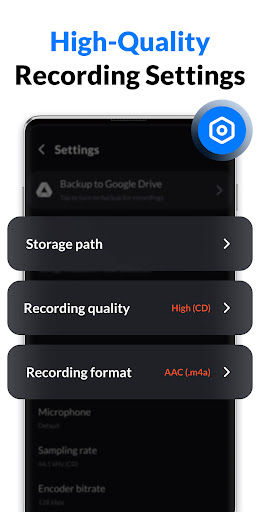
Record sound in high quality to ensure every detail is preserved. Support for multiple predefined modes, including customizable sample rates and bit rates, allows you to tailor recordings to your specific needs, whether for professional use or casual notes.
Auto Backup & Cloud Support
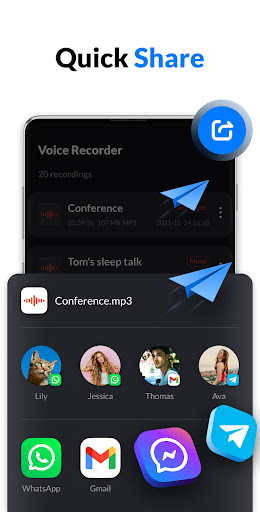
Recordings are automatically backed up to Google Drive, safeguarding your audio files against loss. This feature makes it easy to access recordings across devices and share them seamlessly.
Real-Time Transcription
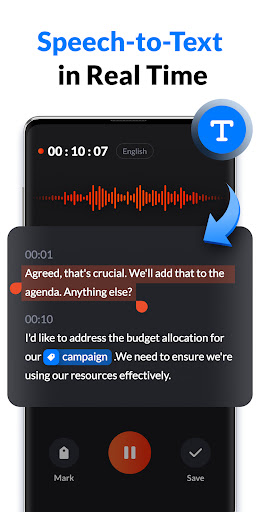
Support for real-time transcription helps convert speech to text accurately, enabling quick note-taking during meetings, lectures, or interviews. Multiple language support makes it a versatile tool for multilingual environments.
Internal Recording & Noise Suppression
Capture internal sounds from your device without external noise interference. Features like noise suppression, echo cancellation, and automatic gain control ensure clean and clear recordings, even in noisy environments.
Convenient Recording Controls
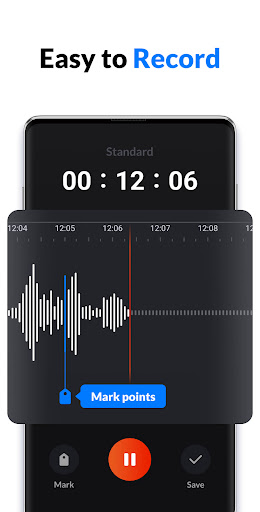
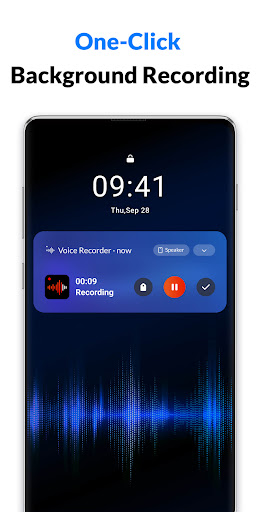
Quickly start recordings from the notification center or widget, add marks to key points for easy navigation, and categorize recordings with tags. Support for background operation and screen-off recording makes it practical to use on the go.
Multiple Recording Modes
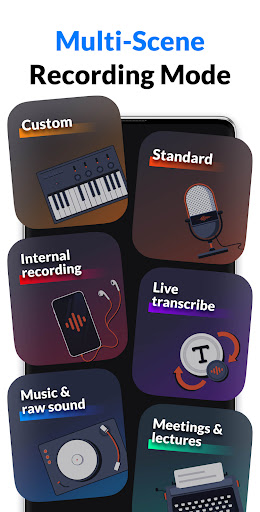
- Meetings & Lectures Mode: Quickly record during meetings or classes, add markers to find important moments easily, and organize files by name, date, size, or duration.
- Music & Raw Sound Mode: Capture musical inspiration in CD quality, support stereo and mono recordings, and customize sample and bit rates for professional sound quality.
- Standard Mode: Suitable for everyday voice memos, interviews, sleep talks, and more—an all-around tool for various scenarios.
- Live Transcribe Mode: Convert speech to text in real-time, excellent for multilingual conversations or note-taking in noisy environments.
- Internal Recording Mode: Record internal sounds like game audio, online meetings, or music directly from your device, with local storage ensuring privacy and security.
Additional Functionalities
- Support for multiple audio formats (.wav, .m4a, .mp3)
- Automatic pause during calls to prevent interruption
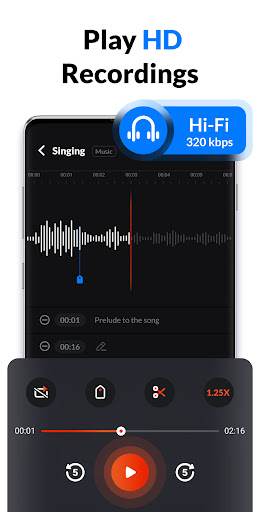
- Ability to playback at different speeds, rewind, or fast-forward
- Simple editing features such as trimming or cutting recordings
- File management options including renaming, sharing, or setting as ringtone
- Note: Call recording is not supported to ensure privacy.
Practical Uses of Voice Recorder & Voice Memos
Whatever your recording needs, this app has you covered:
For Students & Educators
Capture lectures, seminars, and study notes effortlessly. Use markers to highlight key points and organize recordings for quick review, making studying more efficient.
For Professionals & Journalists
Record interviews, meetings, and brainstorming sessions with high clarity. The app’s organizational tools help keep your recordings structured and accessible.
For Creators & Musicians
Use the Music & Raw Sound Mode to capture musical ideas or inspiration anywhere, anytime, with studio-quality audio. Re-record or refine your captures until perfect.
For Casual Users
Record your thoughts, sleep talks, or personal notes with ease. The simple interface makes voice memos straightforward and quick to access even during busy moments.
Why Choose Voice Recorder & Voice Memos?
This app’s combination of simple operation, robust features, and reliable performance makes it an excellent choice for anyone needing a dependable voice recording solution. Its user-friendly interface ensures that even beginners can start recording instantly, while advanced features cater to power users seeking more control over their audio files. Whether for professional tasks or personal use, this versatile app helps you capture, organize, and share your audio recordings effortlessly. Give it a try today and discover how it can enhance your productivity and creativity!
Pros
- High-quality audio recording.
- User-friendly interface.
- Supports multiple audio formats.
- Easy sharing options.
- No time limit on recordings.
Cons
- Contains ads in the free version.
- Limited editing features.
- Cloud backup requires a premium subscription.
- Lacks transcription feature.
- May consume battery quickly.











