


Overview of Remove Objects - Photo Editor
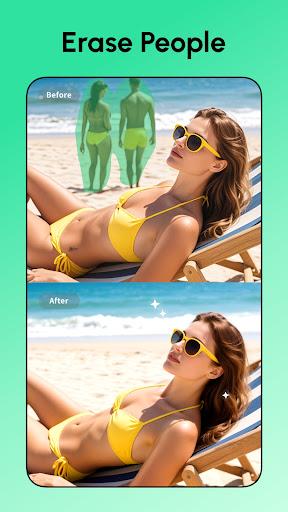
Are you tired of dealing with unwanted objects ruining your perfect photos? Look no further than Remove Objects - Photo Editor, a powerful mobile application designed to help you effortlessly eliminate intrusive elements from your images. Whether it’s a photobomber, distracting background objects, or accidental clips, this app offers a suite of intelligent tools that ensure your photos look pristine and professional with just a few taps. Its user-friendly interface coupled with advanced AI-driven features makes it an ideal choice for both casual users and photography enthusiasts aiming for flawless results.
Key Features of Remove Objects - Photo Editor
This app is packed with features that cater to all your photo retouching needs:
Object Removal Made Easy
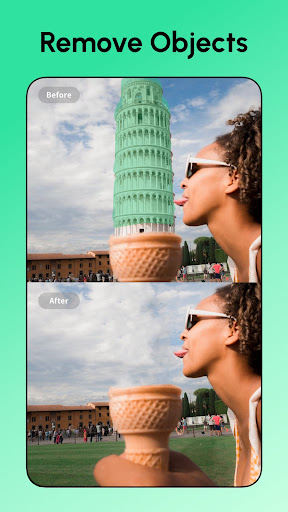
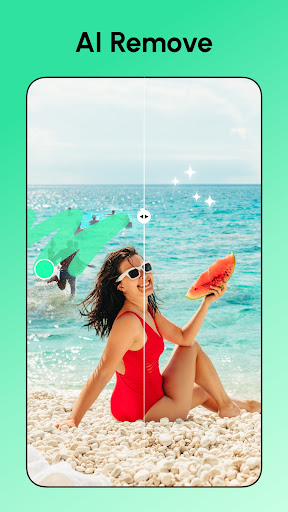
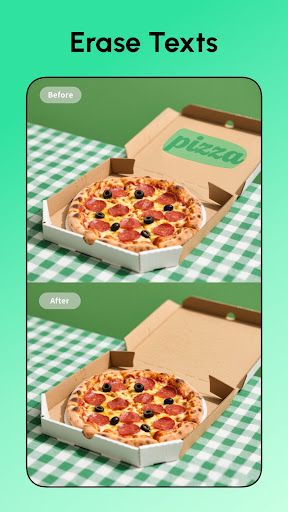
With the core remove unwanted objects feature, you can effortlessly erase anything from watermarks, text, logos, stickers, to distracting street signs or powerlines—literally any element that spoils your shot. Simply highlight the object with your finger, tap the removal button, and watch as the app works its magic, seamlessly blending the area with surrounding pixels for a natural look.
Healing and Touch-up Tools
Sometimes, small imperfections like blemishes, acne, or pimples might need retouching. The built-in healing tool acts like a mini Photoshop in your pocket, helping you to refine your photos by removing skin blemishes or tiny spots effortlessly.
Background Editing
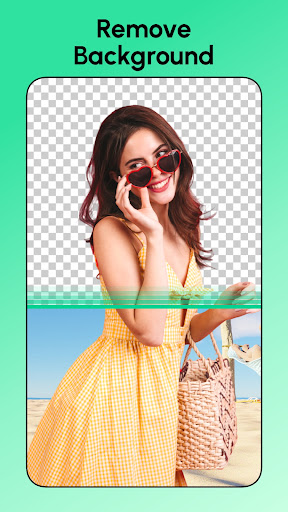
Change or remove backgrounds with the Background Eraser. This feature automatically detects the subject and allows you to replace the background with a different color or scene, all without damaging the main subject—perfect for creating striking portraits or product photos.
Advanced AI Tools for Creative Edits
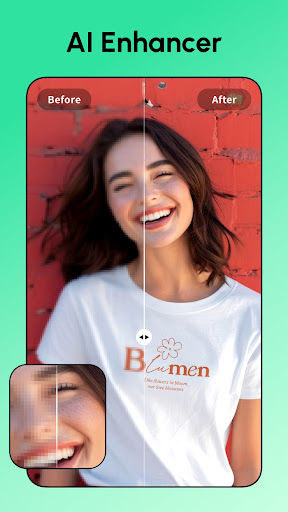
Explore a range of creative options such as the HD Photo Enhancer to improve the clarity of selfies and group shots, the AI Remove auto-detect feature for quick object elimination, and AI Filters to discover new looks for portraits and pets. Want to be someone else? The Face Swap feature lets you swap faces with celebrities or film characters. Additionally, create eye-catching AI Avatars from your selfies in various artistic styles.
One-Tap Sharing and Simplicity
Once you finish your editing, share your flawless photos instantly across social media platforms like Instagram and Facebook directly from the app. No need for external tools—this makes your photo sharing quick and hassle-free.
Ease of Use and Performance
The interface of Remove Objects - Photo Editor is designed to be intuitive and user-friendly, even for beginners. The editing process is streamlined, with no steep learning curve, ensuring you can quickly learn how to perfect your images. Performance-wise, the app runs smoothly, providing real-time feedback without frustrating delays. While the object removal tool is highly effective, in some complex scenes, small traces or blurring might occur—though these are minimal and often imperceptible to the casual eye. The app’s ad experience is unobtrusive, allowing you to focus solely on your editing tasks.
Final Thoughts: Is It Worth Downloading?
If you often take photos on the go and are seeking an easy-to-use yet capable photo editor, Remove Objects - Photo Editor is a must-have. Its suite of smart AI-powered tools makes removing unwanted elements simple and efficient, transforming cluttered or imperfect images into polished masterpieces. Whether you're removing an intrusive photobomber, cleaning up backgrounds, or just exploring creative edits, this app delivers excellent results with minimal effort. While it may not fully replace professional desktop editing software, its convenience and effectiveness make it a top choice for quick photo fixes. Try it today and start creating flawless images to share with the world!
Pros
- Intuitive user interface for straightforward editing
- Fast object removal leveraging AI technology
- Produces high-quality results with minimal artifacts
- Compatible with various photo formats
- No disruptive advertisements during editing process
Cons
- Limited features in the free version
- Occasional lag when editing high-resolution images
- Lacks batch processing for multiple photos simultaneously
- Outputs include watermarks in the free version
- Requires internet connection to access AI functionalities











