
Introduction to the Cut and Paste Photos App
Are you passionate about creating fun and quirky photo edits? If so, Cut and Paste Photos might become your new favorite editing tool. This innovative application is designed to make photo manipulation effortless, allowing users to easily cut out objects from one photo and seamlessly paste them into another. Compatible with both Android and iOS devices, it offers a perfect blend of simplicity and powerful features suitable for beginners and seasoned editors alike. Whether you want to create amusing memes, professional montages, or stunning photo collages, Cut and Paste Photos provides an intuitive platform to unleash your creativity with ease.
Key Features of Cut and Paste Photos
User-Friendly Interface
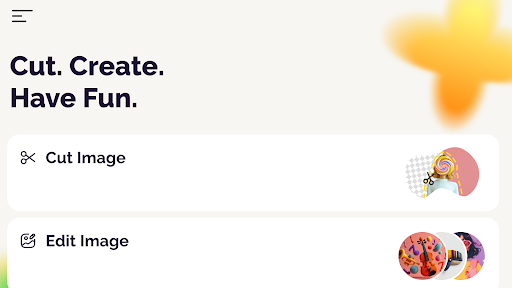
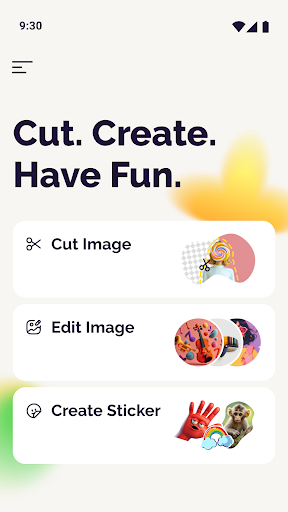
Upon opening the app, you’re greeted with an interface reminiscent of a candy shop for your photos – colorful, inviting, and easy to navigate. The straightforward layout ensures that even first-time users can jump right into editing without a steep learning curve. The app simplifies complex photo editing tasks, making professional-looking edits accessible to everyone.
Powerful Cutting and Pasting Tools
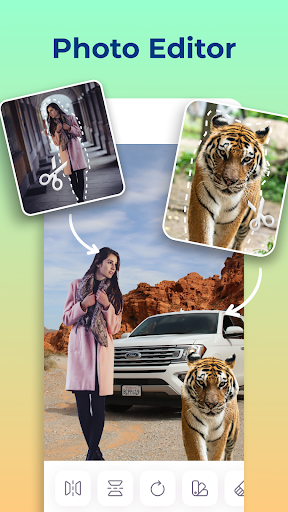
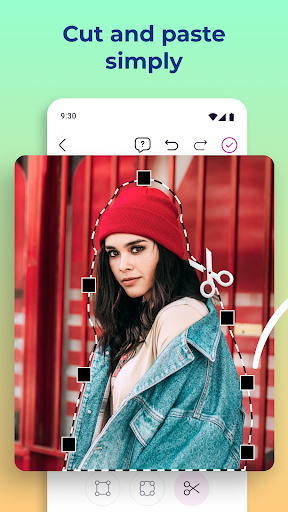
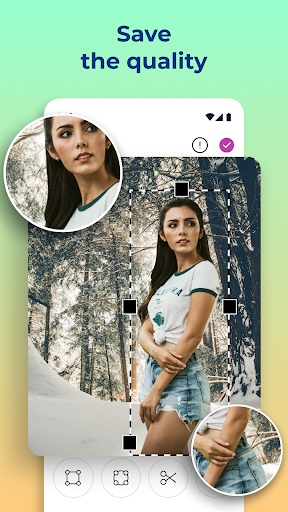
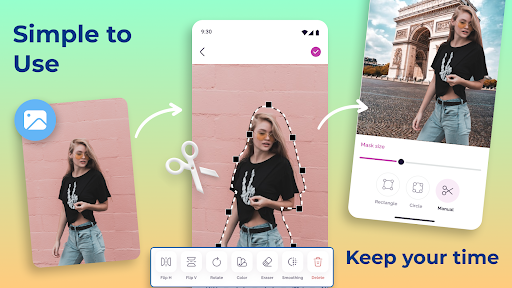
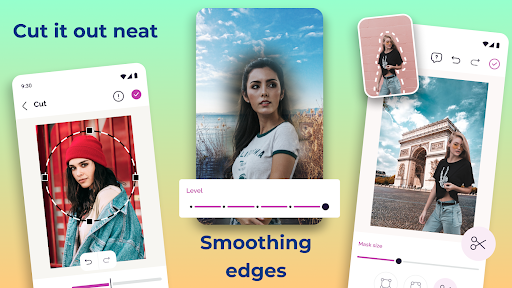
At its core, Cut and Paste Photos excels at precisely removing objects, backgrounds, or backgrounds from photos. The standout auto-cutting tool works like magic; simply outline the area you want to remove, and the app takes care of the rest. Want to swap faces or transfer objects between images? The process is as simple as cutting from one photo and pasting into another, all performed effortlessly. This feature is perfect for creating engaging and humorous content or assembling complex photo collages.
Background Removal Made Easy
Removing backgrounds is a breeze with the app's background eraser. In just seconds, you can isolate subjects from their backgrounds, making it easy to place them into new environments or create standalone images. This quick editing process saves time and bypasses the need for expensive software.
Layers and Editing Tools
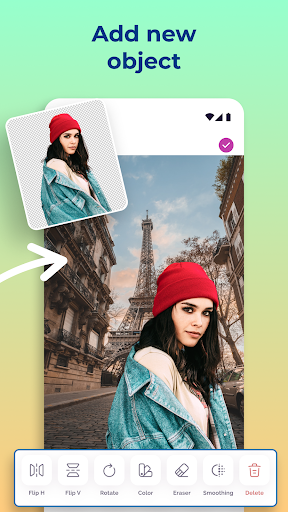
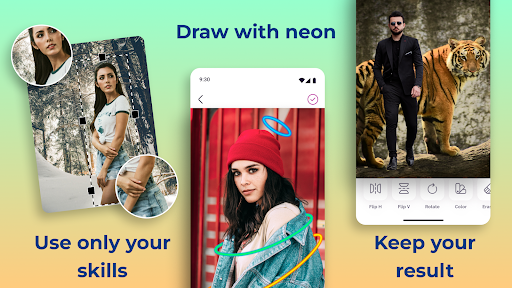
A notable feature is the support for multiple layers. This allows users to add various elements, such as stickers, text, or filters, without losing quality. Besides cutting and pasting, users can enhance their images with filters, add stylish text, or decorate with creative stickers to add that extra flair.
High-Resolution Outputs and Sharing Options
Once your masterpiece is complete, you can save it in high resolution, ensuring crisp quality for prints or digital use. The app also integrates with popular social media platforms, making sharing your edited photos quick and easy. Whether you want to upload directly or save for later, your creative images are ready to impress.
Creative Possibilities with Cut and Paste Photos
If you want to enhance your social media profiles with quirky, personalized edits, this app is a game-changer. For instance, you can remove unwanted people from photos, add missing family members, or create amusing scenarios by combining multiple images into a single, cohesive composition.
The app supports< strong> easy face swaps and object transfers, empowering you to produce fun and professional-looking content without professional editing skills. Whether you’re assembling a creative montage or crafting standout social posts, the possibilities are virtually limitless.
Beyond fun, Cut and Paste Photos is also ideal for more serious projects where precision and quality matter. Its ability to maintain original photo resolution ensures that your edited images look great whether viewed on screen or printed out.
So why wait? Dive into the world of creative photo editing with Cut and Paste Photos. It’s a simple yet powerful tool that turns your everyday photos into artistic, eye-catching visuals. Whether for social media, personal projects, or just for fun, this app makes photo editing accessible, engaging, and most importantly, enjoyable.
The app supports< strong> easy face swaps and object transfers, empowering you to produce fun and professional-looking content without professional editing skills. Whether you’re assembling a creative montage or crafting standout social posts, the possibilities are virtually limitless.
Beyond fun, Cut and Paste Photos is also ideal for more serious projects where precision and quality matter. Its ability to maintain original photo resolution ensures that your edited images look great whether viewed on screen or printed out.
So why wait? Dive into the world of creative photo editing with Cut and Paste Photos. It’s a simple yet powerful tool that turns your everyday photos into artistic, eye-catching visuals. Whether for social media, personal projects, or just for fun, this app makes photo editing accessible, engaging, and most importantly, enjoyable.
Pros
- User-friendly interface for easy navigation
- High-quality photo editing tools
- Supports multiple image formats
- Fast processing with minimal lag
- Offers creative and fun editing options
Cons
- Contains ads that can be intrusive
- Limited free version features
- Occasional crashes on older devices
- Requires internet for some features
- Subscription needed for premium tools











