
Introducing the "Stop Motion Studio" App: Your Ultimate Tool for Creative Animation
Are you passionate about animation or curious about crafting your own stop motion videos? Look no further than Stop Motion Studio, an intuitive and powerful app designed to bring your creative ideas to life. Compatible with both Android and iOS devices, this app makes the art of stop motion filmmaking accessible to everyone, from beginners to seasoned enthusiasts.
Unleash Your Creativity with an Easy-to-Use Interface
At the heart of Stop Motion Studio is its user-friendly interface that invites users to dive straight into animation without any steep learning curves. Whether you're just starting or have previous experience, the app's straightforward controls allow you to navigate effortlessly. You can adjust parameters like frame rate and resolution to craft professional-quality animations directly from your smartphone or tablet. The app features a range of tools, including overlay mode and animation guides, which help you synchronize frames smoothly and position objects with precision—perfect for creating seamless movies with minimal effort.
Powerful Features Designed for Creativity
Stop Motion Studio offers a comprehensive set of features that empower you to produce stunning stop motion videos:
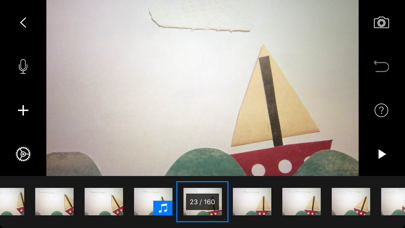
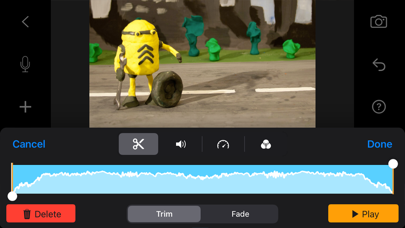
- Simplistic Editing Tools: Easily cut, copy, paste, or insert frames at any point in your timeline, ensuring your animation flows just as you envision.
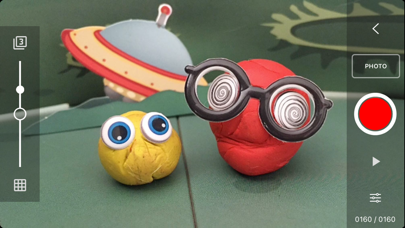
- Overlay Mode: View previous frames alongside current ones to maintain consistency and refine your animation quality.
- Animation Guides: Use gridlines, markers, or movement paths to animate your objects accurately and creatively.
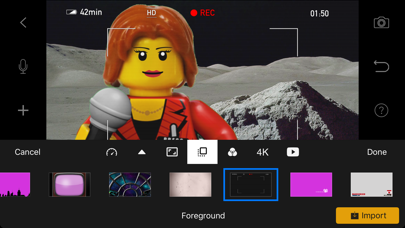
- Green Screen: Swap backgrounds to add a professional touch, making characters appear in any environment imaginable.
- Import Media: Bring in photos or video clips from your gallery to incorporate complex scenes or rotoscoping effects.
- Capture Flexibility: Use adjustable time intervals and full camera controls (white balance, focus, exposure, ISO, shutter speed) to get perfect shots every time.
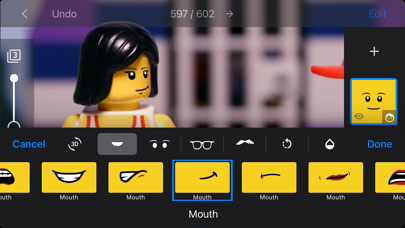
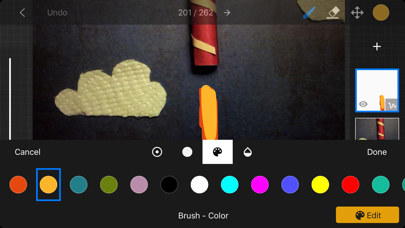
- Layer-Based Image Editing: Add speech bubbles, facial expressions, text titles, or enhance images using touch-up tools, sketch, or paint.
Bring Your Stories to Life with Sound and Visual Effects
Creating an engaging stop motion video isn't just about visuals—sound plays a crucial role. Stop Motion Studio enables you to add soundtrack elements effortlessly:
- Use built-in music tracks or import songs from your library to set the mood.
- Add sound effects or your narration for a more immersive experience.
Capture Like a Pro and Share Your Creations
Photography and videography are elevated with features such as adjustable interval shooting and remote camera control, perfect for creating complex stop motion animations. Once your masterpiece is complete, sharing is simple:
- Export in high quality formats like 4K or 1080p for professional presentation.
- Save animated GIFs or individual frames for further editing or social media posting.
- Upload directly to platforms like YouTube or Facebook within the app.
- Transfer projects easily between devices via Dropbox or Google Drive, enabling a seamless workflow across your mobile and desktop.
Learn and Grow as an Animator
Whether you're just beginning or looking to hone your skills, Stop Motion Studio offers plenty of educational resources:
- Included tutorial videos guide you through different techniques.
- A comprehensive manual provides detailed instructions.
- Animation tips and tricks help you improve your storytelling and technical skills.
Final Thoughts: The Perfect App for Aspiring Filmmakers
Overall, Stop Motion Studio is an excellent platform for anyone interested in animation or stop motion filmmaking. Its intuitive design, coupled with robust editing and creative tools, makes creating captivating movies both fun and accessible. Whether you want to animate toys, craft short films, or experiment with complex scenes, this app offers everything you need to bring your ideas to life. So, why not start your stop motion journey today and discover where your imagination can take you?
Pros
- User-friendly interface facilitating easy navigation.
- Provides a comprehensive set of editing tools.
- Supports exporting videos in full HD resolution.
- Enables frame-by-frame preview for detailed editing.
- Can be integrated with external camera devices.
Cons
- Free version has limited features.
- May experience occasional lag on older hardware.
- Exports from the free version include watermarks.
- In-app purchases can accumulate costs.
- Lacks integration with cloud storage services.











