Discover the Magic of Launcher iOS 19
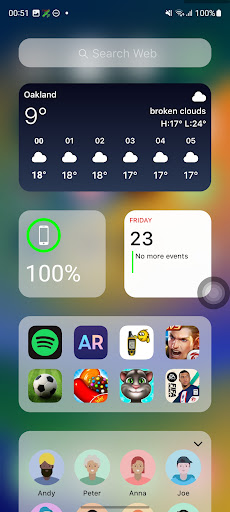
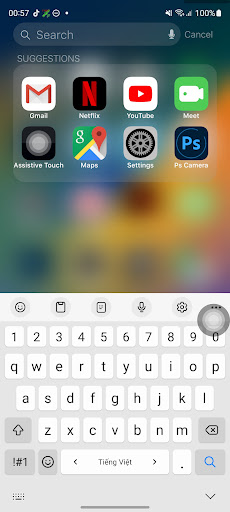
Are you eager to give your Android device a fresh, stylish appearance that mimics the sleek design of an iPhone? Launcher iOS 19 is the perfect app to help you achieve this transformation seamlessly. With this innovative launcher, you can enjoy the authentic look and feel of iOS on your Android smartphone, creating an experience that’s both visually appealing and highly customizable.
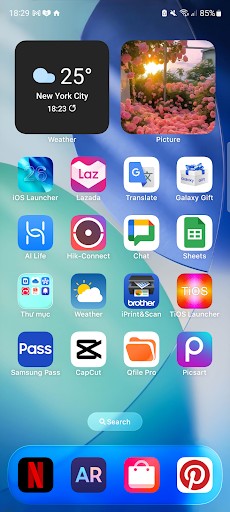
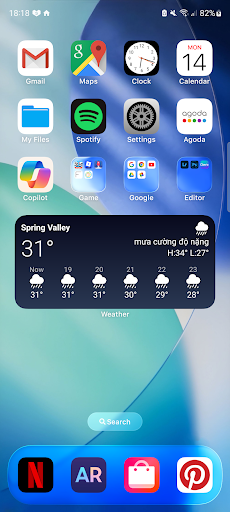
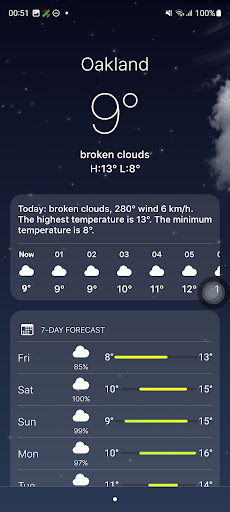
From the moment you install Launcher iOS 19, you’ll notice how quickly it revamps your device into a convincing iPhone replica. The app has been thoughtfully designed to replicate the iOS interface down to the smallest detail—offering a smooth transition that feels natural and fluid. Experience the seamless animations, fluid gestures, and crisp icons, all of which make your Android device look and behave like an authentic iPhone.
Key Features of Launcher iOS 19
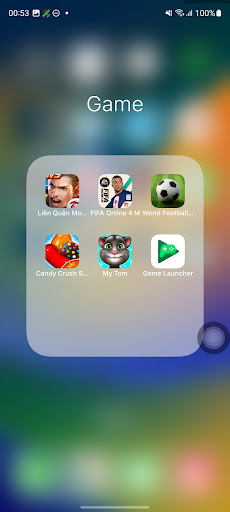
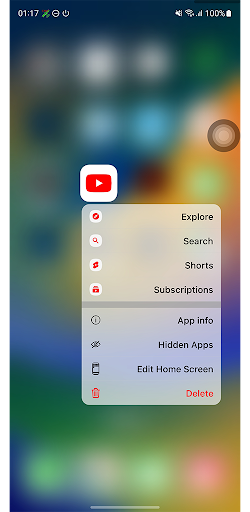
• Authentic iOS Look & Feel: The launcher recreates the iconic iOS home screen layout, app icons, and subtle animations, giving your device an authentic iPhone appearance that’s hard to distinguish from the real deal.
• Customization Galore: While the app maintains the classic iOS aesthetic, it also allows for extensive customization. You can personalize your home screen by arranging app icons, changing wallpapers, and tweaking layout preferences—so your device reflects your personal style.
• Control Center: Access quick settings such as Wi-Fi, Bluetooth, brightness, and more with a simple swipe, mimicking the familiar iOS Control Center for convenience and ease of use.
• Quick Access to Apps: Features inspired by iPhone’s AssistiveTouch enable fast access to favorite apps and functions, enhancing your efficiency and user experience.
• Set Wallpapers Easily: Change your wallpaper freely, just like on an iPhone, to personalize your device’s aesthetic and make it truly yours.
Performance and Usability
While Launcher iOS 19 delivers a compelling iOS-like interface, it does come with some caveats. On lower-end Android devices, you might notice minor lagging, particularly during transitions or app launches. However, on mid-range and high-end devices, performance remains smooth, balancing attractive visuals with usability.
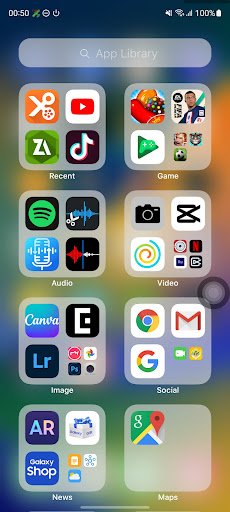
The app drawer is neatly organized, and its search functionality makes it easy to find and launch apps swiftly—keeping your workflow seamless and efficient. If you enjoy customizing your device and love the aesthetic of iOS, this launcher offers a fantastic way to bridge the gap between the two platforms.
Final Thoughts
In summary, Launcher iOS 19 is an excellent choice for Android users who want the sleek and polished design of an iPhone without purchasing a new device. It offers a stylish, customized interface that transforms your phone into a convincing iOS replica—making your Android experience feel fresh and modern.
While it’s not without minor performance quirks on some devices, the overall experience is highly enjoyable and visually rewarding. Whether you’re a design enthusiast or just looking to switch things up, this launcher is a handy tool to impress friends and elevate your daily mobile interaction.
So, if you’re ready to give your Android device a new look with the stylish layout of an iPhone, give Launcher iOS 19 a try today and enjoy a more personalized, elegant smartphone experience.
Pros
- Smooth transition effects
- User-friendly interface
- Highly customizable widgets
- Improved app organization
- Supports dynamic wallpapers
Cons
- Consumes more battery
- Limited theme options
- Ads in free version
- Occasional lag on older devices
- Requires frequent updates