
Discover the Exciting Features of Launcher iOS16 - iLauncher for Android
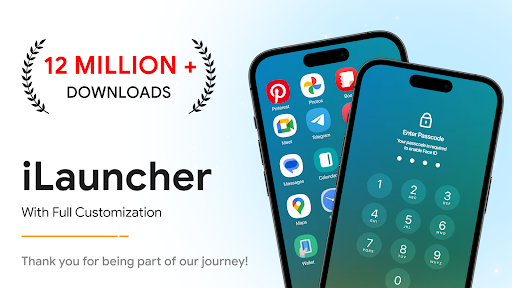
Are you looking to give your Android device a sleek, modern look that mimics the iconic iOS interface? Launcher iOS16 - iLauncher offers an innovative solution that transforms your Android smartphone into a stylish, smooth, and functional device reminiscent of Apple's iPhone. Whether you want a complete aesthetic overhaul or simply desire to enjoy the flexibility and features of iOS, this app is designed to elevate your user experience effortlessly.
Transform Your Android Interface with a Stylish iOS Look
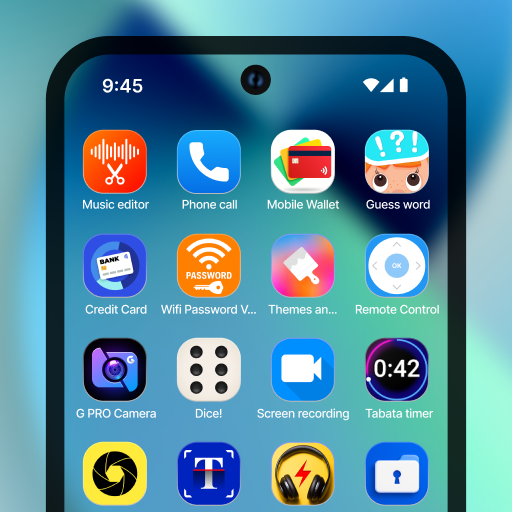
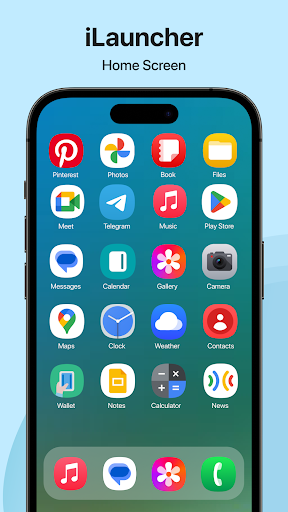
From the moment you install Launcher iOS16 - iLauncher, you'll notice a dramatic change in how your Android home screen looks and feels. This launcher is meticulously crafted to replicate the sleek aesthetic of •iOS16, offering a familiar yet customized experience. The app icons, smooth transition effects, and the intuitive control center all work together to give your device an authentic iOS vibe. It's like getting a premium upgrade without changing your device or spending a dime. Customization is at the core of this launcher, allowing you to tailor your home screen to match your personal style while maintaining the effortless elegance of iOS.
Key Features That Make iLauncher Stand Out
The standout feature of Launcher iOS16 - iLauncher is its remarkable ability to mimic the iOS ecosystem. Here’s what makes it a must-try for Android enthusiasts:
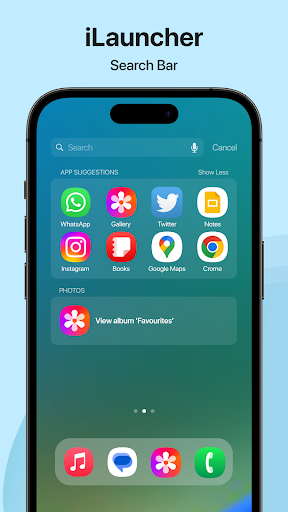
- •Smart Search: Swipe down to quickly find apps, contacts, or files, making navigation swift and effortless.
- •Wallpapers: Choose from a variety of high-quality wallpapers to personalize your home and lock screens.
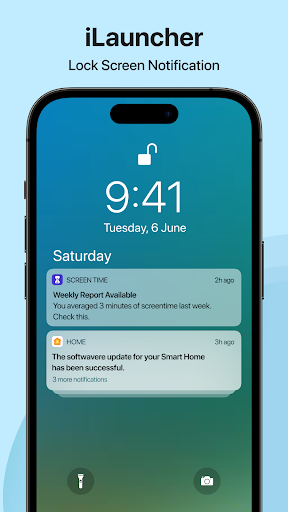
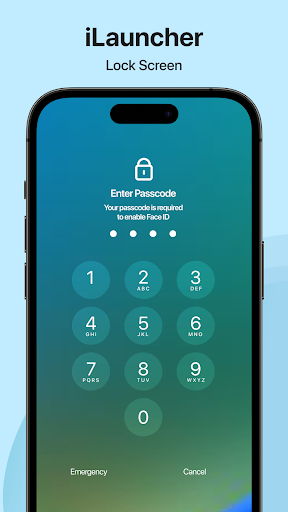
- •Lock Screen Customization: Design your lock screen with different wallpapers, widgets, and clock styles for a truly authentic iOS experience.
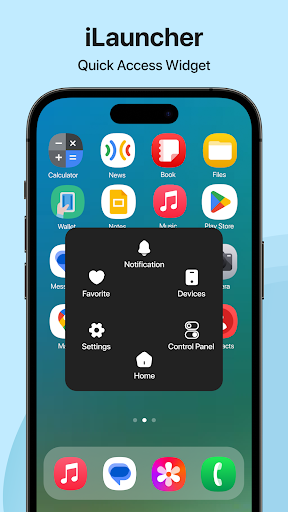
- •Control Center: Swipe down from the top right corner to access essential settings like Wi-Fi, Bluetooth, brightness, and volume. The control center is designed for ease of use and quick access.
- •Quick Toggles: Instantly toggle features such as silent mode, airplane mode, or mobile data to enhance usability.
- •Personalized Home Screen: Adjust icon size, shape, colors, and layout to match your preferred aesthetic. The app supports adding and customizing widgets effortlessly.
- •Fast & Lightweight: Despite its extensive features, the launcher is optimized to run smoothly without slowing down your device.
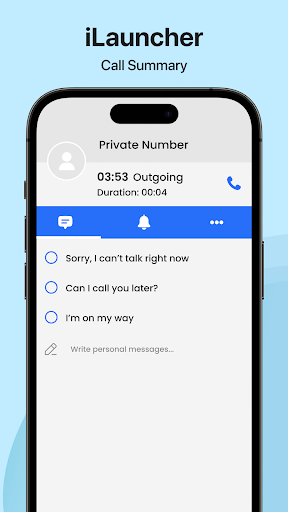
- •After Call Features: Access helpful options immediately after ending a call, improving overall productivity.
Performance and Ease of Use
One of the most impressive aspects of Launcher iOS16 - iLauncher is its seamless performance. The app delivers smooth transitions and a fluid user experience, even on mid-range Android devices. It's lightweight, meaning it consumes minimal system resources while providing rich functionality. Navigation feels natural thanks to the iOS-style app grid, making it intuitive for users accustomed to Apple's ecosystem. Whether you’re browsing apps, customizing widgets, or switching wallpapers, everything comes together in a user-friendly interface that’s both aesthetically pleasing and highly functional.
Extensive Customization for Personal Touch
If personalization is your thing, iLauncher does not disappoint. You can tweak icon shapes, sizes, and colors to create a unique look tailored completely to your liking. The app maintains a true iOS aesthetic while providing enough flexibility for experimentation. This means you can enjoy the visual appeal of iOS along with the customization freedom Android users love.
Conclusion: Why Choose Launcher iOS16 - iLauncher?
In summary, Launcher iOS16 - iLauncher is a top-tier app for anyone eager to enjoy the refined •iOS16 interface on their Android device. It combines impressive features like a realistic control center, lock screen customization, and quick toggles with a smooth, lightweight performance. Its intuitive design makes it suitable for users of all levels of tech expertise, whether you’re just exploring new launcher styles or seeking a complete aesthetic overhaul. Downloading and installing this launcher is straightforward, and it offers enough customization options to satisfy even the most dedicated device personalizers. Experience the perfect blend of style and functionality with iLauncher, and make your Android phone feel fresh, modern, and uniquely yours every day.
Pros
- Intuitive interface resembling iOS
- Ability to customize widgets
- Improved organization within the app
- Receive regular updates
- Easy to navigate
Cons
- Limited features available for free
- Occasional advertisements disrupting use
- May consume battery more quickly
- Not compatible with older devices
- Few options for theme customization











