

Introduction to the HD Video Player App
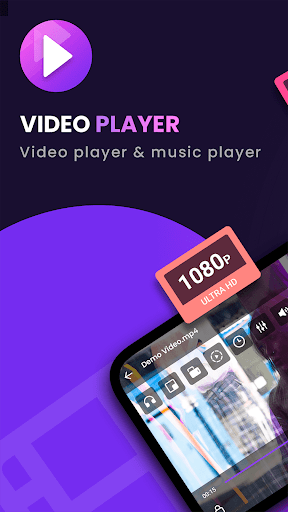
The HD Video Player is a professional video playback tool designed for both Android tablets and smartphones. It supports ALL video formats, including 4K and ultra high-definition (UHD) videos, delivering a truly high-definition viewing experience. Whether you want to enjoy your favorite movies, series, or videos recorded from your device, this app provides a seamless and enriched media experience with an impressive user interface and powerful features.
If you're looking for an HD video player for Android, this app ranks among the best options available on the market. It is built to identify all videos stored on your device, automatically scan your SD card, and support playing videos with fast, smooth playback. So, if you're eager to upgrade your media consumption on your mobile device, HD Video Player is the perfect companion, offering support for all formats including MKV, MP4, MOV, AVI, and many more.
Enjoy an intuitive UI with features like easy control over volume, brightness, and playback progress. The app also offers versatile options such as auto-rotation, aspect ratio adjustments, and screen locking, making it suitable for both casual and more dedicated viewers. With full HD and 4K video support, you can watch your videos with stunning clarity, whether on your tablet or Android phone.
Key Features of HD Video Player
Supports All Video Formats
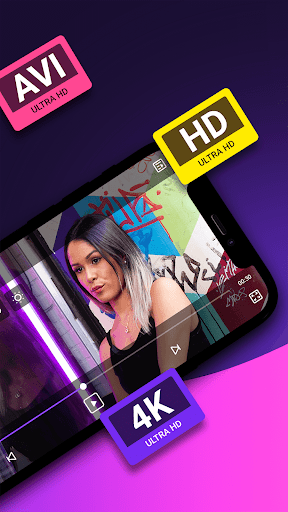
The app can handle any video format, including MKV, MP4, M4V, AVI, MOV, 3GP, FLV, WMV, RMVB, and TS. This broad compatibility ensures users won’t need to convert files before playing them, saving time and effort.
High-Definition Playback
Experience ultra-clear visuals with support for 4K and HD videos. The app provides a smooth playback of high-resolution videos, making it ideal for viewing movies and videos in their original quality.
Automatic File Detection & Scanning
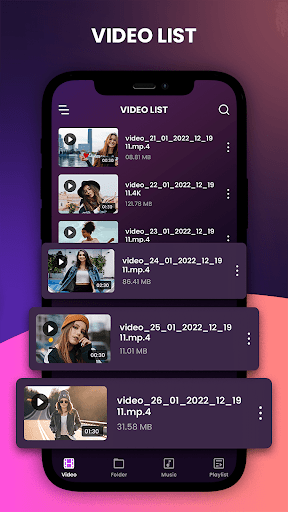
The app intelligently identifies all video files on your device and scans your SD card automatically, providing quick access to your media library.
Compatibility with Android Devices
Designed for both Android tablets and phones, the app ensures a consistent experience across devices. It also allows easy management and sharing of videos, photos, and music files.
Easy Control & Multi-Playback Options
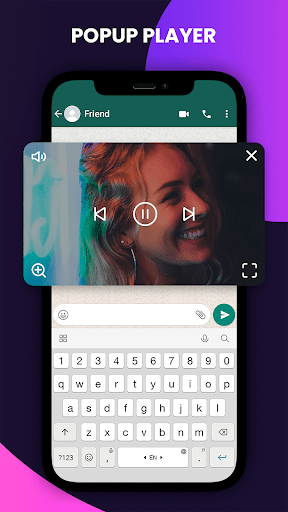
Adjust volume, brightness, and playback progress effortlessly. Features like auto-rotation, aspect ratio, and screen lock enhance the viewing experience, especially during long media sessions.
Fast and Smooth Performance
The full HD video player provides quick start-up times and seamless playback, even for large, high-quality files. It’s optimized for efficiency to preserve your device’s battery life during extended use.
Personal User Experience and Final Thoughts
Many users find the HD Video Player to be a top-tier solution for mobile video watching. Its sleek and user-friendly interface makes navigation a breeze, allowing users to enjoy their media without hassle. The gesture controls—swiping up/down for volume and left/right to seek—provide an intuitive on-the-fly control experience, enhancing the overall convenience.
The app's subtitle support is reliable, which is especially beneficial for foreign films or series with subtitles. It works smoothly across Android devices, offering a lag-free, high-quality playback experience that rivals professional media players. Whether you're casually watching videos or engaging in intensive media consumption, HD Video Player adapts flawlessly and maintains excellent performance on different devices.
If you're in search of a powerful, versatile, and reliable video player app for Android, this application is undoubtedly worth trying. Its ability to support all formats, play videos in stunning full HD or 4K quality, and feature-rich design make it a top choice for mobile media enthusiasts. Elevate your video playback experience and enjoy your favorite content with crystal-clear visuals and effortless controls.
Pros
- Supports a wide variety of video formats.
- Intuitive interface for simple navigation.
- High-quality playback with minimal buffering.
- Customizable options for playback speed.
- Subtitle support available for multiple languages.
Cons
- Contains advertisements that may be disruptive.
- Limited advanced features for premium users.
- In-app purchases required to remove ads.
- May experience crashes on older devices.
- Does not support 4K video playback.











