


Introduction to Video Downloader: Story Video
Have you ever come across a social media video that you'd love to keep forever? If so, Video Downloader: Story Video is your ultimate solution. Designed to make downloading videos from various social media platforms effortless, this app acts like a superhero for your mobile device, enabling you to save your favorite stories and videos with just a few taps.
Main Features of Video Downloader: Story Video
User-Friendly Interface
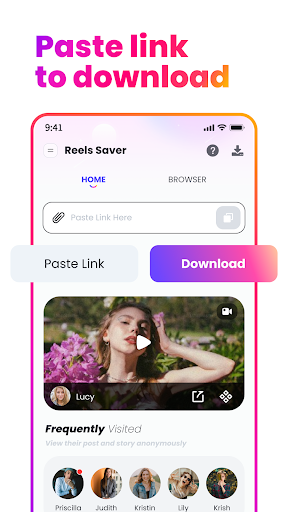
Right from the start, Video Downloader: Story Video impresses with its sleek and intuitive design. The main screen is straightforward, ensuring that even beginners can navigate with ease. Clear icons guide you through downloading videos, photos, and stories without unnecessary complexity. Its minimalistic yet functional layout guarantees an enjoyable user experience.
Effortless Download Process
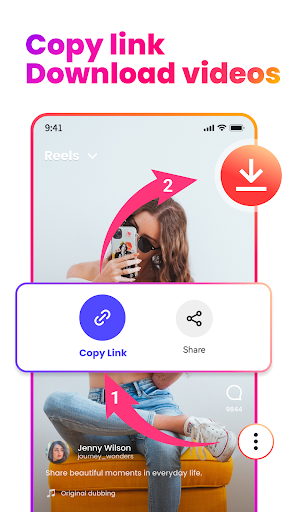
The app simplifies the process of saving videos. All you need to do is copy the link of the video or story, paste it into the app, and click on Download. Within moments, your favorite clips are saved directly to your device's gallery. You can also use the share feature to effortlessly fetch videos from your social media feeds. This straightforward workflow ensures you never miss out on entertaining content before it disappears.
High-Quality Downloads and Multi-Format Support
One of the standout features is its ability to download videos in high definition quality. Whether it’s a crisp HD clip or a simple story, the quality remains pristine. Additionally, the app supports multiple formats, so you can view your downloaded content across different devices without any hassle. Besides videos, it also enables you to save images and music, making it a versatile media downloader.
Privacy and No Login Needed
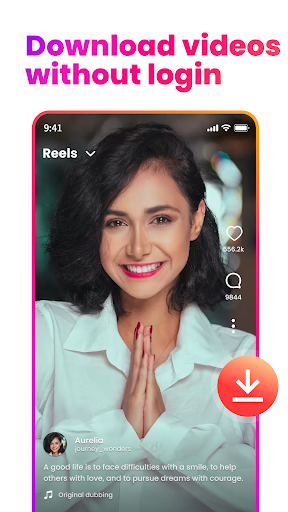
The app respects your privacy by not requiring unnecessary permissions or access to your personal data. You can download content without creating an account or logging in, which adds a layer of convenience and security. This means you can quickly save content from private accounts or stories without any trouble.
Batch Download and Offline Viewing
Another convenient feature is the ability to download multiple videos simultaneously, saving you time when grabbing several clips. Once downloaded, you can watch your saved videos offline anytime and anywhere—perfect for when you’re on the go or have limited internet access.
How to Use Video Downloader: Story Video
Using the app is super simple. First, copy the link of the video, photo, or story you want to save. Then, open Video Downloader: Story Video and either paste the link into the input box or select the sharing option directly from social media apps. The app will fetch and process the download automatically. In seconds, your media will be saved to your device, ready to view offline or share with friends.
Why Choose Video Downloader: Story Video?
If you're a social media enthusiast or someone who loves collecting favorite videos and stories, this app is a game-changer. Its quick and reliable download capabilities, combined with the ability to save private stories and multiple videos at once, make it a must-have tool. Its small size and user-friendly interface ensure that you can start saving content immediately without any technical hurdles.
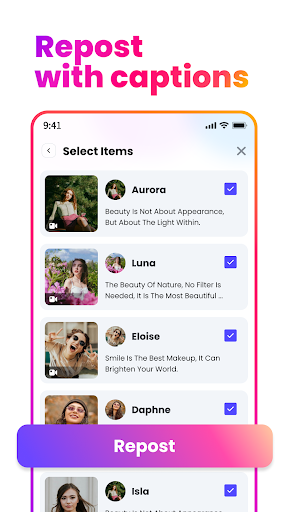
Moreover, by supporting popular platforms and ensuring high-quality downloads, Video Downloader: Story Video positions itself as one of the best choices for anyone looking to enhance their media library. Whether you want to repost fun videos, save memories, or enjoy content offline, this app offers everything you need in an easy-to-use package.
Pros
- User-friendly interface
- Supports various video formats
- High-speed downloads
- Enables batch downloading
- Ad-free experience within the app
Cons
- Limited editing capabilities
- Requires additional in-app purchases
- Sometimes encounters download errors
- No integrated media player
- Lacks cloud storage synchronization











