


Introducing the AI Video Editor - Vidma Cut AI
Are you looking for a powerful yet easy-to-use video editing app that can transform your raw footage into stunning, professional-looking videos? AI Video Editor - Vidma Cut AI is designed to meet the needs of both beginners and experienced content creators. With its innovative AI-powered features and a user-friendly interface, this app simplifies the editing process, making it accessible to everyone who wants to create captivating videos for social media platforms like TikTok, Instagram, and Facebook.
Key Features of Vidma Cut AI
Seamless and Intelligent Editing
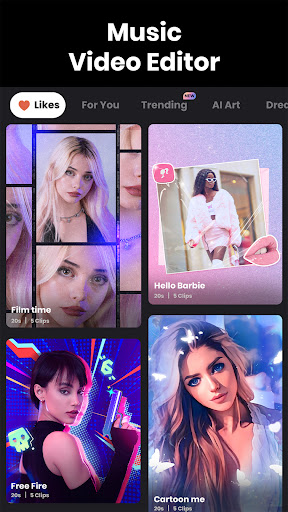
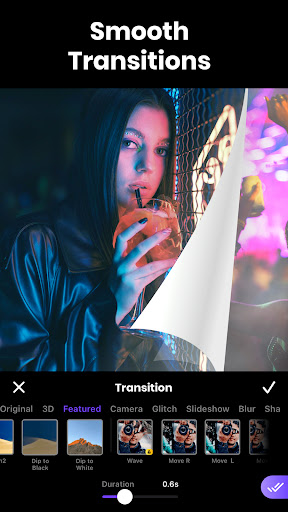
One of the standout aspects of Vidma Cut AI is its intelligent editing capabilities. Thanks to advanced AI algorithms, the app analyzes your footage and suggests optimal cuts, transitions, and editing options. This means you can craft professional-quality videos without needing extensive editing skills. Simply upload your clips, and let the AI handle the heavy lifting, providing smooth flow and engaging effects effortlessly.
Extensive Effects, Filters, and Creative Tools
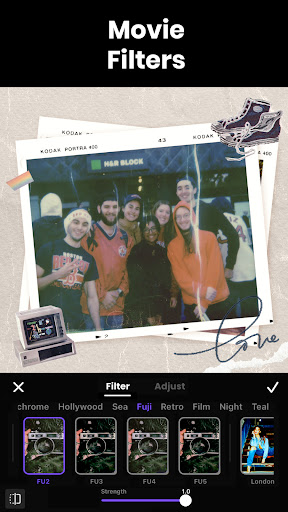
The app offers a wide array of fun and stylish effects such as Glitch, Motion Blur, Retro, VHS, and 90s filters, allowing you to set the perfect vibe for your video. Cinematic color grading options enable you to enhance the visual appeal by adjusting saturation, exposure, brightness, and contrast—giving your footage a polished, cinematic look. Additionally, with a rich library of trendy video filters and effects, making your videos stand out on platforms like TikTok and Instagram is just a tap away.
Flexible Video Editing and Customization
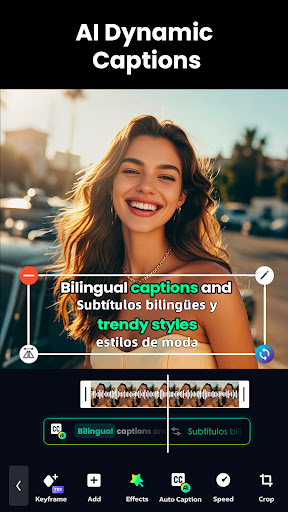
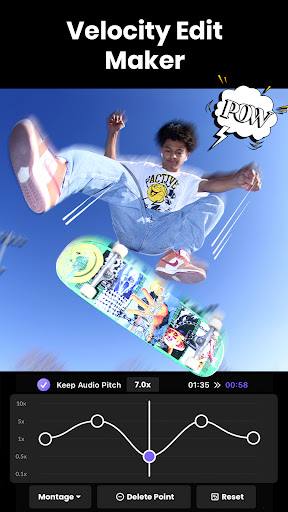
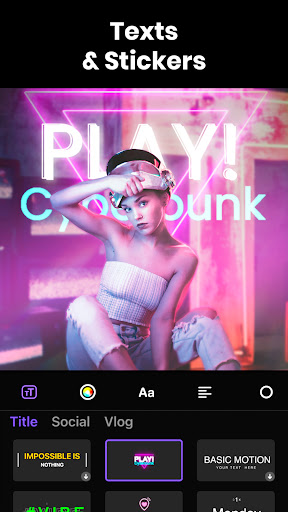
Whether you want to cut, split, duplicate, or merge clips, Vidma Cut AI provides precise editing tools to fine-tune your videos. You can also add text animations, stylish stickers, overlays, and transitions to elevate your content. The app supports multi-track editing, so overlay multiple effects or clips seamlessly. Speed controls let you create slow-motion or time-lapse effects, and reverse playback adds a dynamic touch—all with simple sliders and buttons.
Audio and Music Integration
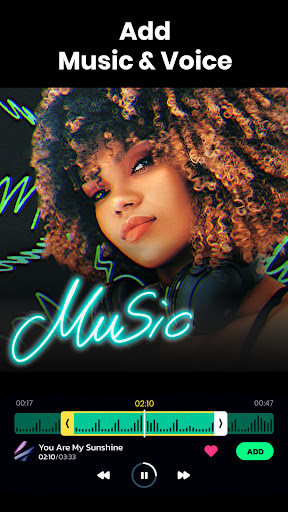
Bring your videos to life with a library of over 1000 high-quality songs, or extract audio from your existing clips for further editing. The app allows recording voice-overs, adding voice effects, and applying fade-in or fade-out effects to background music, ensuring your audio complements your visuals perfectly.
Background Editing and Special Effects
Replace backgrounds with Chroma Key technology or create engaging slideshows with customizable templates. Crop, change dimensions, and adjust aspect ratios easily to suit different social media formats. You can also add various backgrounds like gradients or stylish patterns to make your videos more appealing.
Pro-Level Enhancements
For advanced editing, features like BG removal and video overlay enable you to isolate subjects or blend multiple clips seamlessly. Use keyframes to animate static images or add motion effects, elevating your videos from simple edits to cinematic masterpieces. Freeze frames and other effects deliver dramatic impact with just a tap.
Rich Asset Library and High-Quality Export
Access millions of royalty-free images and videos directly within the app to enrich your projects. When you're finished, export your videos in 4K resolution—to ensure stunning clarity on any device or platform. Resize videos to any social media format with ease and share your creations directly from the app.
Why Choose Vidma Cut AI?
With all these powerful editing features combined into an intuitive interface, AI Video Editor - Vidma Cut AI stands out as the go-to app for content creators looking to produce high-quality videos swiftly and effortlessly. Whether you're crafting viral TikTok clips, Instagram Reels, or Facebook stories, this app simplifies the editing process without sacrificing quality. Its AI-driven suggestions help accelerate your workflow, leaving more time for your creativity to shine.
From trimming and joining clips to adding effects and music, Vidma Cut AI makes editing approachable and fun. Perfect for both beginners and seasoned editors, it helps turn your everyday moments into compelling visual stories with minimal effort. Experience the convenience of professional-grade editing right at your fingertips—try Vidma Cut AI today and elevate your video content to new heights!
Pros
- Intuitive interface for editing
- AI-driven tools improve video quality
- Extensive editing features
- Fast export and sharing options
- Compatible with multiple video formats
Cons
- Limited features in the free version
- Occasional application crashes
- Requires substantial storage space
- In-app purchases can be expensive
- Watermark on exported videos in the free version










