

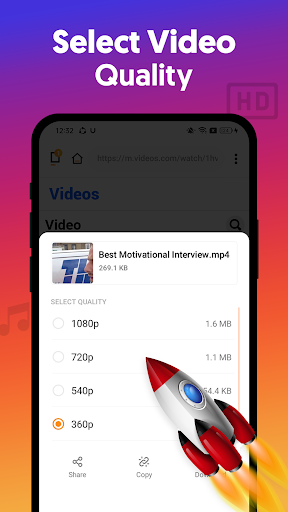


Overview of All Video Downloader App
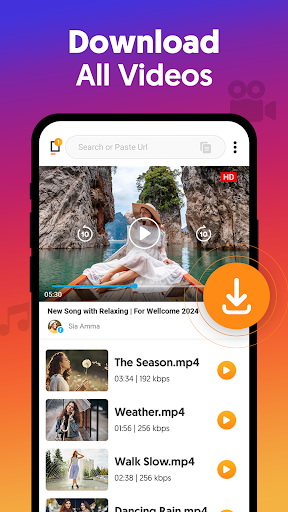
The All Video Downloader App provides a convenient solution for users who want to easily download videos, stories, and music directly from the internet onto their devices. Whether you're interested in downloading high-definition videos or saving multimedia content from social media platforms, this app supports all formats including HD Video downloader supports downloading all formats videos. It leverages a powerful download manager that allows you to pause, stop, and resume downloads seamlessly, making it a must-have tool for media enthusiasts.
One of the defining features of this video downloader is its ability to auto-detect videos on various platforms and initiate downloads with just a few clicks. Thanks to its background download capabilities, users can continue downloading multiple videos simultaneously without interruptions. The user-friendly interface, combined with fast download speeds, ensures an effortless experience whether you're downloading from social media or other websites. Plus, it's completely free, making it accessible to a wide audience seeking efficient media management.
The app supports 4K video download and HD quality downloads, providing sharp visuals for your favorite videos. It also functions across multiple social platforms like Twitter, Instagram, Facebook, and more, making it a comprehensive tool for social media content saving. The download manager’s functionalities—such as pause, resume, and remove—offer granular control over each download. Additionally, users can view the progress through a dedicated download bar, enhancing transparency during the process.
With features like support for multiple languages and customizable download settings, the All Video Downloader App caters to a global audience. Its modes—Simple and Advanced—provide options for casual users or those who want more control. Whether your goal is offline viewing, sharing content, or creating a video library, this app simplifies the process, making it an essential tool for media lovers and content creators alike.
Key Features of All Video Downloader
Auto-detect & Easy Download
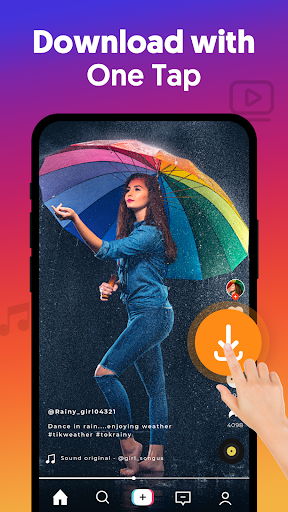
The app automatically detects videos on your favorite websites and social media platforms, allowing you to download with a single tap. No need to copy links manually unless you prefer to do so; the auto-detect feature does the heavy lifting for you.
Support for All Video Formats
This video downloader supports a wide range of formats including m4a, mp4, m4v, mp3, and others, ensuring compatibility with most devices and media players.
Download in the Background & Multiple Downloads
File downloads continue smoothly in the background, allowing you to perform other tasks on your device. You can queue multiple videos and download them simultaneously, saving you lots of time.
Play Offline & HD Quality
After download, enjoy your videos offline with the built-in video player, supporting up to 4K resolution in high definition. You can also monitor progress via a dedicated download progress bar.
Flexible Download Options
The app enables control over downloads—pause, resume, or remove any file. It prioritizes Wi-Fi downloads by default but allows users to switch to mobile data, ensuring flexibility based on your preferences.
User Experience & Additional Modes
With modes like Simple and Advanced, users can customize their experience based on their comfort level. Support for multiple languages also makes the app accessible worldwide.
Downloading Content from Social Media & Websites
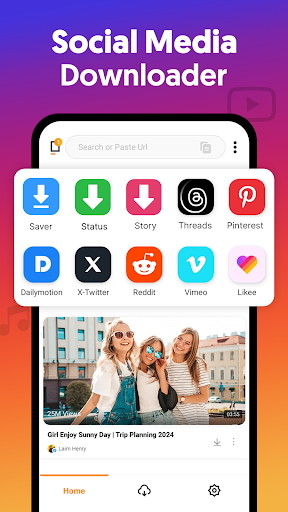
The All Video Downloader App is particularly effective at downloading multimedia content from multiple social media platforms. It can save videos, stories, photos, and status updates directly from social accounts, making it ideal for those who want to build their offline media collection.
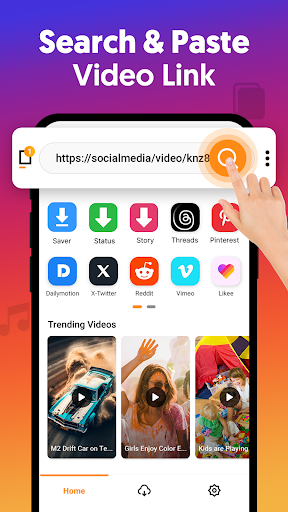
To download a video, simply copy the link of the media and paste it into the app. It will auto-detect and start the download quickly. This efficient process is supported across various popular social websites, making the app a versatile tool for content enthusiasts.
This app also prioritizes fast download speeds, allowing users to download videos three times faster than typical download apps. Whether you're saving content for entertainment, educational purposes, or sharing offline, this app simplifies the process for everyone.
Why Choose All Video Downloader App?
The All Video Downloader App stands out because of its intuitive interface and broad device compatibility. It is designed to be easy for beginners while also offering advanced options for power users. Its regular updates ensure improved performance and new features, enhancing your multimedia management experience.
In addition, the app supports multiple languages, catering to a global user base, and provides comprehensive customer support for any inquiries or issues. Security and legal compliance are prioritized, and it clarifies that it does not support content from YouTube due to copyright restrictions.
Overall, whether you're downloading videos for offline viewing, archiving social media content, or enjoying multimedia on the go, this free video downloader app offers everything you need in one package. Unlock a world of endless video content right at your fingertips—download it today!
Conclusion
In summary, the All Video Downloader App is a reliable, fast, and user-friendly tool optimized for downloading videos, photos, and music from various online sources. Its support for multiple formats, high-quality downloads, background operation, and social media integration make it a top choice for media enthusiasts worldwide. With ongoing updates and multilingual support, this app ensures a seamless experience tailored to diverse user needs.
Experience the convenience of offline media with this all-in-one video downloader. Download now and enjoy unrestricted access to your favorite videos and music anytime, anywhere!
Pros
- Supports multiple video formats.
- Fast download speeds.
- User-friendly interface.
- Allows batch downloading.
- Built-in video player.
Cons
- Contains ads.
- Limited free features.
- May not support all websites.
- Occasional crashes.
- Requires internet connection.











