

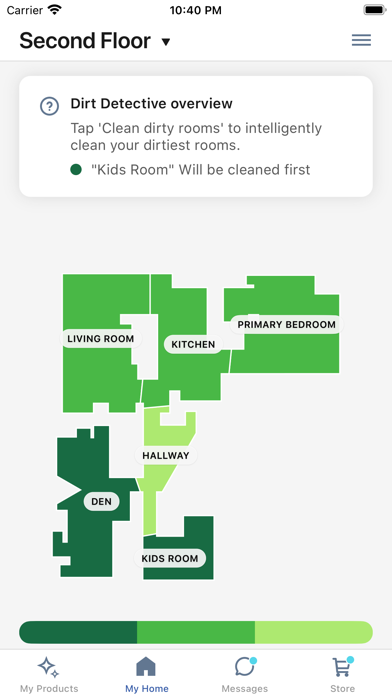
Overview of the iRobot Home (Classic) App
The iRobot Home (Classic) app is a must-have for users of older Roomba®, Braava®, and Klaara™ products. This version of the app is specifically compatible with models such as Roomba® or Roomba Combo® e, i, s, m, j, Essential, Essential 2, and 10 Max series robots. If you own a newer Roomba® device outside this compatibility, the recommended app to use is the Roomba® Home app. Designed for simplicity and efficiency, this classic app allows users to effortlessly control their robotic vacuum cleaners and mops, maximizing their cleaning routines.
Key Features of the iRobot Home (Classic) App
Enhanced Control & Customization
The app offers an array of features to help you tailor your cleaning experience. Users can utilize enhanced maps to view the layout of their homes and set up cleaning zones or specific objects. This means you can focus cleaning on high-traffic areas or keep certain zones off-limits, all with just a few taps.
Room, Zone, & Object-Specific Cleaning
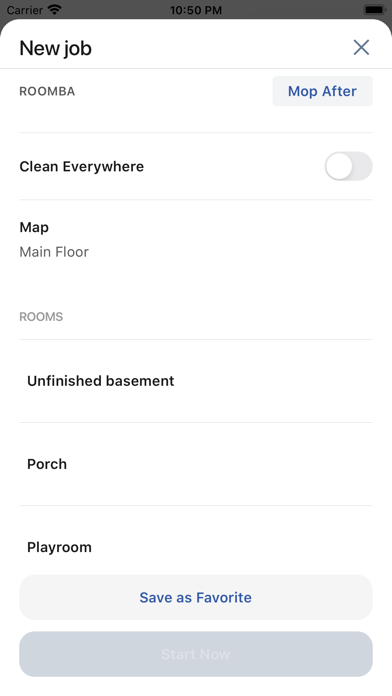
Whether you need a quick cleanup or an intensive scrubbing, the app enables you to select specific rooms or zones for targeted cleaning. Additionally, the app can recognize and avoid objects, ensuring the robot operates safely around your belongings.
Scheduling & Personalization
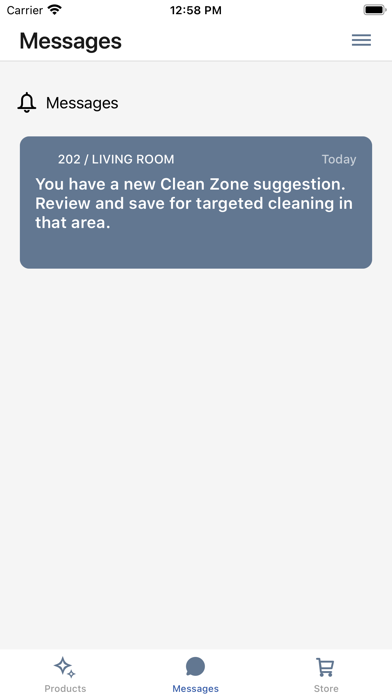
With customized scheduling features, users can program their robots to clean automatically at convenient times, even when they’re away from home. The app also offers personalized cleaning suggestions based on your usage patterns, helping to optimize the performance of your device.
Smart Home Integration
The iRobot Home (Classic) app seamlessly integrates with smart home assistants such as Alexa, Siri, and Google Assistant*. This enables voice-activated control, allowing you to start, pause, or schedule cleaning sessions hands-free. Please note, feature availability may vary depending on your robot model.
*Works with Alexa, Siri, and Google Assistant-enabled devices. Alexa and associated logos are trademarks of Amazon.com. Google and Google Home are trademarks of Google LLC. Siri is a registered trademark of Apple Inc.
Why Choose the iRobot Home (Classic) App?
Simple Setup & User-Friendliness
Setting up the iRobot Home (Classic) app is straightforward and hassle-free. Simply download the app and follow the guided instructions. Connecting your robot to Wi-Fi and initializing the app is quick and smooth, making it accessible even to non-tech-savvy users.
Intuitive User Interface
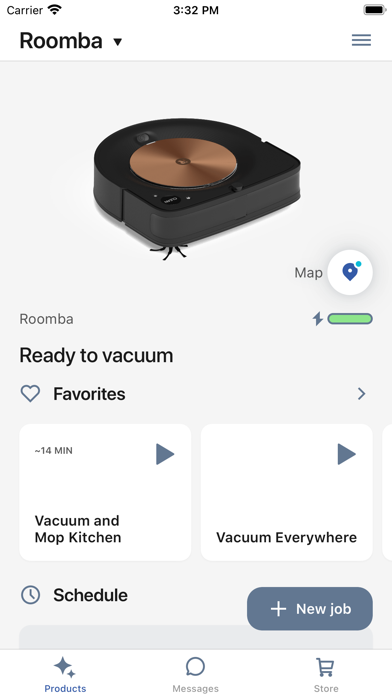
The app boasts an intuitive interface that displays your home map, cleaning status, and scheduling options clearly. It’s designed to be user-friendly, meaning you don’t need a degree in robotics to operate it effectively.
Adaptive & Learning Capabilities
Over time, the iRobot Home (Classic) app learns your cleaning preferences and adapts to your home environment. This continuous learning system ensures your robot cleans more efficiently with each use, providing a smarter cleaning experience.
Final Thoughts
In today’s busy world, maintaining a clean home has never been easier thanks to the iRobot Home (Classic) app. Its reliable performance, comprehensive control options, and seamless smart home integration make it an essential tool for anyone who owns an compatible Roomba® or Braava® device. Whether you want quick, scheduled, or targeted cleaning sessions, this app simplifies the process, giving you more time to enjoy your clean, fresh space. With features that learn and adapt to your routine, the iRobot Home (Classic) app provides a smart, efficient, and effortless way to keep your floors spotless—making your life easier, one clean at a time.
Pros
- User-friendly interface with easy-to-use controls
- Smooth integration with smart home devices
- Ability to customize cleaning schedules and zones
- Provides real-time updates on cleaning progress
- Supports multiple user profiles for family members
Cons
- Requires a stable internet connection for optimal use
- Features are limited without a premium subscription
- Users occasionally experience app crashes
- Initial setup may be time-consuming for new users
- Privacy concerns related to data sharing policies











