

Discover the Power of AI Video Editor: ShotCut AI
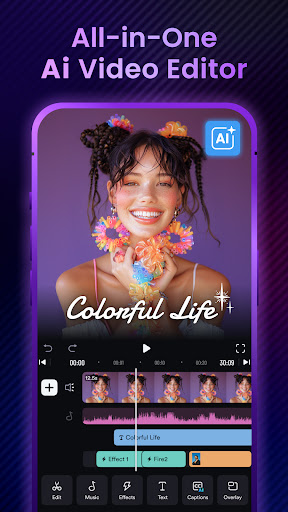
Are you searching for a versatile and user-friendly video editing application that leverages cutting-edge AI technology? Look no further than ShotCut AI, the premier pro AI video editor designed to cater to both beginners and seasoned creators alike. This innovative app combines intuitive tools with a vast array of trending content and features, empowering users to craft stunning videos effortlessly.
Seamless User Experience and Intuitive Interface
From the moment you open ShotCut AI, you'll notice its sleek and well-designed interface that promotes ease of use. Unlike many complex editing tools, this app offers a smooth, intuitive experience, making video editing accessible to everyone. Whether you're creating a quick social media clip or producing a more elaborate project, the user-friendly layout ensures you spend less time figuring out how to navigate and more time focusing on your creativity. The app’s responsive design is compatible with both Android and iOS devices, guaranteeing seamless editing on the go.
Outstanding Features That Elevate Your Videos
AI-Powered Editing Tools
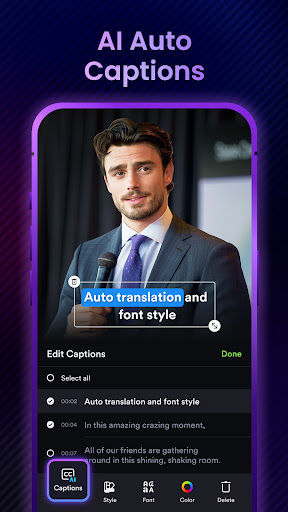
One of the standout features of ShotCut AI is its suite of AI-powered tools. These intelligent features automate many editing tasks, saving you time and effort. For instance, the AI Caption tool allows you to transcribe your videos into accurate text quickly—perfect for creating subtitles or enhancing accessibility. The app supports smart sentence segmentation and precise word segmentations across all major languages, making it ideal for diverse content.
Automated Music and Content Generation
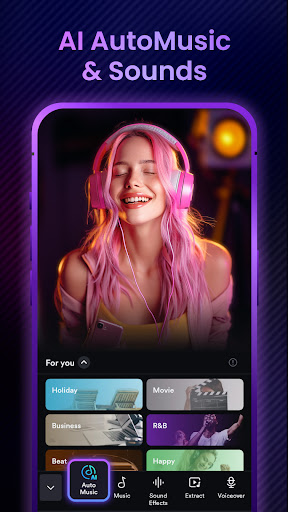
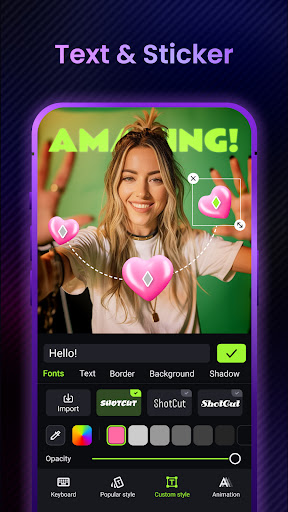
Enhance your videos with the AI Automusic feature, which automatically matches suitable background music to your content's style. Simply upload your video, and the app will generate music sets that align with the mood. Additionally, the AI Text Generation feature can craft compelling titles, hashtags, and descriptions tailored for platforms like TikTok, Instagram, and YouTube to boost viewer engagement.
Comprehensive Video Editing Capabilities
ShotCut AI provides a wide array of editing tools suitable for all levels. Basic features like video cropper, merger & splitter, and converter allow you to trim, combine, and export videos in high quality without watermarks. Advanced options such as video stabilizer, green screen editor, and background remover enable you to create professional-looking content with minimal effort.
Creative and Professional Effects
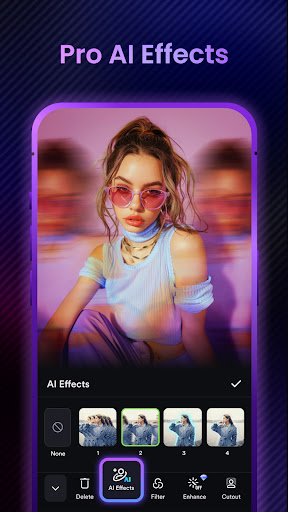
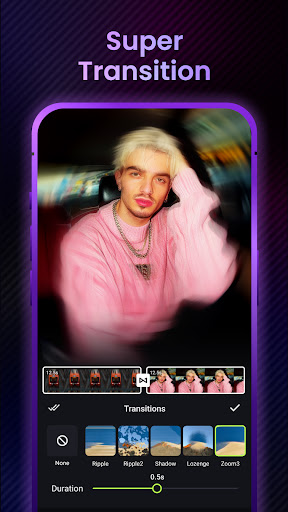
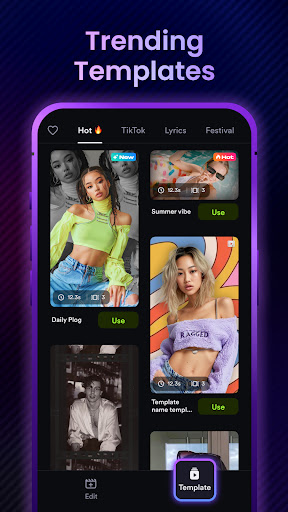
Bring your videos to life with features like slow motion, blur effects, filters & transitions, and the ability to overlay videos using PIP (Picture in Picture). The app also includes trendy templates for platforms like Instagram Reels and TikTok, aiding creators in making eye-catching content. For more polished projects, the video effects and hyperlapse options ensure your videos stand out.
Versatile Editing Uses for Every Content Creator
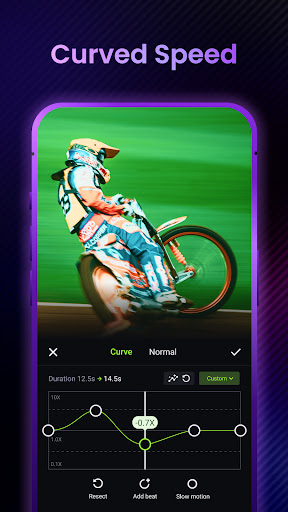
ShotCut AI is not just a basic editor; it's a complete toolkit for all video projects. Create engaging slideshows with music and voiceovers, produce professional movies, or generate short reels for social media. The app supports slow motion, fast motion, and video speed adjustments to refine your footage.
Specialized Templates and Tools
With a rich library of template options for platforms like Instagram and TikTok, ShotCut AI simplifies creating trendy reels and engaging posts. The app also enables you to generate collages, convert live photos into videos, and produce slideshow presentations with ease—perfect for content marketing or personal memories.
Performance and Final Thoughts
Boasting robust performance, ShotCut AI ensures smooth editing experiences without lags or crashes, even with high-resolution videos. Its multi-layer support for audio and video editing allows for complex projects, while quick exporting options make sharing your creations on social media platforms straightforward. Whether you're a casual user, influencer, or professional videographer, this full-featured AI video editor adapts to your needs.
In conclusion, ShotCut AI stands out as an affordable and powerful tool for anyone eager to elevate their video content. Its blend of smart AI features, easy usability, and versatile editing options make it a go-to choice for creating stunning videos on your mobile device. Dive into the future of video editing with ShotCut AI and turn your ideas into professional-quality visuals effortlessly.
Pros
- User-friendly interface for quick editing
- Advanced AI tools for automatic editing
- Supports multiple video formats
- Cloud storage integration for easy access
- Regular updates with new features
Cons
- Limited capabilities in the free version
- Requires a high-end device for smooth operation
- Occasional glitches in AI features
- Large app size consumes substantial storage
- Subscription needed to access premium tools











