

Overview of KMPlayer - All Video Player
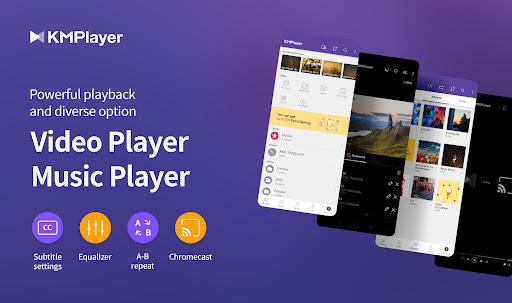
KMPlayer is a versatile and powerful media player designed to handle all high-resolution videos, music files, and subtitles with ease. Whether you’re streaming, local playback, or managing multimedia files, KMPlayer provides a seamless and rich user experience. Its support for a wide range of formats—including popular ones like MP4, AVI, MKV, and even less common formats—makes it a top choice for media enthusiasts who want to avoid format compatibility issues.
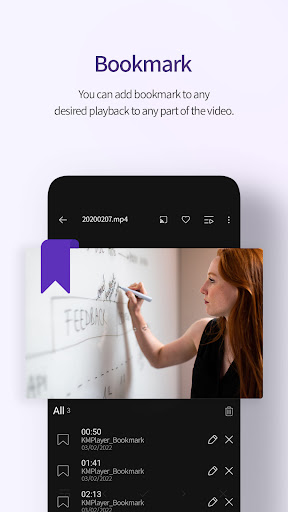
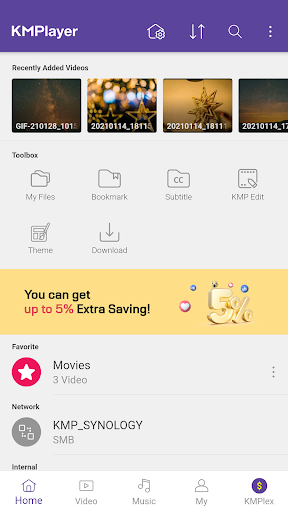
The app isn’t just about playing videos; it offers an array of features to customize and enhance your viewing experience. These include quick access buttons, bookmarking sections of videos for easy resumption, detailed subtitle settings, and adjustable play speeds. Plus, KMPlayer’s newly introduced KMPlex feature elevates your engagement by enabling missions that earn points, which you can exchange for supported cryptocurrencies like MovieBloc Token (MBL) and Cobak Token (CBK). This innovative integration creates an interactive platform that combines entertainment with rewards.
Key Features of KMPlayer
Seamless Playback and Format Support
Experience flawless playback with support for high-definition formats up to 8K resolution. KMPlayer handles all media formats efficiently, allowing you to enjoy movies, TV shows, and music without worrying about compatibility issues.
Customizable Video and Subtitle Settings
The app offers extensive options to adjust video parameters such as brightness, hue, saturation, and gamma. Subtitle customization includes changing colors, sizes, and positioning, supporting a variety of subtitle formats like SSA/ASS, SRT, VTT, and more, with full styling capabilities.
Interactive Viewing Features
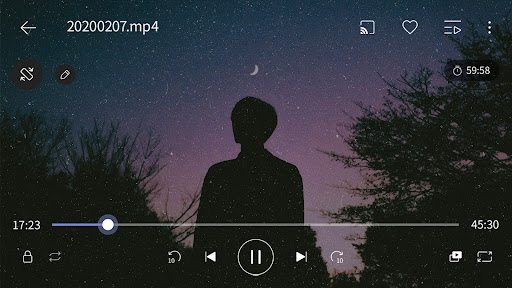
Bookmark important sections, control playback speed, and expand or contract videos with ease. The Section Repeat feature allows you to loop specific parts of a video, perfect for language learning or karaoke sessions. The Quick button simplifies access to commonly used controls.
Screen and Network Support
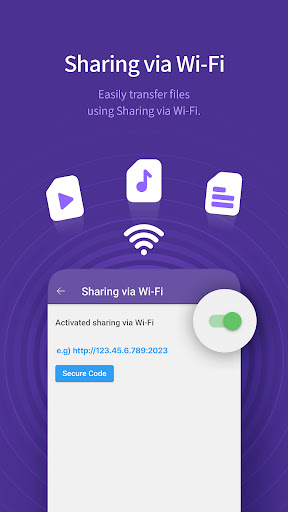
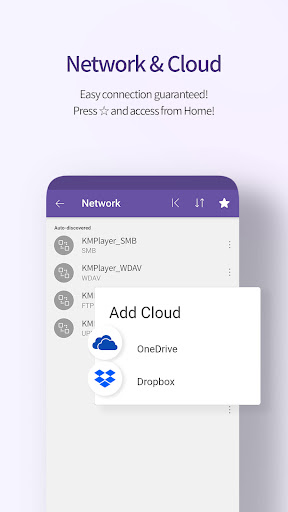
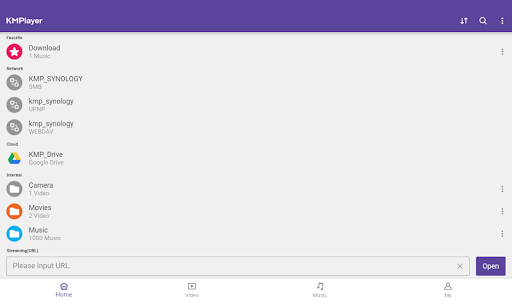
Utilize features like Chromecast support to cast videos to your TV, or use URL playback to stream videos directly from websites. KMPlayer supports network protocols such as FTP, UPNP, SMB, and WebDav, and integrates with cloud services like Dropbox and OneDrive for easy access to your files.
Enhanced Audio and Subtitle Experience
The media player includes an Equalizer that allows users to save custom sound profiles for both music and videos, delivering an optimized listening experience. Supporting a broad range of audio formats including MP3, WAV, AAC, FLAC, and more, KMPlayer turns your device into a portable media station. For subtitles, the app supports various formats with full styling, including DVB, Teletext, PJS, and WebVTT, ensuring accessibility and personalization for every viewer.
KMPlex: Rewards and Community Engagement
The KMPlex feature introduces an interactive dimension to KMPlayer. Users can participate in a variety of missions to earn points, which are then exchangeable for coins like MovieBloc Token (MBL) and Cobak Token (CBK). Creating a Wallet within KMPlayer enables seamless management of earnings, fostering community engagement and rewarding loyal users. Remember to participate actively, especially during special release events, to maximize your points and rewards.
VIP Features and In-App Purchases
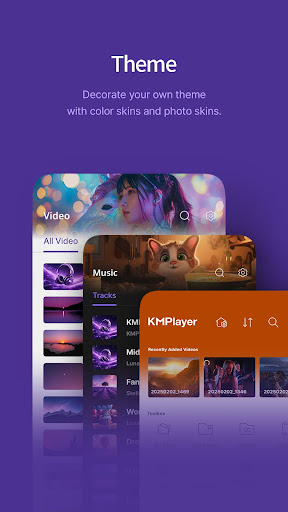
KMPlayer offers a VIP subscription that unlocks advanced capabilities such as torrent client support for real-time streaming during downloads, video & audio cutting to isolate specific segments, GIF creation tools, and quick audio extraction to MP3 files. Subscribers can also customize their experience with VIP themes, allowing personalization that reflects your style.
Note that the free trial is limited to one per Google Play account, after which subscriptions are automatically renewed unless canceled within 24 hours of the trial ending. You can manage subscriptions easily through Google Play settings.
Permissions and Developer Support
To deliver its full range of features, KMPlayer requests permissions such as access to all files on device (for Android 11 and above), notifications, and overlay (pop-up windows). These are essential for functions like gesture controls, floating windows, and media management. The development team actively encourages user feedback and suggestions to improve the app, and support can be reached via email for assistance or feature requests.
Final Thoughts
If you’re looking for a comprehensive media player that combines robust format support, extensive customization options, and interactive features, KMPlayer - All Video Player is an excellent choice. Its ability to handle 4K and 8K videos seamlessly, along with advanced subtitle and network features, makes it suitable for casual viewers and media geeks alike. Plus, the innovative KMPlex rewards system adds a fun and engaging layer to your media consumption. Give KMPlayer a try and enhance your entertainment experience today—this might just be the media player you’ve been waiting for.
Pros
- Supports a wide variety of video formats.
- Intuitive interface for easy navigation.
- Delivers high-quality video playback.
- Provides subtitle options in multiple languages.
- Customizable options for playback settings.
Cons
- Includes ads and in-app purchases.
- Can drain battery life significantly.
- Potential lag issues on lower-end devices.
- Requires a premium version for advanced features.
- Customer support availability is limited.











