
Overview of the PDF Viewer&Scanner App
The PDF Viewer&Scanner app is a comprehensive solution designed to meet your document reading and management needs efficiently. Whether you’re a student, a professional, or someone who values organization, this versatile application combines multiple features to streamline your workflow. From supporting various document formats to providing powerful editing and security tools, PDF Viewer&Scanner aims to make handling digital documents simple, secure, and accessible.
Main Features of PDF Viewer&Scanner
Multi-Format Reading
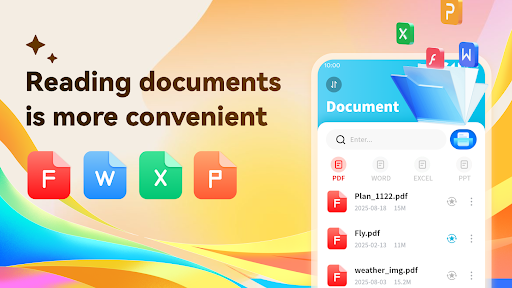
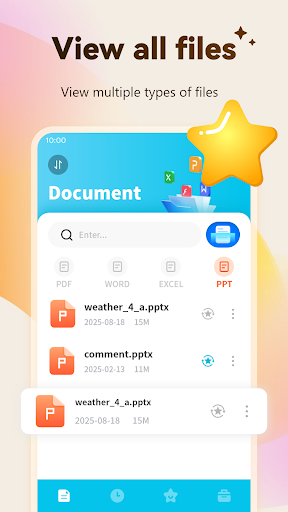
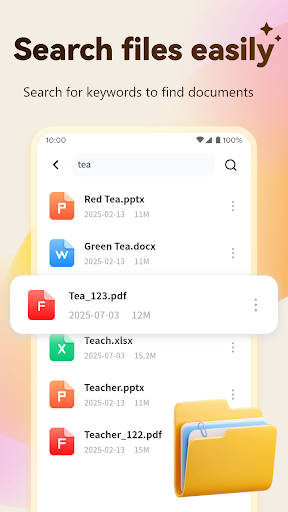
One of the standout features is its capability for multi-format reading. The app flawlessly supports a wide array of document types such as PDF, Word, PowerPoint, Excel, and more. This means you can open and view your important files anytime and anywhere without needing multiple applications.
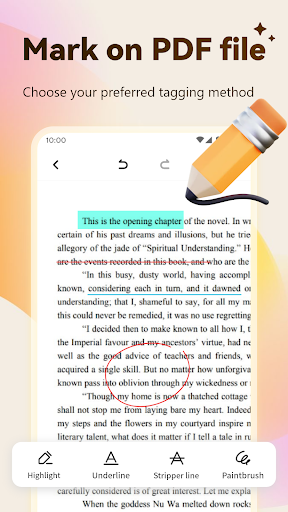
Tag PDF
Enhance your document annotations with tools for highlighting, underlining, and strikethroughs. These editing features make it easy to mark up your PDFs for study, review, or collaboration.
Convert Photo to PDF
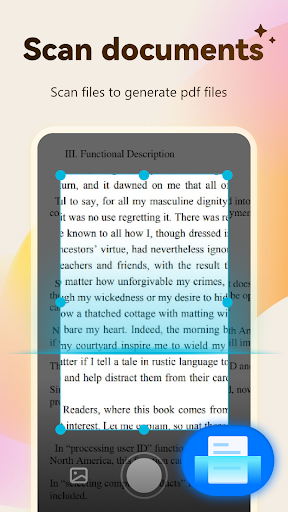
Utilize your smartphone’s camera to quickly convert paper documents into PDFs. This handy feature transforms physical notes, receipts, or printed materials into digital files for convenient storage or sharing.
PDB Merge and Split
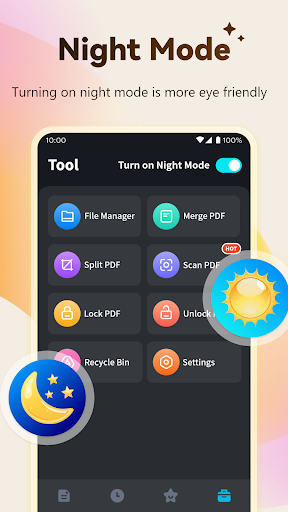
The app simplifies managing large documents with its merge and split functionalities. Effortlessly combine multiple PDFs into a single file or divide a large PDF into smaller, manageable sections, saving you time and effort.
PDF Encryption
Protect sensitive information by encrypting your PDFs with passwords. This feature ensures that your documents remain secure and accessible only to authorized users.
Download PDF Viewer&Scanner today to experience a seamless, efficient, and safe way to handle all your document processing tasks. Its intuitive design and robust capabilities make it an essential tool for anyone handling digital documents regularly.
Personal Experience and Benefits
Let me share my experience exploring PDF Viewer&Scanner. From the very first use, I appreciated its clean and user-friendly interface. Navigating through the app is straightforward, removing any complicated learning curve. Whether you're viewing important files or scanning new documents, everything is designed for ease of use.
The document viewing feature stands out with support for various formats. I was impressed by how quickly files loaded and how smoothly scrolling through pages felt — even with large files like lengthy reports or presentations.
Another notable aspect is its scanning feature. Curious about quality, I decided to scan some physical documents. The results exceeded expectations — crisp, clear PDFs with automatically cropped edges and optimized lighting, giving professional results right from my phone.
Sharing and storage are made incredibly simple thanks to integration with cloud services like Google Drive and Dropbox. This allows for seamless collaboration and sharing, especially useful for work or study groups. And, for added security, the app offers encrypted sharing options, keeping your files safe from unauthorized access.
Why You Will Love PDF Viewer&Scanner
If you handle multiple documents daily and crave efficiency, PDF Viewer&Scanner is a must-have. Its combination of robust features and easy navigation makes managing your files on the go a hassle-free experience. Plus, having a scanner in your pocket offers unmatched convenience.
While several similar apps are available, PDF Viewer&Scanner truly stands out for its simplicity and dependability. Whether you're managing professional documents, study materials, or personal files, this app covers all your needs. Try it today and see how it can revolutionize your document workflow.
Pros
- Fast loading and rendering of PDFs
- Simplifies document scanning process
- Intuitive and easy-to-use interface
- Supports various file formats
- Allows offline access
Cons
- Limited features in the free version
- Contains advertisements in the free version
- Lacks advanced editing capabilities
- Occasional synchronization problems
- Requires in-app purchases for complete access











