

Overview of the Nintendo Switch Parental Controls App
The Nintendo Switch Parental Controls™ app is a powerful, free tool designed to help parents monitor and manage their children’s gaming habits on the Nintendo Switch 2 or Nintendo Switch console. This app provides an essential solution for parents seeking to ensure their kids’ gaming experience remains safe, balanced, and age-appropriate—without the need for constant supervision. Whether you're concerned about screen time, game content, or overall activity, the Nintendo Switch Parental Controls app offers a user-friendly interface and a range of customizable features, making it easier than ever to maintain a healthy gaming environment at home.
Key Features of the Nintendo Switch Parental Controls App
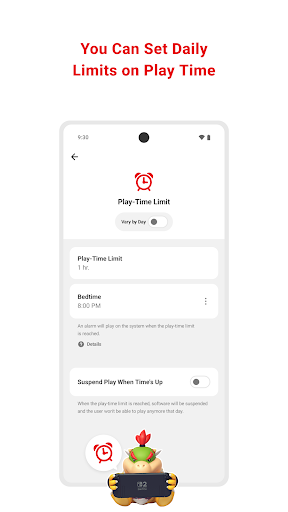
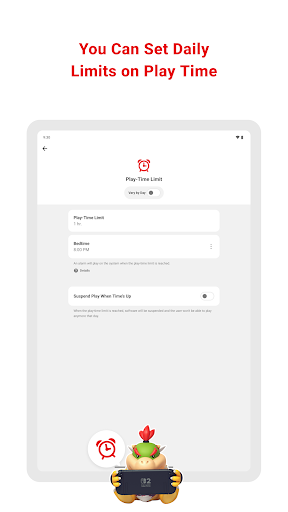
Set Daily Play-Time Limits
With this app, parents can set a daily play-time limit for their children, ensuring that gaming sessions do not extend beyond what is considered healthy. The app allows you to configure different play-time restrictions for each day of the week, providing flexibility to accommodate weekends, school nights, and special occasions. Once the allotted time is reached, the system can automatically suspend gameplay, helping to prevent overuse and encouraging balanced routines.
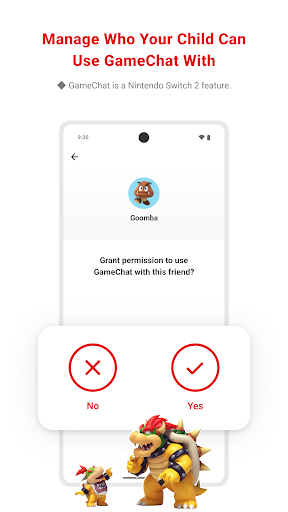
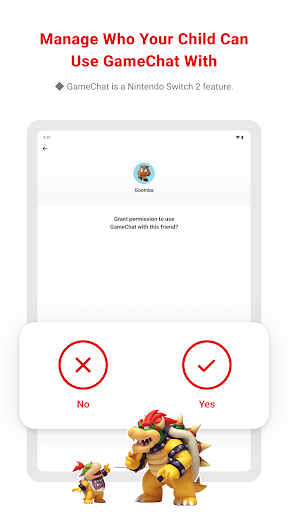
Manage GameChat and Communication Settings
For families that allow GameChat on their Nintendo Switch, the app offers tools to manage communication settings. You can approve or restrict which friends your child can chat with and control when video chat is available. Note that the GameChat feature is exclusive to Nintendo Switch 2 systems, and guardians can tailor chat options based on their child’s age and comfort level.
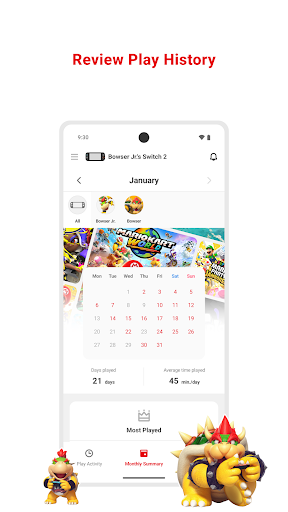
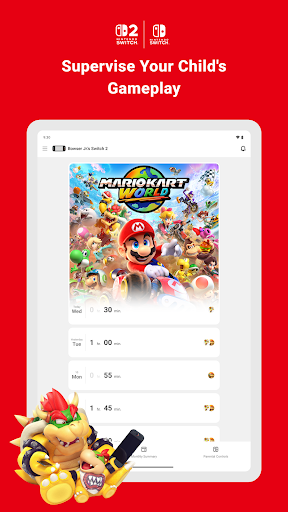
Monitor Play Activity and Usage Patterns
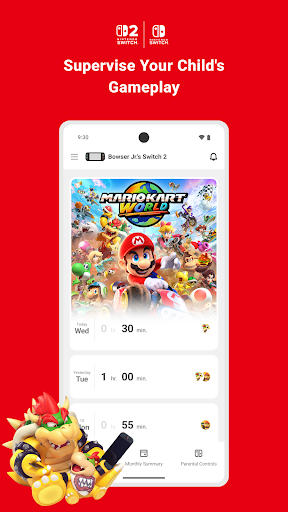
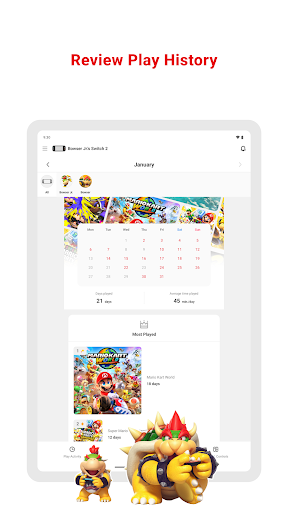
An essential feature is the ability to view your child's play activity. The app provides insights into which games your child plays most often and how long they spend on each game. A comprehensive monthly overview helps parents identify patterns, making it easier to discuss game choices and time management with their kids.
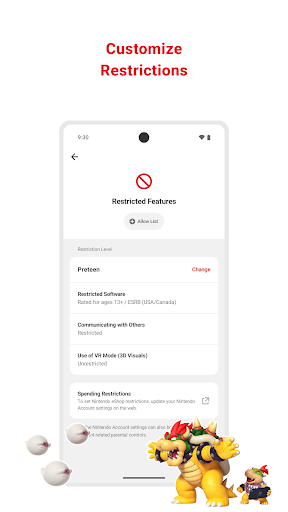
Implement Age-Based Restrictions
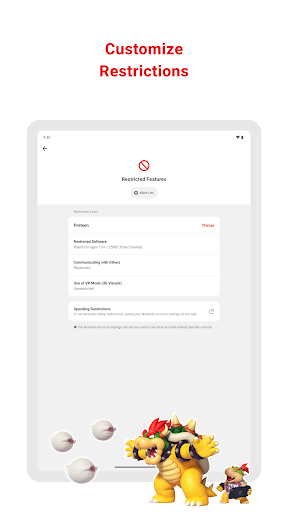
Parents can set restrictions based on age to prevent children from accessing inappropriate content. This includes limiting access to certain games and features, ensuring that gameplay aligns with their maturity level and family guidelines.
Important Notes for Users
To maximize the benefits of the Nintendo Switch Parental Controls app, a parent or guardian (aged 18 or above) must have a Nintendo Account. Restrictions related to purchasing products and services can also be configured through the account settings, offering an added layer of control. Additionally, to access all features seamlessly, linked Nintendo Switch 2 and Nintendo Switch consoles should be running the latest system software. For comprehensive details about features like GameChat, support resources are available at support.nintendo.com.
Ease of Use and Parental Peace of Mind
User-Friendly Interface
The Nintendo Switch Parental Controls app is designed with simplicity in mind. It offers an intuitive, clean interface that allows even less tech-savvy parents to set up and manage controls effortlessly. The app provides real-time notifications and easy-to-navigate menus, making monitoring straightforward without overwhelming the user.
Balancing Fun and Safety
What sets this app apart is its balanced approach—protecting children from excessive gaming and inappropriate content while respecting their need for fun and independence. It’s not about restricting but guiding children toward responsible gaming habits. Parents experience peace of mind knowing they can stay informed about gameplay activity without constantly hovering, creating a healthier gaming environment for all.
Why It’s a Must-Have for Modern Parents
If you're a parent with young gamers at home, the Nintendo Switch Parental Controls app is an invaluable tool. It helps foster healthy gaming routines and ensures content is age-appropriate, all while maintaining a good relationship with your child’s gaming life. Whether you want to limit screen time, control chat features, or monitor activity, this app provides the necessary tools to do so easily and effectively. With its comprehensive functionalities, it’s an essential addition to any family’s digital safety toolkit, enabling responsible gaming while nurturing a positive gaming experience for your children.
Pros
- User-friendly interface for easy navigation.
- Customizable settings suitable for various age groups.
- Supports multiple profiles for family members.
- Enables remote management through smartphones.
- Provides comprehensive activity reports for parents.
Cons
- Limited to Nintendo Switch consoles only.
- Some settings may be complicated for beginners.
- Requires internet access for specific features.
- Offers few options for game restrictions.
- Notification delivery may occasionally be delayed.











