

Introducing the Retouch Remove Objects Editor App
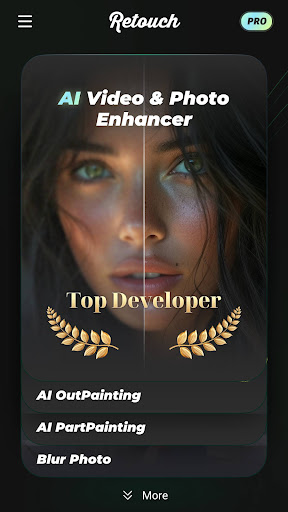
The Retouch Remove Objects Editor is an innovative AI-powered photo eraser and retouching application designed to help users effortlessly enhance their photos. Whether you want to eliminate unwanted objects, repair scratches, remove text or logos, or creatively modify your images, this versatile app provides a comprehensive suite of tools. It stands out as both a powerful AI photo editor and an eraser tool for photos, making photo editing simple, fast, and effective for users of all levels.
Key Features of the Retouch Remove Objects Editor
Remove Unwanted Objects
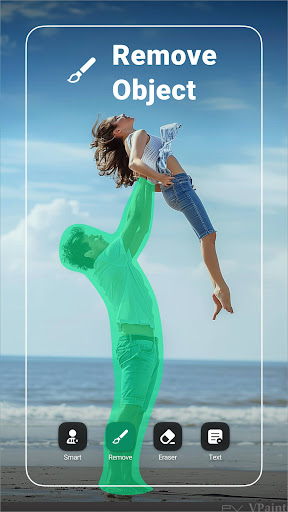
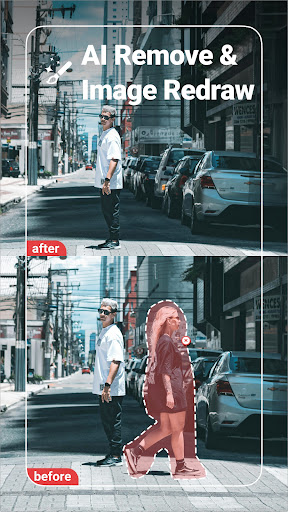
This feature allows you to easily remove any unwanted content from your photos using just your finger. Whether it's an intrusive person, distracting sticker, or unwanted text or caption, you can erase these elements seamlessly. The app's AI auto selection tool intelligently detects and removes objects, filling in the background to create a natural-looking result.
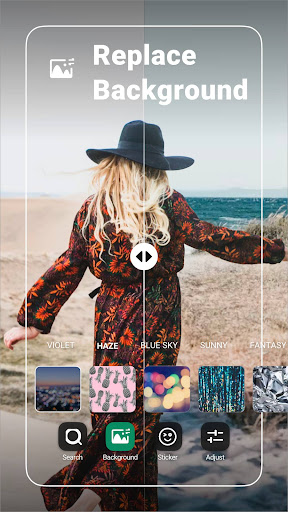
Replace Background
With the automatic cutout feature, you can effortlessly isolate subjects in your photos. After cutting out, you can replace the background with any image from your gallery or choose from pre-existing options. This is perfect for inserting yourself into famous locations or creating fun compositions with your favorite images.
Paste and Clone Photos
The app enables you to copy specific parts of photos and paste them onto new backgrounds. Additionally, the clone tool allows you to copy and duplicate subjects within a photo, such as cloning yourself in a group shot or creating artistic effects with multiple copies of a person or object. This feature is ideal for creative editing and fun photo effects.
Blemish and Skin Retouching
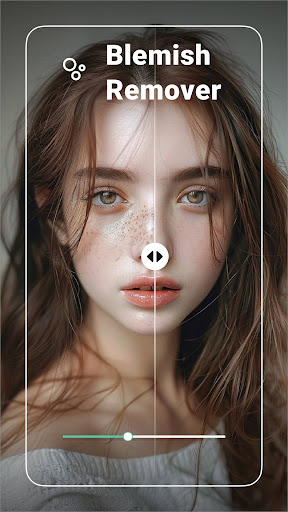
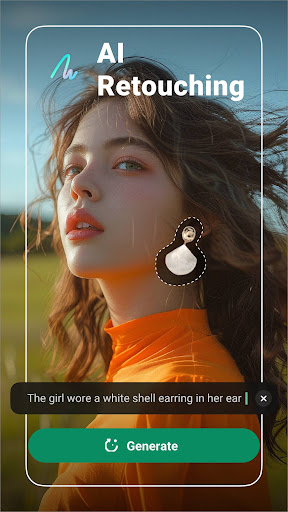
Perfect for portrait editing, the blemish remover quickly eliminates facial imperfections like pimples, wrinkles, dark circles, and dark spots. A simple tap on the blemish or skin flaw makes it disappear instantly, providing professional-quality retouching for your selfies or portraits.
Comprehensive Photo Editing
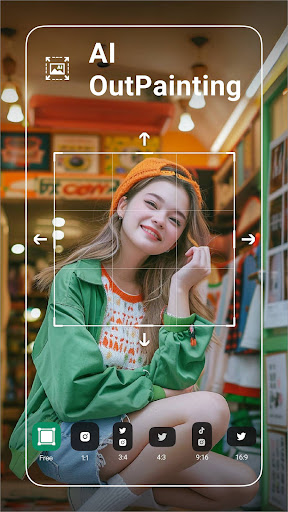
Beyond object removal, the app offers extensive editing tools to refine your images. Crop photos to any size, apply over 100 filters, include stylish fonts and stickers, and adjust parameters like exposure, contrast, highlights, shadows, saturation, temperature, and tint. You can also add borders and fit images perfectly for social media platforms, with quick saving and sharing options.
User Experience and Practical Use
The Retouch Remove Objects Editor features an intuitive and user-friendly interface that caters to both beginners and advanced users. Importing photos is straightforward, and powerful tools are just a tap away. The object removal process is as simple as swiping over unwanted elements, and the app’s AI automatically fills in the background seamlessly—making it almost magic. Whether you're removing a photobomber from a landscape shot or cleaning up a portrait, the app handles these tasks efficiently.
Performance is smooth and reliable, even with high-resolution images. Compatible with both Android and iOS devices, it ensures a wide user base can access its features. While the app is free to download, some optional advanced tools and filters are available through in-app purchases, which enhance your editing experience.
This app serves as a mini Photoshop in your pocket, enabling quick touch-ups, creative editing, and professional-looking photos without complex software.
Final Thoughts and Usage Recommendations
If you're frustrated by the stray objects or unwanted distractions in your photos, the Retouch Remove Objects Editor is an excellent solution. Its powerful AI-driven features make removing objects, background replacement, and retouching effortless. From personal photos to social media content, this app provides all the tools you need to elevate your images with minimal effort. Whether you're a hobbyist or a professional, you'll appreciate its versatility and ease of use.
Just upload your photo, select the unwanted elements, and let the app work its magic. Use this app to clean up photos, create artistic effects, or prepare stunning visuals for your social media profiles. With continuous updates and a user-centric design, the Retouch Remove Objects Editor is becoming a must-have in your photo editing toolkit.
Pros
- Intuitive and easy-to-use interface.
- Allows quick and precise object removal.
- Supports high-resolution images.
- Provides a range of editing tools.
- Received regular updates with new features.
Cons
- Some features need in-app purchases.
- May be demanding on older devices.
- Occasional issues with complex images.
- Free version has limited features.
- Can take time to master advanced tools.











