

Introduction to Smart Launcher 6 ‧ Home Screen
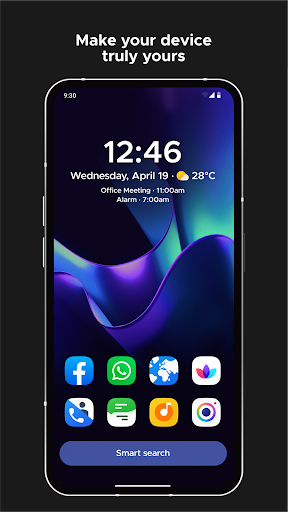
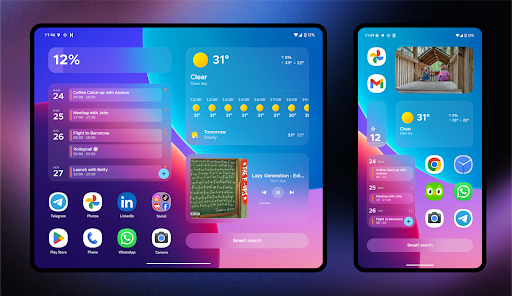
Smart Launcher 6 ‧ Home Screen is a powerful Android launcher designed to transform your device's user interface. It offers a sleek, customizable, and highly efficient home screen experience that prioritizes ease of use and quick access to your apps and features. With smart app organization, dynamic themes, and extensive customization options, Smart Launcher 6 ‧ Home Screen is ideal for users who want to personalize their Android device while enhancing productivity. Recognized by multiple tech outlets, including Android Central and Android Headlines, as one of the best Android launchers for 2020-2021, this launcher continues to be a top choice for Android enthusiasts seeking a seamless and stylish home screen solution.
Main Features of Smart Launcher 6 ‧ Home Screen
Automatic app sorting
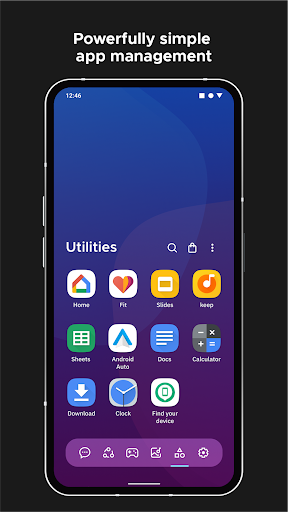
One of the standout features of Smart Launcher is its ability to automatically categorize your applications. No more tedious manual organization—apps are sorted into relevant categories, making it easy to find and launch your favorite tools quickly. This feature has even been adopted by Apple in iOS 14's App Library, showcasing its practicality. The automatic app sorting enhances productivity and minimizes clutter, providing a clean and organized interface at all times.
Ambient theme
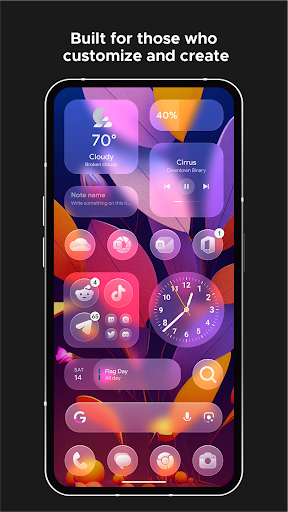
The launcher fine-tunes your aesthetic experience by dynamically adjusting theme colors to match your wallpaper. Whenever you change your background, the app seamlessly updates the theme to ensure a cohesive look throughout your home screen. This ambient theming creates a visually appealing environment tailored to your style preferences.
One-handed usability
Designed for ease of use, Smart Launcher places the most frequently accessed items at the bottom of the screen—making navigation with one hand more comfortable. This ergonomic placement reduces strain and makes multitasking effortless, perfect for on-the-go users.
Responsive widgets
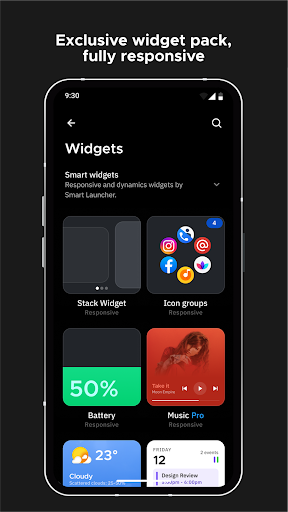
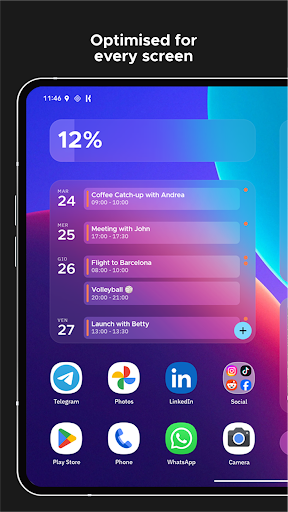
The launcher includes a comprehensive set of widgets that respond intelligently to your interactions. These widgets are designed to be both functional and visually integrated with the overall theme, enhancing your home screen's utility without sacrificing aesthetic appeal.
Extensive customization
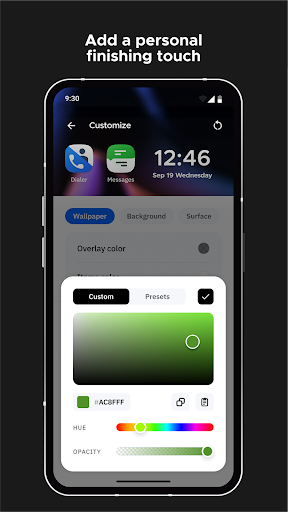
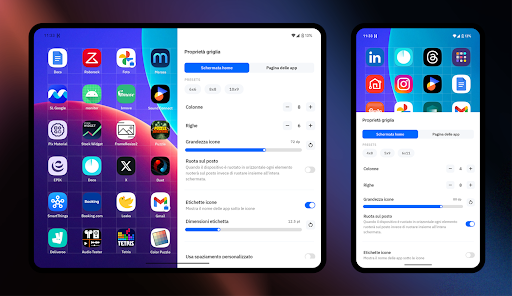
For users who love personalizing their device, Smart Launcher offers unparalleled customization options. You can modify every aspect of the theme, including colors, fonts, and icon styles. It supports integration with over thousands of fonts via Google Fonts, allowing for further personalization. From selecting icon packs to adjusting layout styles, your unique look is just a few taps away.
Smart search capabilities
The integrated search bar enables rapid access to contacts, apps, web searches, or even performing quick calculations. It’s designed to streamline your tasks, saving you time when navigating or searching for important information.
Adaptive icons
Supporting Android 8.0 Oreo's adaptive icons, Smart Launcher allows you to experience consistent, beautiful icons in various shapes. This results in a polished look across your home screen with icons that are both larger and more customizable.
Gestures and hotkeys
Improve your efficiency by configuring gestures and hotkeys. Double-tap to turn off the screen, swipe to open notifications, or assign other custom actions. These shortcuts make navigation faster and more intuitive.
On-screen notifications
Smart Launcher displays notifications directly on your home screen, showing which apps have alerts without the need for external plugins. This feature enhances usability and keeps you informed at a glance.
Ultra immersive mode
Maximize your display space by hiding navigation bars, providing an ultra immersive mode that offers a full-screen experience, perfect for media consumption or focused tasks.
App protection and hiding
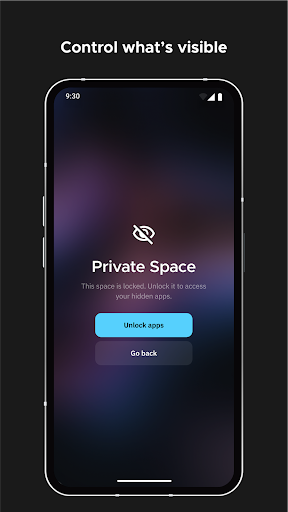
Keep your privacy intact by hiding sensitive apps and protecting them with PIN codes. This anonymity feature is essential for users who value security and discretion on their devices.
Wallpaper selection
The wallpaper picker in Smart Launcher includes many sources and options. You can backup your current wallpaper before trying new ones, ensuring your home screen always reflects your style preferences.
Performance and Community Support
Smart Launcher 6 ‧ Home Screen is designed to be lightweight and optimized, ensuring your device runs smoothly without lag—even with extensive customization features enabled. The app is regularly updated to support the latest Android APIs and new device models. As a community-driven project, users are encouraged to join the beta testing community and contribute ideas for future improvements. Enabling accessibility features remains optional, and the privacy of users is a top priority, with no data collection from the API being used.
Personal Review and Final Verdict
Having personally explored Smart Launcher 6 ‧ Home Screen, I can confidently say it offers a refreshing take on Android customization. If you're someone who loves giving your device a unique look, this launcher makes it easy and enjoyable. The automatic app sorting saves time, while the vibrant themes and customizable icons provide endless possibilities for personalization. Its intuitive design makes navigation straightforward, even for beginners, and the overall performance ensures your device remains responsive throughout. Whether you want a sleek, minimalistic interface or a colorful, dynamic home screen, Smart Launcher 6 ‧ Home Screen delivers. Give your Android device the upgrade it deserves and experience a home screen tailored perfectly to your style and needs!
Pros
- User-friendly interface improves accessibility.
- Highly customizable with various themes and widgets.
- Quick app search function saves time.
- Performs smoothly with minimal lag.
- Supports gesture controls for faster access.
Cons
- Features in the free version are limited.
- Displays occasional ads in the free version.
- Some themes require in-app purchases.
- May consume more battery on older devices.
- Limited compatibility with third-party apps.











