
Introduction to Timestamp Camera, Auto GPS Cam
Ever wondered how to precisely remember where and when you took that breathtaking sunset shot or that charming café photo? The Timestamp Camera, Auto GPS Cam app is designed to make your photography experience seamless and enriched with detailed location and timestamp information. Whether you are a professional photographer, travel blogger, or casual user, this all-in-one camera app elevates your photos and videos by embedding important data such as current location, date, time, and geodata right on your captures. Let's explore the many features that make this app a must-have tool for documenting your adventures and everyday moments with added context and style.
Core Features of the App
Advanced Timestamp and GPS Tagging
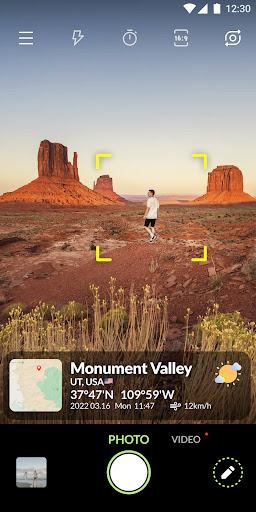
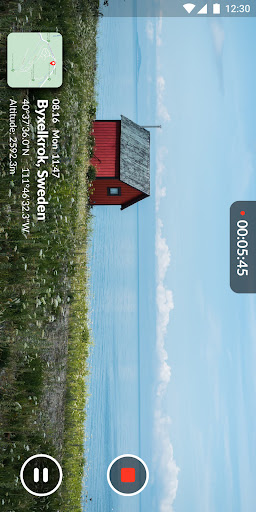
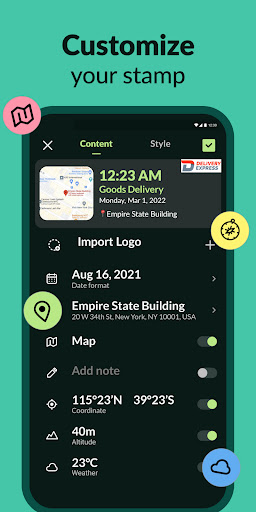
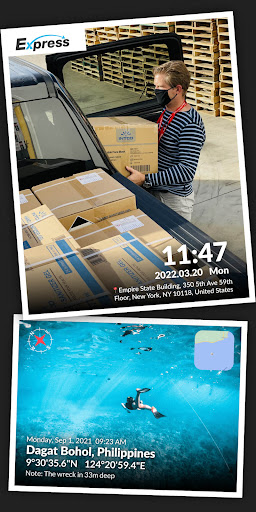
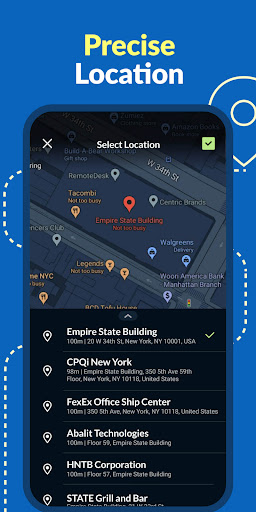
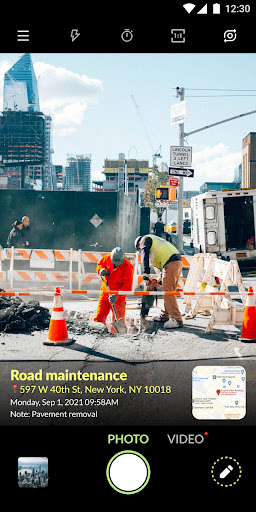
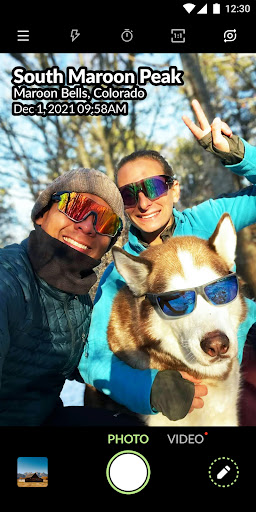
One of the standout features of Timestamp Camera, Auto GPS Cam is its ability to automatically •Timestamp: embed the precise date and time on your photos or videos. You can choose from nearly 100 formats to display this information, ensuring your media has the exact details you want. Whether it’s "Mar 3, 2022 18:41:01" or "2022/03/03 6:41 PM," customization is at your fingertips. Additionally, the app offers •location tagging: present real-time address information or manually select specific location details such as country, state, city, street, or even building name. The GPS coordinates—latitude and longitude—are also available for precise geotagging, making your photos ideal for outdoor exploration, real estate, or delivery confirmation.
Rich Customization Options
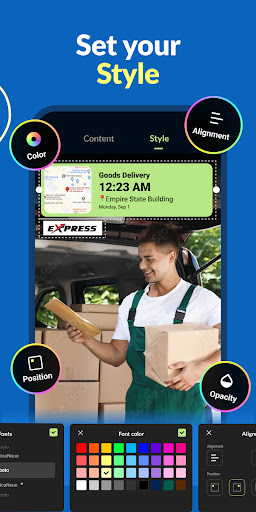
The app allows extensive customization of timestamp display to match your aesthetic preferences. Choose your preferred •font styles, • colors, and control the •opacity: set transparency levels for timestamps and background overlays. You can align the elements left, center, or right, and select the position at the top, bottom, or center of your photos or videos. Want to add a fun note or emoji? The feature to •add custom text & emoji makes your captures even more personalized—perfect for notes like "The package is here" or capturing memorable moments during travels and food adventures.
Powerful Camera Settings and Controls
Beyond adding metadata, the app provides robust camera controls. You can enable •autofocus, •zoom capabilities, and set shooting quality to •low, standard, or high, depending on your needs. The auto-rotation feature ensures your captures are correctly aligned whether in portrait or landscape. For convenience, options like •assistive grids help composition, and a mirror mode is available for creative selfies. Aspect ratios such as 1:1, 4:3, or 16:9 give you flexibility for different social media platforms and formats. The remote control timer with countdown display is perfect for group shots or self-portraits, and an integrated flash is available for low-light conditions.
Versatile Usage Scenarios
This app is incredibly useful across various real-life scenarios. For instance, after a food delivery or package arrival, take a photo with timestamp and location for proof. During outdoor adventures, record GPS data to track your route and elevation. Travelers can capture funny moments, landmark visits, and favorite spots with date stamps, preserving memories with rich context. Real estate agents can showcase property tours with addresses embedded directly in videos. The possibilities extend to documenting restaurant locations, logging hiking trails, or creating detailed travel diaries effortlessly.
Why You Should Use Timestamp Camera, Auto GPS Cam
If you’ve ever wished to remember exactly where and when a special moment happened, this app turns that wish into reality. Its straightforward interface coupled with high responsiveness makes it suitable for both seasoned photographers and casual users. Offline functionality means GPS tagging works even when Wi-Fi is unavailable, perfect for outdoor exploration or remote areas. The app not only helps you keep your memories organized with precise metadata but also enhances the storytelling aspect of your photos and videos. By automatically adding real-time location, date, and customizable annotations, Timestamp Camera, Auto GPS Cam ensures your visual memories are rich with details that make them more meaningful and shareable.
Pros
- User-friendly interface with simple navigation
- Supports various video and photo formats
- Highly customizable timestamp options
- Efficient GPS location tagging
- Real-time updates of date and time
Cons
- Some features require in-app purchases
- Drains battery significantly
- Occasional issues with GPS signal
- Limited options for cloud storage
- Ads can sometimes be intrusive











