
Introduction to Google Tasks
Are you looking for an efficient way to organize your daily tasks and boost productivity? Google Tasks is a powerful and user-friendly task management application designed to help you manage, capture, and edit your to-do lists effortlessly. Whether you're at home or on the go, this app ensures your tasks are synchronized across all your devices, making task management seamless and accessible anytime, anywhere.
Getting More Done with the Mobile App
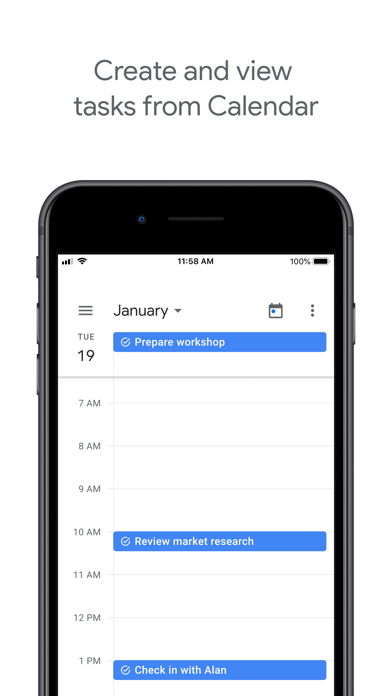
With the Google Tasks mobile app, you can quickly capture your to-dos, create task lists, and stay on top of your commitments from your smartphone or tablet. The app's integration with Gmail and Google Calendar streamlines your workflow, allowing you to convert emails into tasks or see upcoming deadlines within your calendar. This setup helps you accomplish tasks more efficiently and stay organized throughout your busy day.
Key Features of Google Tasks
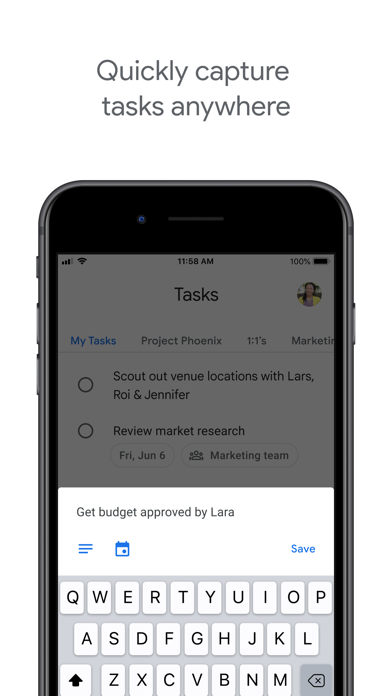
Quick Task Capture
Easily create task lists with your most important to-dos. You can view, edit, and manage all your tasks on the go, from any device. Importantly, tasks created in Gmail or Google Calendar can be accessed and managed directly on your mobile device, providing a unified experience across platforms.
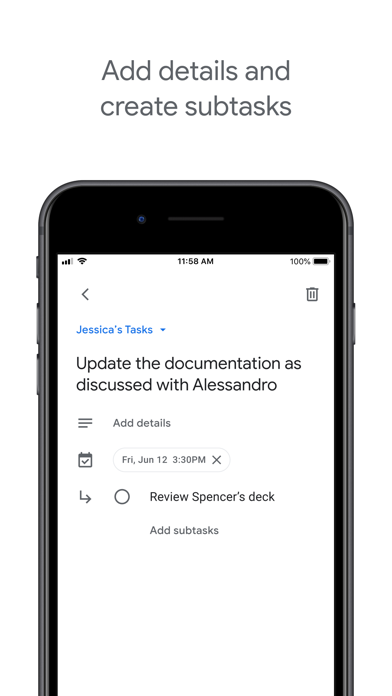
Add Details and Subtasks
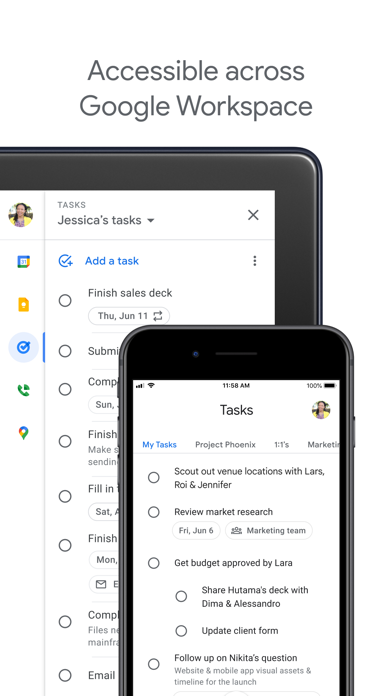
Break down complex projects into manageable subtasks to stay organized. You can add detailed notes or instructions to each task, helping you focus on what's most important. As your work progresses, editing task details ensures your to-do list remains accurate and helpful.
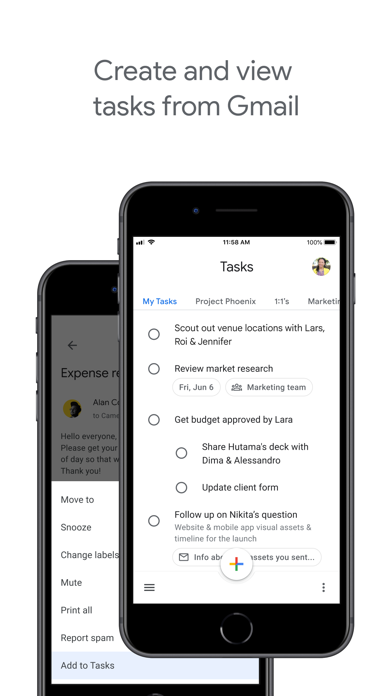
View Tasks from Emails
One of the most convenient features is the ability to create a task directly from an email in Gmail. This task can then be viewed in the side panel of Gmail, creating a clear link between your emails and your to-do list. This feature allows you to trace a task back to its source email, making follow-ups more straightforward.
Stay On Track with Due Dates and Notifications
Assign a due date to each task to keep your schedule on track. The app allows you to organize your tasks by date and easily prioritize them using drag-and-drop functionality. To ensure you never miss a deadline, you will receive notifications and reminders about upcoming due dates, helping you stay focused and productive.
Part of G Suite for Business Empowerment
Google Tasks is an integral part of G Suite, bringing Google's suite of intelligent apps to your business environment. You can leverage Google's AI to gain data insights and analysis for improved decision-making. The seamless connection with other Google services like Gmail, Calendar, and Drive means your team can collaborate efficiently and stay aligned on all tasks and projects.
Why Choose Google Tasks?
In today’s fast-paced world, staying organized is crucial. Google Tasks stands out as a simple yet effective solution for managing both personal errands and professional projects. Its minimalist design ensures that you’re not overwhelmed with unnecessary options, focusing instead on what matters most: completing your tasks. With automatic synchronization across devices and easy integration with core Google apps, it becomes the ideal productivity partner.
Getting Started with Google Tasks
To begin, download the Google Tasks app from the Google Play Store or Apple App Store. After installation, it syncs seamlessly with your Google account, so you can start organizing your to-do list immediately. Whether managing personal chores or coordinating team projects, Google Tasks simplifies task management and keeps you in control.
Conclusion
If you want a straightforward yet powerful task manager that integrates effortlessly within the Google ecosystem, Google Tasks is an excellent choice. Its ability to help you quickly capture, organize, and track your tasks ensures you stay productive every day. Rediscover how easy task management can be with Google Tasks—your personal assistant in digital form that keeps your to-do list organized and your goals within reach.
Pros
- Seamless integration with Google Calendar
- User-friendly and straightforward interface
- Available cross-platform synchronization
- Supports recurring tasks and reminders
- Free to use with a Google account
Cons
- Fewer features compared to other task management apps
- No offline access available
- Lacks project management functionalities
- No support for advanced task prioritization
- Limited options for customization











